EasyManua.ls Logo

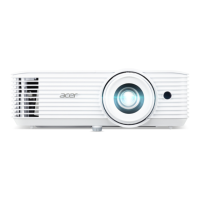
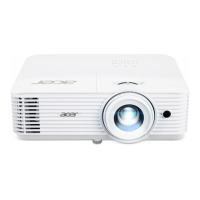
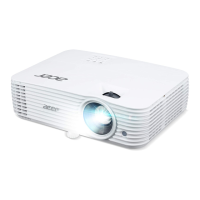
Acer H6800BD - User Manual

Acer H6800BD
53 pages
Print Icon
To Next Page IconTo Next Page
Loading...
Copyright © 2020. Acer Incorporated.
All Rights Reserved.
Acer Projector User's Guide
Original Issue: 04/2020
Acer Projector
H6800/E8600/HE-4K10/GM820/
VH-720/H6800BD+/H6800ABD/
H6800BD/H6800a/X6800/X6800a/
H6801BDa/H6800BDa/D4K2002
User's Guide

Questions and Answers

  • C
    Cody JonesSep 12, 2025
    Why is my Acer Projector image blurry?
    • T
      Tiffany GonzalezSep 12, 2025
      The image may be out of focus because the lens cap is still on. Remove it. You may also need to adjust the focus ring on the projector lens. Check that the projection screen is within the required distance from the projector.
  • L
    Leah RoyAug 25, 2025
    What to do if Acer H6800BD Projector notebook screen isn't displaying presentation?
    • J
      John AndersonAug 25, 2025
      If you are using a Microsoft® Windows® based notebook, some notebook PCs may deactivate their own screens when a second display device is in use. Refer to your computer's manual for detailed information on how to reactivate it. If you are using an Apple® Mac® OS based notebook, in System Preferences, open Display and select Video Mirroring "On".
  • A
    Anthony RobinsonAug 25, 2025
    What to do if Acer H6800BD Projector LAN/WiFi, USB Display source show no signal?
    • V
      Valerie PerezAug 26, 2025
      If your Acer Projector's LAN/WiFi or USB Display source shows no signal, power off the projector and then power it on again.
  • V
    vanessa27Sep 23, 2025
    How to fix Wifi or Bluetooth cannot be detected normally on Acer H6800BD Projector?
    • O
      obrownSep 23, 2025
      To fix the problem when Wifi or Bluetooth cannot be detected normally on Acer Projector, plug in wifi dongle again and restart projector.
  • S
    Sarah WolfSep 12, 2025
    What to do if Acer H6800BD is not responding?
    • C
      caroline60Sep 12, 2025
      If the projector stops responding, turn it off if possible, then unplug the power cord and wait at least 30 seconds before reconnecting the power.
  • D
    Dominique BushSep 18, 2025
    What does it mean if my Acer Projector lamp burns out or pops?
    • F
      frank90Sep 18, 2025
      When the lamp reaches the end of its useful life, it will burn out and may make a loud popping sound. If this happens, the projector will not turn on until the lamp module has been replaced.
  • M
    meganmooreSep 5, 2025
    Why is my Acer H6800BD image stretched on widescreen DVD?
    • S
      Sherri MyersSep 5, 2025
      If your Acer Projector image is stretched when displaying a widescreen DVD, and you play a 4:3 format DVD title, change the format to 4:3 in the projector OSD. If the image is still stretched, adjust the aspect ratio and set up the display format to 16:9 (wide) aspect ratio on your DVD player. If you play an Letterbox (LBX) format DVD title, please change the format to Letterbox (LBX) in the projector OSD.
  • K
    Kerry MoodySep 6, 2025
    How to fix vertical flickering bar on Acer H6800BD?
    • G
      Gloria CollinsSep 6, 2025
      To correct a vertical flickering bar on your Acer Projector image, use "Frequency" to make an adjustment. Also, check and reconfigure the display mode of your graphics card to ensure it's compatible with the projector.
  • T
    Troy BakerSep 18, 2025
    How to flip image on Acer H6800BD Projector?
    • T
      Tiffany MaldonadoSep 18, 2025
      To flip the image, select "Image --> Projection Mode" on the OSD and adjust the projection direction.
  • M
    Michael HillAug 30, 2025
    What to do if Acer Projector stops responding?
    • A
      Aaron MooreAug 30, 2025
      If your Acer Projector stops responding to all controls, turn off the projector if possible, then unplug the power cord and wait at least 30 seconds before reconnecting power.

Acer H6800BD Specifications

General IconGeneral
BrandAcer
ModelH6800BD
CategoryProjector
LanguageEnglish

Related product manuals