EasyManua.ls Logo

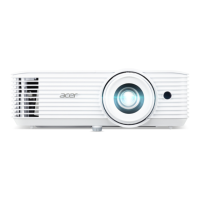
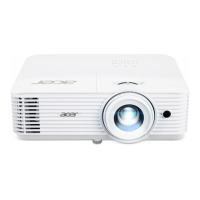
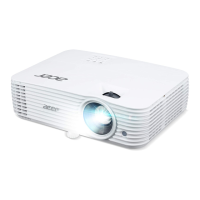
Acer H6800BD - User Manual

Acer H6800BD
53 pages
Print Icon
To Next Page IconTo Next Page
Loading...
Copyright © 2020. Acer Incorporated.
All Rights Reserved.
Acer Projector User's Guide
Original Issue: 04/2020
Acer Projector
H6800/E8600/HE-4K10/GM820/
VH-720/H6800BD+/H6800ABD/
H6800BD/H6800a/X6800/X6800a/
H6801BDa/H6800BDa/D4K2002
User's Guide

Questions and Answers

  • N
    Nathan CombsAug 31, 2025
    What to do if Acer Projector Wifi or Bluetooth cannot be detected normally?
    • J
      jamescampbellAug 31, 2025
      If your Acer Projector cannot detect Wifi or Bluetooth normally, plug in the wifi dongle again and restart the projector.
  • L
    Leah RoyAug 25, 2025
    What to do if Acer H6800BD Projector notebook screen isn't displaying presentation?
    • J
      John AndersonAug 25, 2025
      If you are using a Microsoft® Windows® based notebook, some notebook PCs may deactivate their own screens when a second display device is in use. Refer to your computer's manual for detailed information on how to reactivate it. If you are using an Apple® Mac® OS based notebook, in System Preferences, open Display and select Video Mirroring "On".
  • A
    Anthony RobinsonAug 25, 2025
    What to do if Acer H6800BD Projector LAN/WiFi, USB Display source show no signal?
    • V
      Valerie PerezAug 26, 2025
      If your Acer Projector's LAN/WiFi or USB Display source shows no signal, power off the projector and then power it on again.
  • J
    Joseph LewisAug 26, 2025
    How to adjust the screen size on Acer Projector?
    • D
      Daniel WelchAug 26, 2025
      To adjust the image size, try the following: adjust the zoom ring on the projector; move the projector closer to or further from the screen; or press "MENU" on the remote control, go to "Image - -> Aspect Ratio" and try different settings or press "RATIO" on the remote control to adjust directly.
  • J
    Jennifer VegaAug 27, 2025
    What to do if my Acer H6800BD Projector image is too small or too large?
    • C
      Christina OliverAug 27, 2025
      If the image on your Acer Projector is too small or too large, try the following: * Adjust the zoom ring on the projector. * Move the projector closer to or further from the screen. * Press "MENU" on the remote control, go to "Image - -> Aspect Ratio" and try different settings or press "RATIO" on the remote control to adjust directly.
  • B
    Bryan MaloneAug 27, 2025
    What to do if my Acer H6800BD notebook screen is not displaying the presentation?
    • C
      cynthia14Aug 27, 2025
      If the screen of your notebook computer is not displaying your presentation when connected to the Acer Projector: If you are using a Microsoft® Windows® based notebook: Some notebook PCs may deactivate their own screens when a second display device is in use. Each has a different way to be reactivated. If you are using an Apple® Mac® OS based notebook: In System Preferences, open Display and select Video Mirroring "On".
  • A
    Aaron PhillipsAug 28, 2025
    What to do if Acer Projector image is out of focus?
    • R
      Rebecca CarterAug 28, 2025
      If the image on your Acer Projector is out of focus, first ensure that the lens cap is removed. Then, adjust the focus ring on the projector lens. Also, ensure the projection screen is within the required distance from the projector.
  • H
    hprattAug 29, 2025
    How to fix unstable or flickering image on Acer H6800BD?
    • S
      Shelley BruceAug 29, 2025
      To fix an unstable or flickering image on your Acer Projector, adjust the "Tracking". Additionally, try changing the display color depth settings on your computer.
  • R
    Randy MartinAug 29, 2025
    What to do if Acer H6800BD Projector image is too small or large?
    • T
      thomas95Aug 29, 2025
      If the image from your Acer Projector is too small or too large, adjust the zoom ring on the projector. You can also move the projector closer to or further from the screen. Another option is to press "MENU" on the remote control, go to "Image - -> Aspect Ratio", and try different settings, or press "RATIO" on the remote control to adjust directly.
  • M
    Michael HillAug 30, 2025
    What to do if Acer Projector stops responding?
    • A
      Aaron MooreAug 30, 2025
      If your Acer Projector stops responding to all controls, turn off the projector if possible, then unplug the power cord and wait at least 30 seconds before reconnecting power.

Acer H6800BD Specifications

General IconGeneral
BrandAcer
ModelH6800BD
CategoryProjector
LanguageEnglish

Related product manuals