EasyManua.ls Logo

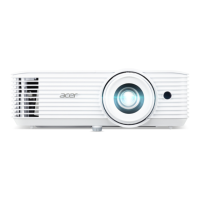
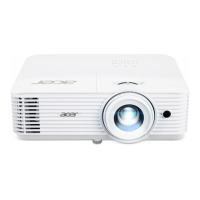
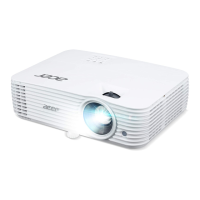
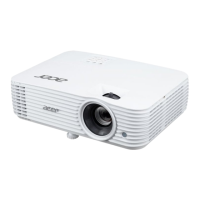
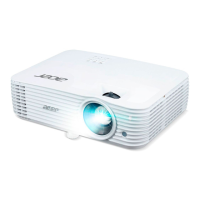
Acer H6800BD - User Manual

Acer H6800BD
53 pages
Print Icon
To Next Page IconTo Next Page
Loading...
Copyright © 2020. Acer Incorporated.
All Rights Reserved.
Acer Projector User's Guide
Original Issue: 04/2020
Acer Projector
H6800/E8600/HE-4K10/GM820/
VH-720/H6800BD+/H6800ABD/
H6800BD/H6800a/X6800/X6800a/
H6801BDa/H6800BDa/D4K2002
User's Guide

Questions and Answers

  • C
    Carla ParkerAug 25, 2025
    Why does my Acer H6800BD show no image?
    • E
      Erika DiazAug 25, 2025
      If your Acer Projector displays no image, ensure it's connected as described in the "Getting Started" section and that none of the connector pins are bent or broken. Also, check if the projector lamp has been securely installed. Make sure you have removed the lens cap and the projector is switched on.
  • C
    callahansophiaSep 1, 2025
    Why isn't my Acer Projector displaying my presentation from my notebook?
    • E
      Eric CoxSep 1, 2025
      If you are using a Microsoft® Windows® based notebook: Some notebook PCs may deactivate their own screens when a second display device is in use. Each has a different way to be reactivated. If you are using an Apple® Mac® OS based notebook: In System Preferences, open Display and select Video Mirroring "On".
  • C
    Christina HammondSep 1, 2025
    Why is there no image on my Acer H6800BD screen?
    • C
      Candace MooreSep 1, 2025
      If no image appears on your Acer Projector screen, ensure the connections are as described in the "Getting Started" section and that none of the connector pins are bent or broken. Also, check if the projector lamp has been securely installed. Finally, make sure you have removed the lens cap and the projector is switched on.
  • S
    Stephanie MclaughlinSep 2, 2025
    How to fix partial, scrolling, or incorrectly displayed image on Acer H6800BD (for notebooks)?
    • D
      Daisy FlynnSep 2, 2025
      If you are experiencing a partial, scrolling, or incorrectly displayed image on your Acer Projector when using notebooks, follow the steps to adjust the resolution of your computer. Press the toggle output settings. If you experience difficulty changing resolutions or your monitor freezes, restart all equipment including the projector.
  • A
    Alexandra FowlerSep 3, 2025
    How to fix image with vertical flickering bar on Acer Projector?
    • K
      kylie25Sep 3, 2025
      To fix an image with a vertical flickering bar on your Acer Projector, use "Frequency" to make an adjustment. Also, check and reconfigure the display mode of your graphics card to make it compatible with the projector.
  • C
    Catherine SanchezSep 4, 2025
    Why does my Acer H6800BD Projector LAN/WiFi, USB Display source show no signal?
    • B
      Brett AlvaradoSep 4, 2025
      If your Acer Projector's LAN/WiFi, USB Display source shows no signal, power off the projector and power it on again.
  • H
    Holly SmithSep 4, 2025
    What to do if Acer H6800BD image has slanted sides?
    • L
      Lauren SimmonsSep 4, 2025
      If the image from your Acer Projector has slanted sides, try to reposition the projector so that it is centered on the screen. Alternatively, press the "Keystone / " button on the remote control until the sides are vertical.
  • M
    meganmooreSep 5, 2025
    Why is my Acer H6800BD image stretched on widescreen DVD?
    • S
      Sherri MyersSep 5, 2025
      If your Acer Projector image is stretched when displaying a widescreen DVD, and you play a 4:3 format DVD title, change the format to 4:3 in the projector OSD. If the image is still stretched, adjust the aspect ratio and set up the display format to 16:9 (wide) aspect ratio on your DVD player. If you play an Letterbox (LBX) format DVD title, please change the format to Letterbox (LBX) in the projector OSD.
  • K
    Kerry MoodySep 6, 2025
    How to fix vertical flickering bar on Acer H6800BD?
    • G
      Gloria CollinsSep 6, 2025
      To correct a vertical flickering bar on your Acer Projector image, use "Frequency" to make an adjustment. Also, check and reconfigure the display mode of your graphics card to ensure it's compatible with the projector.
  • R
    Rebecca FrazierSep 7, 2025
    Why is my Acer H6800BD Projector image reversed?
    • A
      alice41Sep 7, 2025
      If the image on your Acer Projector is reversed, select "Image --> Projection Mode" on the OSD and adjust the projection direction.

Acer H6800BD Specifications

General IconGeneral
BrandAcer
ModelH6800BD
CategoryProjector
LanguageEnglish

Related product manuals