EasyManua.ls Logo

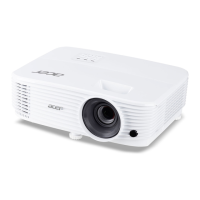
Acer PE-S42 Series - User Manual

Acer PE-S42 Series
71 pages
Print Icon
To Next Page IconTo Next Page
Loading...
Acer Projector
P1183/M403/PE-S42
X1183A/D603P/EV-S62T/X114
X1183/D603/EV-S62
X113/D600/EV-S60/V10S/AS201
X113H/X113PH/D600D/EV-S60H/V12S/AS211
P1283/M413/PE-X42/V12X/AX316
P1283n/M413T/PE-X42G
X1283/X1280/D613/EV-X62
P1383W/X1383WH/M423/PE-W42/V12W/AW316
P1380W/X1380WH/M420/PE-W40/V11W/AW216
H5380BD/E230/HE-720
P1510/P1515/M450/PE-840
H6520BD/E240D/HE-804J
X133PWH/D620D/EV-W60H/V13W/AW313
X123PH/D610D/EV-X60H/V13X/AX313 Series
User's Guide
Downloaded From projector-manual.com Acer Manuals

Questions and Answers

  • M
    Mr. Mark EvansSep 17, 2025
    Why does Acer PE-S42 lamp burn out?
    • M
      Michelle ThompsonSep 18, 2025
      When the lamp in your Acer Projector reaches the end of its useful life, it will burn out and may make a loud popping sound. If this happens, the projector will not turn on until the lamp module has been replaced. To replace the lamp, follow the procedures in the "Replacing the Lamp" section.
  • A
    Alex KramerAug 25, 2025
    What to do if Acer PE-S42 Projector stops responding?
    • J
      Joseph MooreAug 25, 2025
      If the projector stops responding to all controls, turn off the Acer Projector, unplug the power cord, and wait at least 30 seconds before reconnecting the power.
  • C
    Carmen DanielAug 25, 2025
    What to do if notebook computer is not displaying presentation on Acer Projector?
    • W
      William MartinAug 26, 2025
      If the screen of your notebook computer isn't displaying your presentation on the Acer Projector, and you're using a Microsoft® Windows® based notebook, it might be deactivating its own screen. Consult your computer's manual for reactivation instructions. If you're using an Apple® Mac® OS based notebook, go to System Preferences, open Display, and select Video Mirroring "On".
  • C
    Courtney AtkinsonAug 26, 2025
    How to troubleshoot no image on Acer PE-S42 Projector?
    • A
      Ashlee FrazierAug 26, 2025
      If your Acer Projector is not displaying any image onscreen, ensure it's connected as described in the "Getting Started" section. Check that none of the connector pins are bent or broken. Verify the projector lamp is securely installed, referring to the "Replacing the Lamp" section if needed. Also, confirm that you've removed the lens cap and the projector is switched on.
  • K
    kalvarezSep 18, 2025
    How to fix out of focus image on Acer PE-S42 Projector?
    • F
      Felicia SmithSep 18, 2025
      If your Acer Projector's image is out of focus, first ensure the lens cap is removed. Then, adjust the focus ring on the projector lens. Also, verify that the projection screen is within the required distance, which varies depending on your projector series: 3.9 to 39.0 feet for SVGA/XGA, 3.3 to 32.9 feet for WXGA, 3.3 to 33.8 feet for 720p, or 4.9 to 32.2 feet for 1080p series.
  • L
    Lisa GillDec 1, 2025
    How to fix partial or scrolling image on Acer PE-S42 Projector (for PC)?
    • J
      James LoweDec 1, 2025
      Try pressing "RESYNC" on the remote control or control panel. If the image is incorrectly displayed, open "My Computer," then the "Control Panel," and double-click the "Display" icon. Select the "Settings" tab and verify that your display resolution setting is lower than or equal to WUXGA-RB (1920 x 1200). Click the "Advanced Properties" button. If the problem persists, change the monitor display you are using and follow these steps: Verify that the resolution setting is lower than or equal to WUXGA-RB (1920 x 1200). Click the "Change" button under the "Monitor" tab. Click "Show all devices". Next, select "Standard monitor types" under the SP box, and choose the resolution mode you need under the "Models" box. Verify that the resolution setting of the monitor display is lower than or equal...
  • R
    Robin HarringtonSep 9, 2025
    How to fix no image on Acer Projector?
    • C
      calebhollandSep 9, 2025
      If no image appears on your Acer Projector, ensure that all connections are correctly set up as described in the "Getting Started" section, and that none of the connector pins are bent or broken. Verify that the projector lamp is securely installed. Also, remember to remove the lens cap and switch on the projector.
  • M
    Mrs. Renee BrownSep 10, 2025
    Why is my Acer Projector image out of focus?
    • A
      April LeeSep 10, 2025
      If your Acer Projector displays an image that is out of focus, first ensure that the lens cap has been removed. Then, adjust the focus ring on the projector lens. Also, make sure the projection screen is within the required distance: 3.9 to 39.0 feet (1.2 to 11.9 meters) for SVGA/XGA series, 3.3 to 32.9 feet (1.0 to 10.0 meters) for WXGA series, 3.3 to 33.8 feet (1.0 to 10.3 meters) for 720p series, or 4.9 to 32.2 feet (1.5 to 9.8 meters) for 1080p series.
  • A
    Ashley TaylorSep 3, 2025
    Why is the screen of my notebook computer not displaying my presentation on Acer PE-S42?
    • K
      Kayla AndersonSep 4, 2025
      If you're using a Microsoft® Windows® based notebook, it might deactivate its own screen when a second display device is in use. Refer to your computer's manual for reactivation instructions. If you're using an Apple® Mac® OS based notebook, open Display in System Preferences and select Video Mirroring "On".
  • P
    penataylorSep 2, 2025
    Why is Acer PE-S42 image stretched when displaying a widescreen DVD?
    • R
      Richard WyattSep 2, 2025
      When playing a DVD encoded in anamorphic or 16:9 aspect ratio, you may need to adjust settings. If playing a 4:3 format DVD, change the format to 4:3 in the projector OSD. If the image is still stretched, adjust the aspect ratio to 16:9 (wide) on your DVD player. If playing a Letterbox (LBX) format DVD, change the format to Letterbox (LBX) in the projector OSD.

Acer PE-S42 Series Specifications

General IconGeneral
BrandAcer
ModelPE-S42 Series
CategoryProjector
LanguageEnglish

Related product manuals