EasyManua.ls Logo

Acer UL6500 - User Manual

Acer UL6500
54 pages
Print Icon
To Next Page IconTo Next Page
Loading...
UL6500/RL350/LU-U500/SL550/FL-440/
F1P1702/UL5530/RL153/LU-U400/
SL450/FL-423/F1P1706/UL5510/RL150/
LU-U300/SL350/FL-420/F1P1710/
UL6300W/RL320/LU-W500/SL530/
FL-340/FWX1703/UL5330W/RL123/
LU-W400/SL430/FL-323/FWX1707/
UL5310W/RL120/LU-W300/SL330/
FL-320/FWX1711/UL6200/RL310/
LU-X500/SL510/FL-140/FNX1704/
UL5230/RL113/LU-X400/SL410/FL-123/
FNX1708/UL5210/RL110/LU-X300/
SL310/FL-120/FNX1712 Series
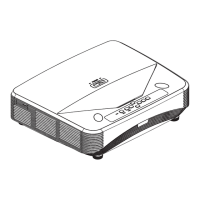
Laser Projector
User's Guide

Questions and Answers

  • R
    Ryan PettySep 3, 2025
    Why is my Acer UL6500 Projector picture too bright and whitish?
    • M
      Matthew KellySep 3, 2025
      If the picture on your Acer Projector is too bright and whitish, it means the image adjustments are incorrectly set. Try adjusting the image settings to correct this.
  • K
    Kristin SmithSep 18, 2025
    How to recover username or password for Acer UL6500 Projector Web Browser?
    • M
      Martin OlsonSep 18, 2025
      To recover your user name or password for the Web Browser connection on your Acer Projector, you will need to initialize the settings.
  • D
    Dennis MartinezSep 16, 2025
    How to start Internet Explorer in Windows 10 for Acer UL6500 Projector?
    • A
      Angela McclureSep 16, 2025
      To start Internet Explorer in Windows 10: click the search box on the task bar, enter "internet explorer" in the search box, and then click on "Internet Explorer" from the search results.
  • A
    Angela BrowningSep 14, 2025
    Why is there an unusual sound occasionally heard from the Acer UL6500 Projector cabinet?
    • K
      Kendra YoungSep 14, 2025
      If you occasionally hear an unusual sound from the cabinet of your Acer Projector, and the picture is normal, the sound is likely due to cabinet shrinkage caused by room temperature changes.
  • D
    Derek MurphySep 12, 2025
    What does it mean if the light source does not light up even after the Acer UL6500 turns on?
    • L
      Leah McclainSep 12, 2025
      If the light source on your Acer Projector does not light up even after turning it on, it indicates that the light source indicator is illuminating in red.
  • J
    Jeffrey LongSep 12, 2025
    Why do 3D images flicker when watching Acer Projector in a room?
    • D
      David JohnstonSep 12, 2025
      3D images on your Acer Projector may appear to flicker when watching in a room because fluorescent light or ambient light is entering your vision.
  • J
    Jeffrey MartinSep 9, 2025
    Why am I seeing ghosting on my Acer Projector without 3D?
    • S
      Shawn CooperSep 9, 2025
      If you are experiencing ghosting (a double image) on your Acer Projector without the image appearing in 3D, check the following: ensure you are using 3D LCD shutter glasses that support the DLP® Link™ system, verify that the shutters on the 3D LCD shutter glasses are working properly, check the projector settings, ensure a supported signal is being input, confirm a stereoscopically-enabled application is being used if connected to a computer, check for nearby high-intensity lighting, and ensure only one projector is projecting 3D images.
  • H
    Hayley HuntSep 7, 2025
    Why is the cooling fan noisy on my Acer Projector?
    • K
      Kelly EdwardsSep 7, 2025
      The cooling fan in your Acer Projector may become noisy because the temperature inside the projector has increased, causing the fan to run faster to cool it down.
  • K
    Kimberly BentleySep 5, 2025
    Why is data image not centered on Acer UL6500 Projector?
    • D
      David GlennSep 5, 2025
      If the data image is not centered on your Acer Projector, it could be that the output resolution signal from your computer is different from the one you have set. Verify your computer's output settings.
  • B
    Brandi HudsonAug 20, 2025
    Why does my Acer Projector have no picture and no sound?
    • B
      Bradley KirbyAug 20, 2025
      If your Acer Projector shows no picture and produces no sound, it could be due to several reasons: the projector's power cord might not be properly plugged into the wall outlet, the external devices connected to the projector may not be powered on, the selected input mode could be incorrect, the cables might be improperly connected, the remote control battery might be dead, the external output may not be set when connecting a notebook, or turning on the connected device before the projector can cause incorrect picture display. Please check these possible causes.

Acer UL6500 Specifications

General IconGeneral
BrandAcer
ModelUL6500
CategoryProjector
LanguageEnglish

Related product manuals