User's Manual | ACOM 1200S | 1.8-54 MHz Linear Power Amplifier
Page
22
of
60
| S e c t i o n FIRST POWER-ON, CONTROL SYSTEM, AND INITIAL CHECK
3. FIRST POWER-ON, CONTROL SYSTEM, AND INITIAL CHECK
NOTICE
Do not turn the amplifier on for at least 2 hours after unpacking it in the room where it
will be used. Pay particular attention when you move it from a very cold into a warm
place - condensation is likely and this could result in damage to the high voltage circuits.
In such a case, wait at least 4 hours. A similar effect can occur after a rapid warming of
the operating room (for instance after switching on a powerful heater in a cold shack).
After following all instructions in Section 2 INSTALLATION, check whether the rear panel mains rocker switch
is turned OFF (see Figure 2-2 Rear panel - Connections, Pos. (3)). Then insert amplifier's mains plug into the
wall outlet prepared for it. The amplifier remains switched off.
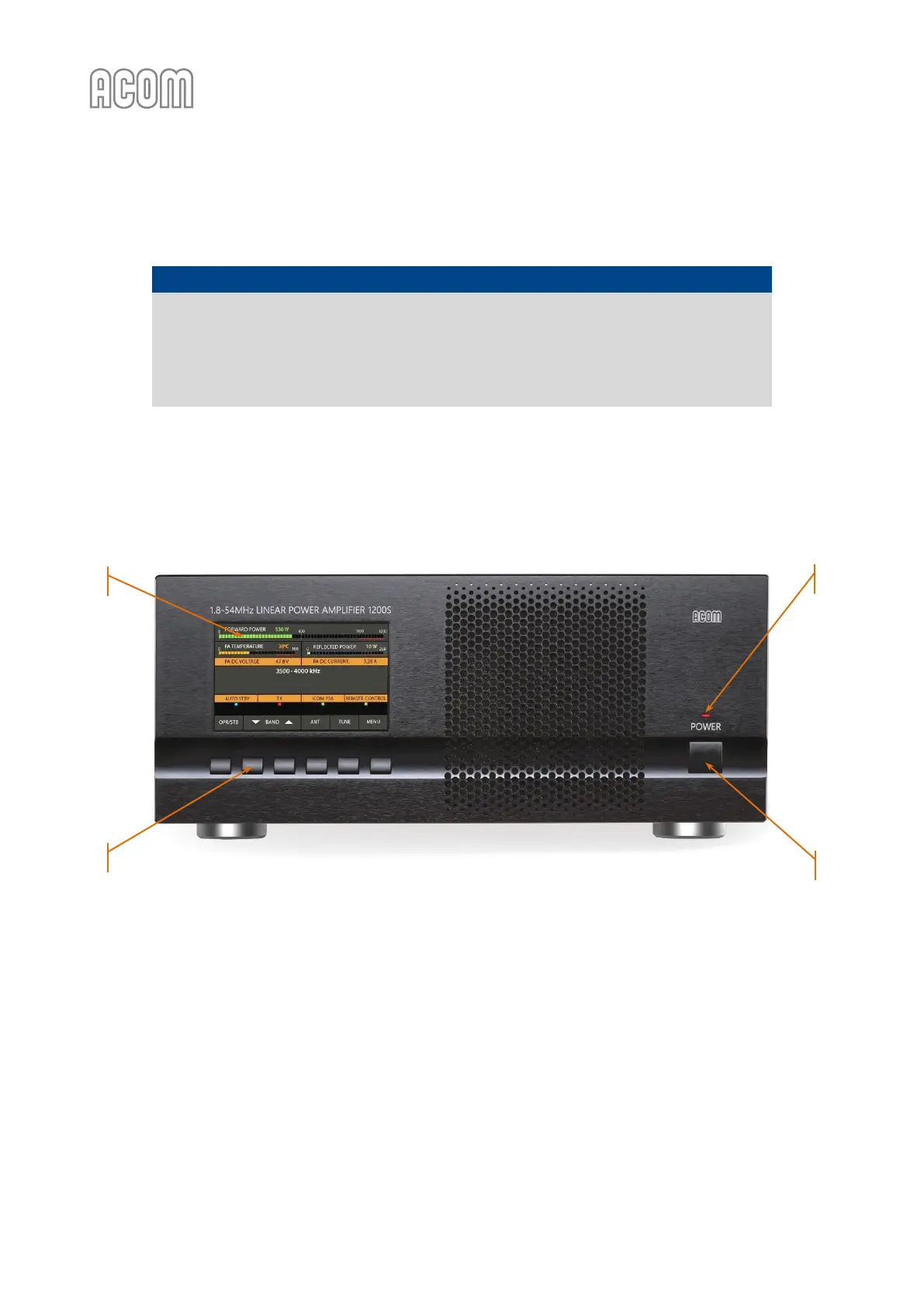
Figure 3-1 Front panel - Controls and Readouts
Figure 3-1 Front panel - Controls and Readouts
3.1. Low Energy STANDBY Mode of the Power Supply
Now you can turn on the mains rocker switch (see Figure 2-2 Rear panel - Connections, Pos. (3)). This will
activate only the low-energy STANDBY mode of the amplifier power supply and the red LED above the front
panel POWER button will light up (see Figure 3-1 Front panel - Controls and Readouts, Pos. (b)), while the main
power supply is still off and the display is dark.



 To Next Page