User's Manual | ACOM 1200S | 1.8-54 MHz Linear Power Amplifier
Page
24
of
60
| S e c t i o n FIRST POWER-ON, CONTROL SYSTEM, AND INITIAL CHECK
3.4. Basic Screen
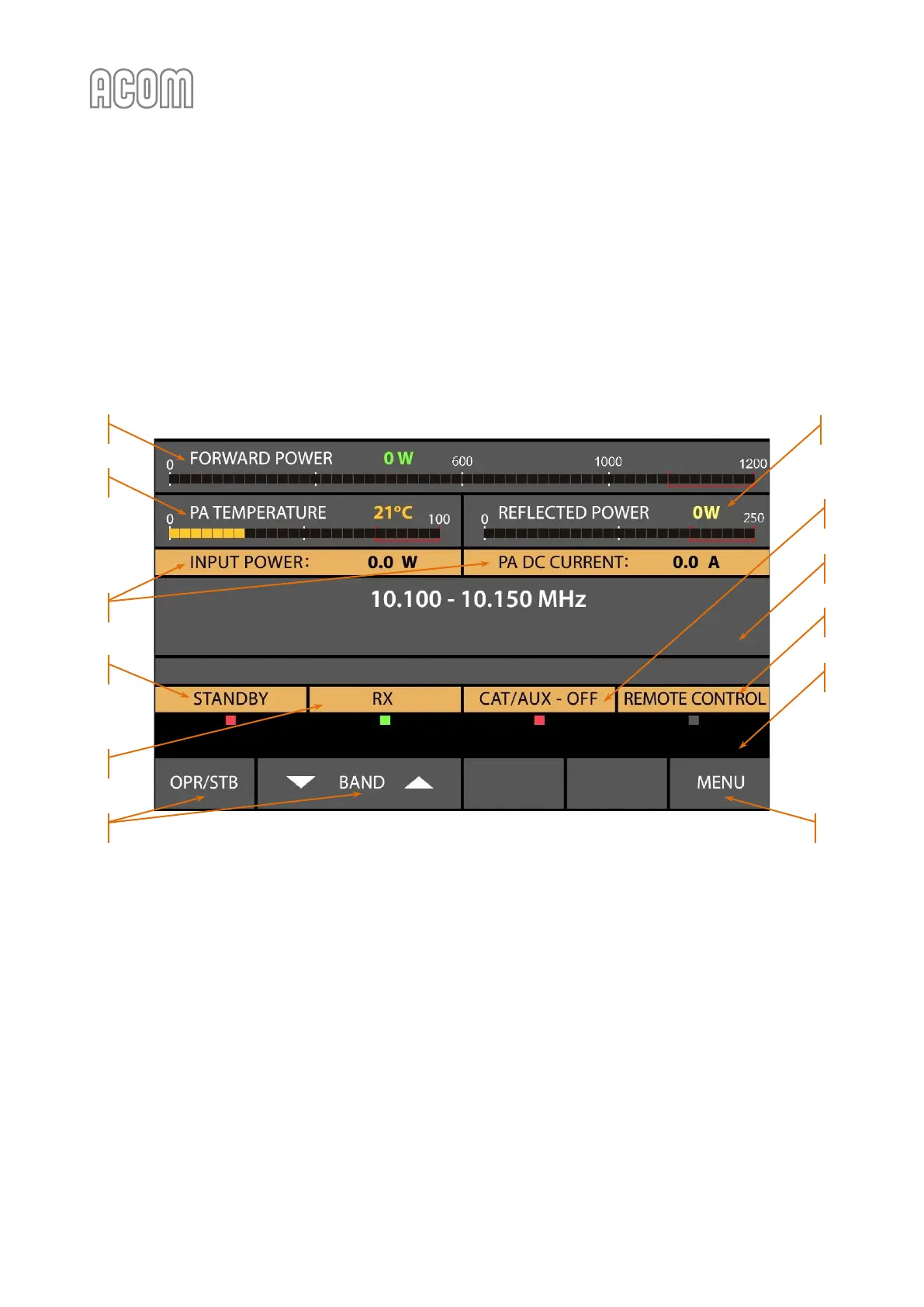
The following information areas are to be distinguished on the basic screen:
a) Information area for the frequency band
Please, see Figure 3-2 Basic screen without ACOM 04AT antenna tuner assigned, Pos. (a).
The edges of the currently selected BAND are displayed. If the amplifier doesn't receive any operating
frequency data from CAT or via RS-232, it will switch to the last used band.
Figure 3-2 Basic screen without ACOM 04AT antenna tuner assigned
Figure 3-2 Basic screen without ACOM 04AT antenna tuner assigned
b) Operating values
Please, see Figure 3-2 Basic screen without ACOM 04AT antenna tuner assigned, Pos. (b).
Any two operating values selected in the AMP MEASURE menu will be shown here (see Section 5.1 Menu
AMP MEASURE (Amplifier Measurements)).
c) Working mode indicator - OPR, STB or AUTO OPER
Please, see Figure 3-2 Basic screen without ACOM 04AT antenna tuner assigned, Pos. (c).
For detailed information, please, refer to 4.1 Change of Modes RX/TX and OPERATE/STANDBY; AUTO OPERATE
User Setting.



 To Next Page