Attention, the day begins at 00:00 and ends at 23:59, i.e. when requesting a
time period ending at midnight, it is necessary to enter 23:59, not 0:00.
3.2.12 Information, HDO selection
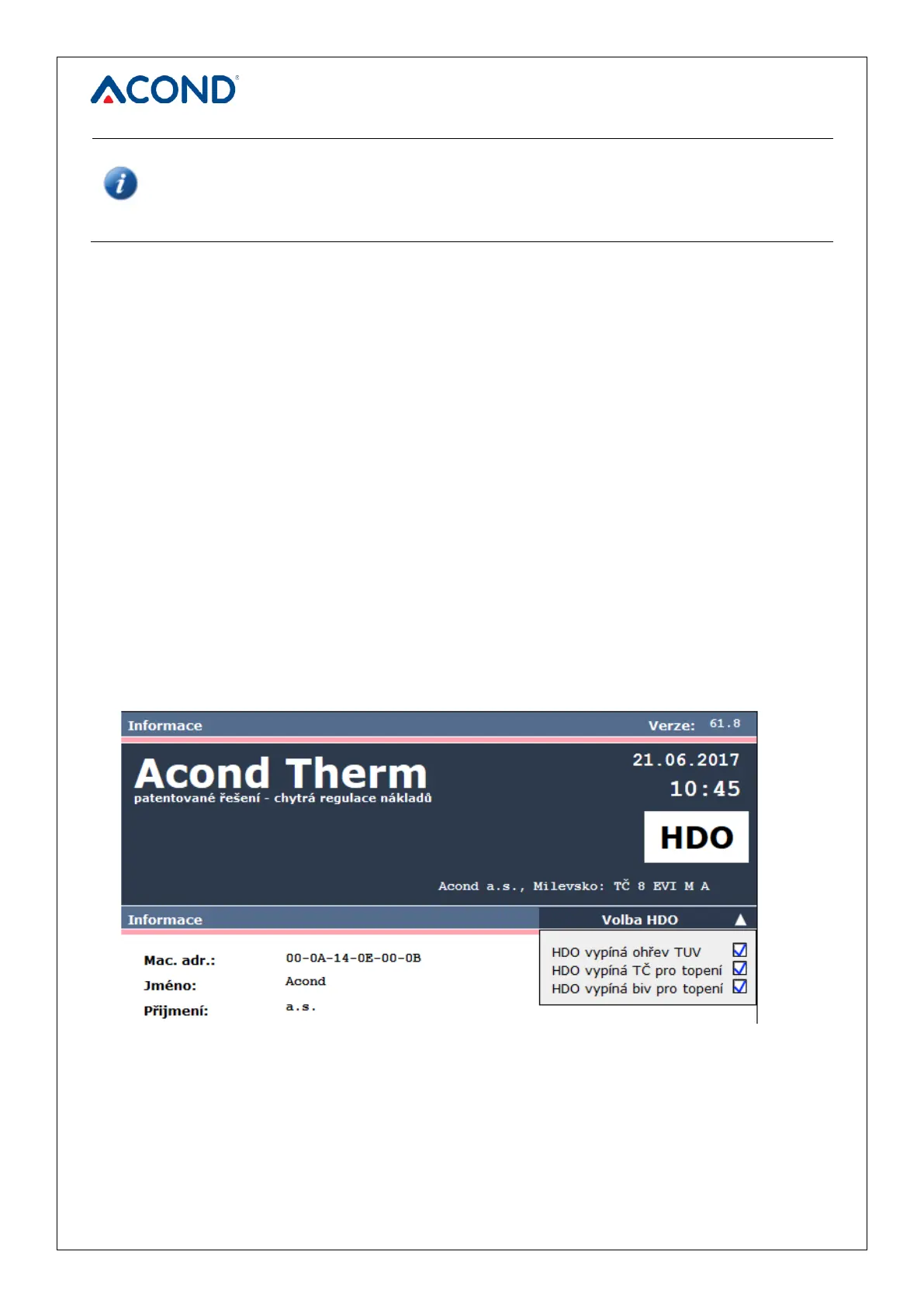
The Information page contains basic information about the heat pump and its user, the place of
installation and other information entered during installation by the technician. At the bottom of
the page it is possible to change the name and password to access the website of the heat
pump and the system time. Login name and password must contain max. 10 characters, do not
use diacritical marks (hooks, accents).
Clicking on the HDO option text on the right side of the page (see Figure 13 on page 31) opens
a menu that allows you to control the HDO signal (=Bulk Remote Control, switching the
inexpensive electricity tariff). If you check the box “HDO turns off service water heating“, service
water will not be heated at the time of the more expensive tariff. Similarly, after checking the
box “HDO switches off the pump for heating” at the time of the more expensive tariff, the heat
pump does not start due to the low temperature in the room and after checking the last box
“HDO switches off biv for heating“ at the time of the more expensive tariff, bivalent heater does
not run. If the windows are empty, the heat pump and bivalent heat source will run regardless of
the HDO signal. At the time of the more expensive tariff, a white rectangle with a black HDO
inscription appears in the dark blue bar on the website. This inscription only shows the current
el. tariff. and does not indicate whether the heat pump can run or not (be careful, change from
older versions!).


 To Next Page