Chapter3 Installation / 11
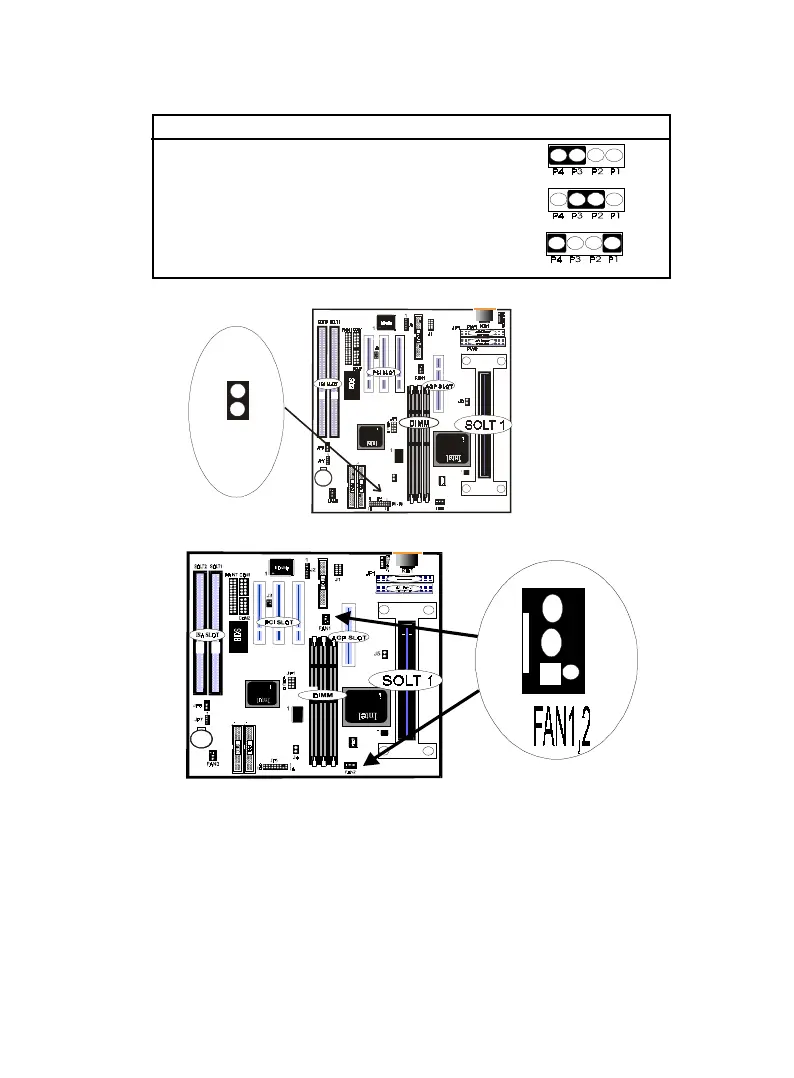
Programming JP7 CMOS clear
Enabled ( clear CMOS) [3-4]
Normal [2-3] (Default)
External Battery [1-4]
ATX Power Buttom Switch- PW-BN :
System Temperature FAN Connector - FAN1 , FAN2 :
CPU External (BUS) Frequency Selection (see Table3-1) :
The CPU External (Bus) Frequency has something wrong with
66/100Mhz. If you want to change External (Bus) Frequency ,
Please follow these steps :
First enter/choose "BIOS" System. Second, choose " CPU Host clock"
which is under the "Chipset Feature Setup ".Third ,you can change the
Frequency with the follaring numbers such as 66,75,83,100,112and
133 for replacement,Default is auto Sensor.
PW-BN
JP8



 To Next Page