Chapter3 Installation / 21
Installing OEM Processor
If you are using Intel Pentium II/III Processor in OEM package,
Please follow the steps below:
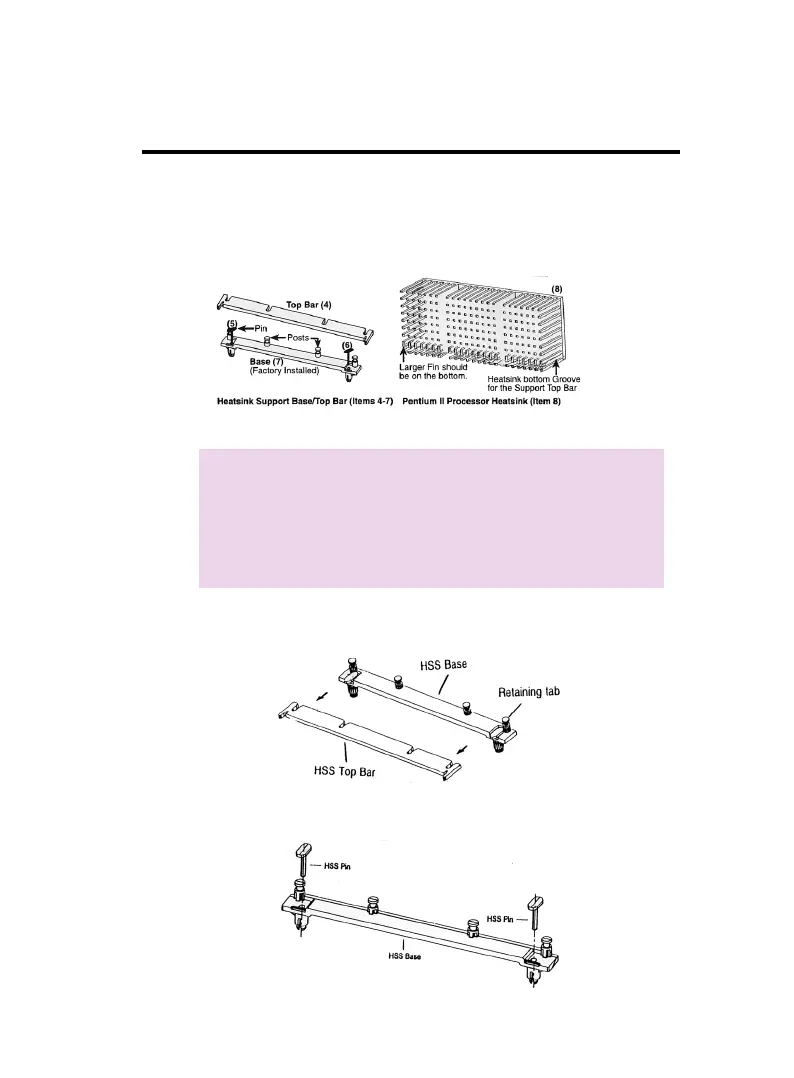
1. Your OEM package may include the following items :
Note :
Make sure your heatsink is attached with a fan to
prevent overheating the processor.
Contact your heatsink manufacture to check
whether your processor requires a Heatsink Sup-
port (HSS) installed on the mainboard.
2. Push the HSS top bar sideways to free the HSS Top bar from the
retaining "tabs" of the HSS Base.
3. Remove the HSS Pins located on the each end of the HSS base.



 To Next Page