Chapter3 Installation / 17
Central Processing Unit (CPU)
This main board provides a Single Edge Contact (SEC) slot for
Pentium II/III processor packaged in an SEC cartridge. The SEC
slot is not compatible with other non-Pentium II/III Processors.
Installing the Retention Mechanism
The Mainboard package includes a Retention Mechanism. The Re-
tention Mechanism is used to hold an Intel Pentium II/III Processor
to the Intel Slot 1 connector. Make sure the system board is on a
workbench (not in a chassis).
To install the Retention Mechanism, follow the steps below:
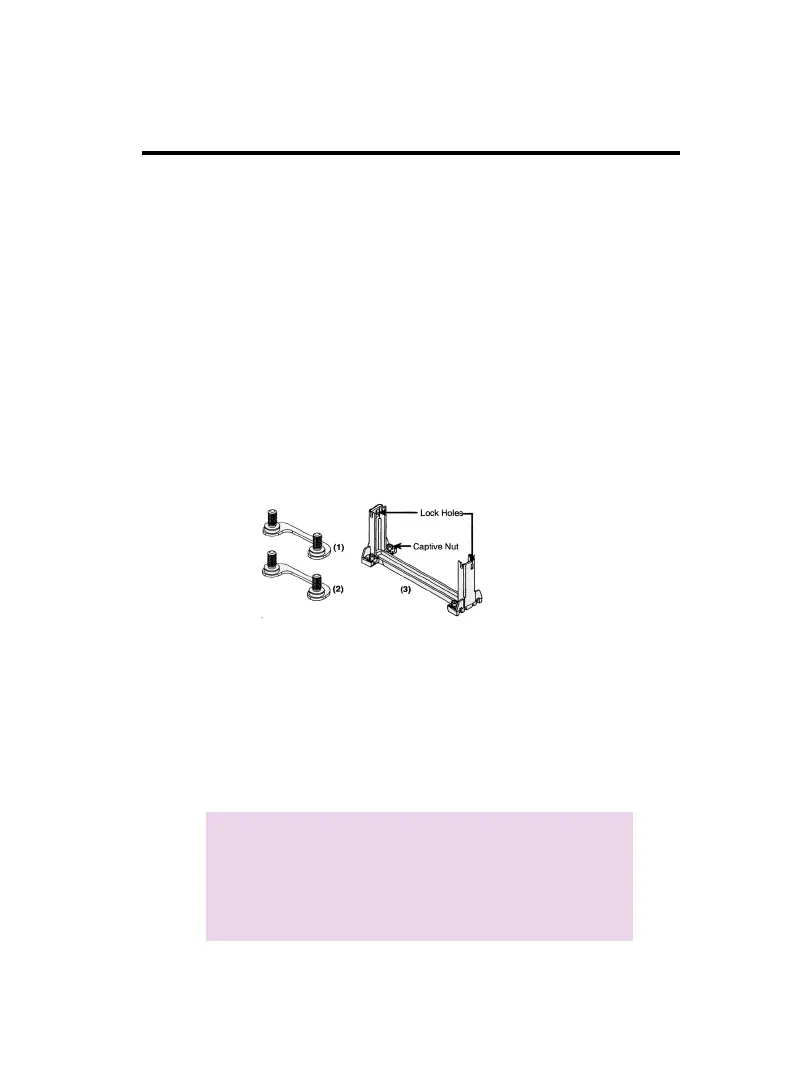
1. The Retention Mechanism package includes a Retention Mecha-
nism with captive nut and four captive screws.
2. Hold the Retention Mechanism upright and position it above the
Intel Slot 1 connector.
3. Insert the captive screws attached from underneath the
mainboard as shown, and four screws 2 mount bridges directly.
Note:
Don't forget to attach the screw seal before
inserting.
Nut is built into the base of Retention
Mechanism. It's convenient to tighten screw
directly.



 To Next Page