ES900 User’s Manual 19
Print Method
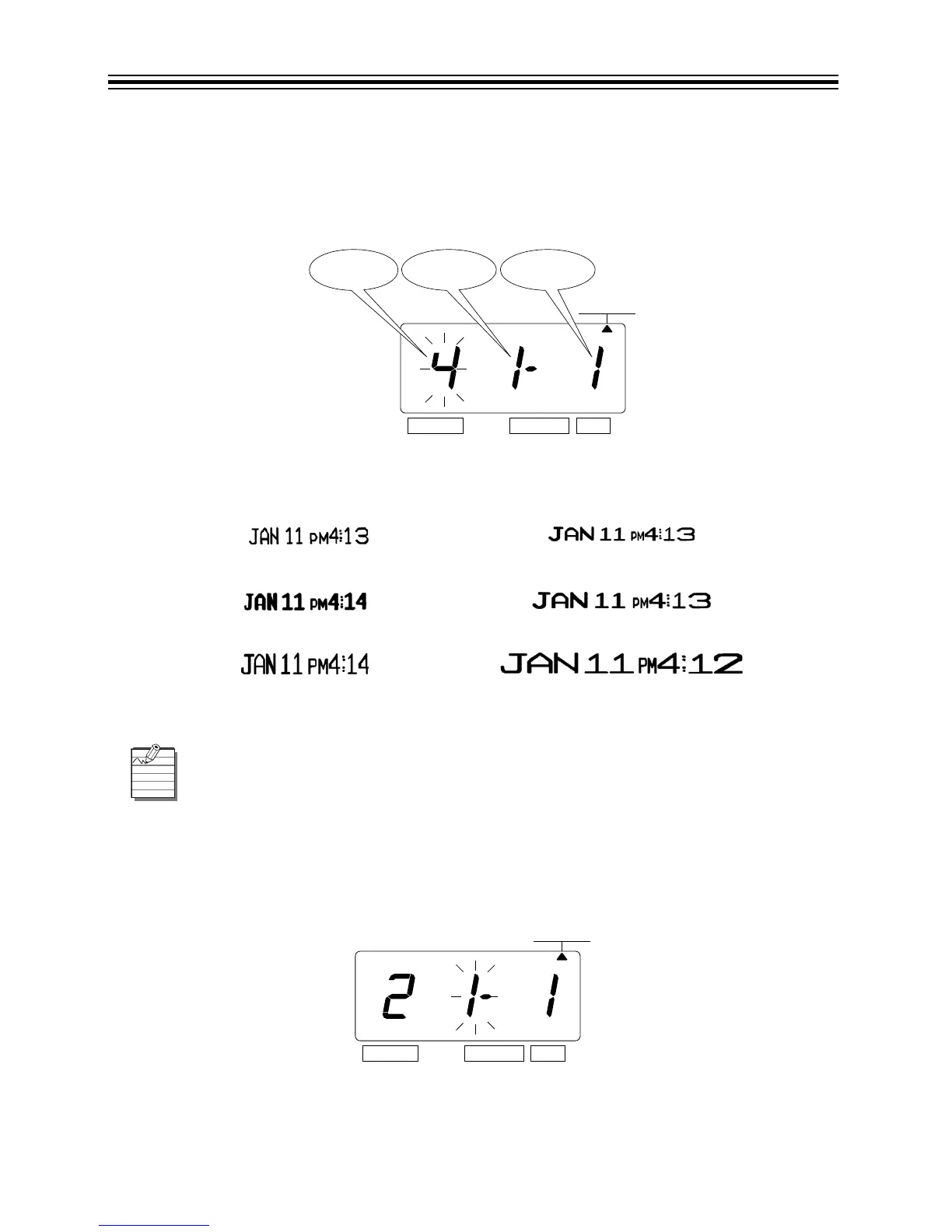
Change Print Length
1. Press SELECT until the S is under the "PRINT METHOD" mark.
2. The flashing digit indicates "Print Length Options".
The print length default is 4. You may select from six (1-6) font sizes (refer to Print Length
Examples (1-6) below).
Print Length Examples (1-6)
3. In this example, press CHANGE until the option is "2".
4. Press SET.
5. The flashing digit changes from "Print Length" to "Print Direction".
14
25
36
If the font size is too large to print, the font will revert to a smaller size before printing
correctly.



 To Next Page