ES900 User’s Manual 57
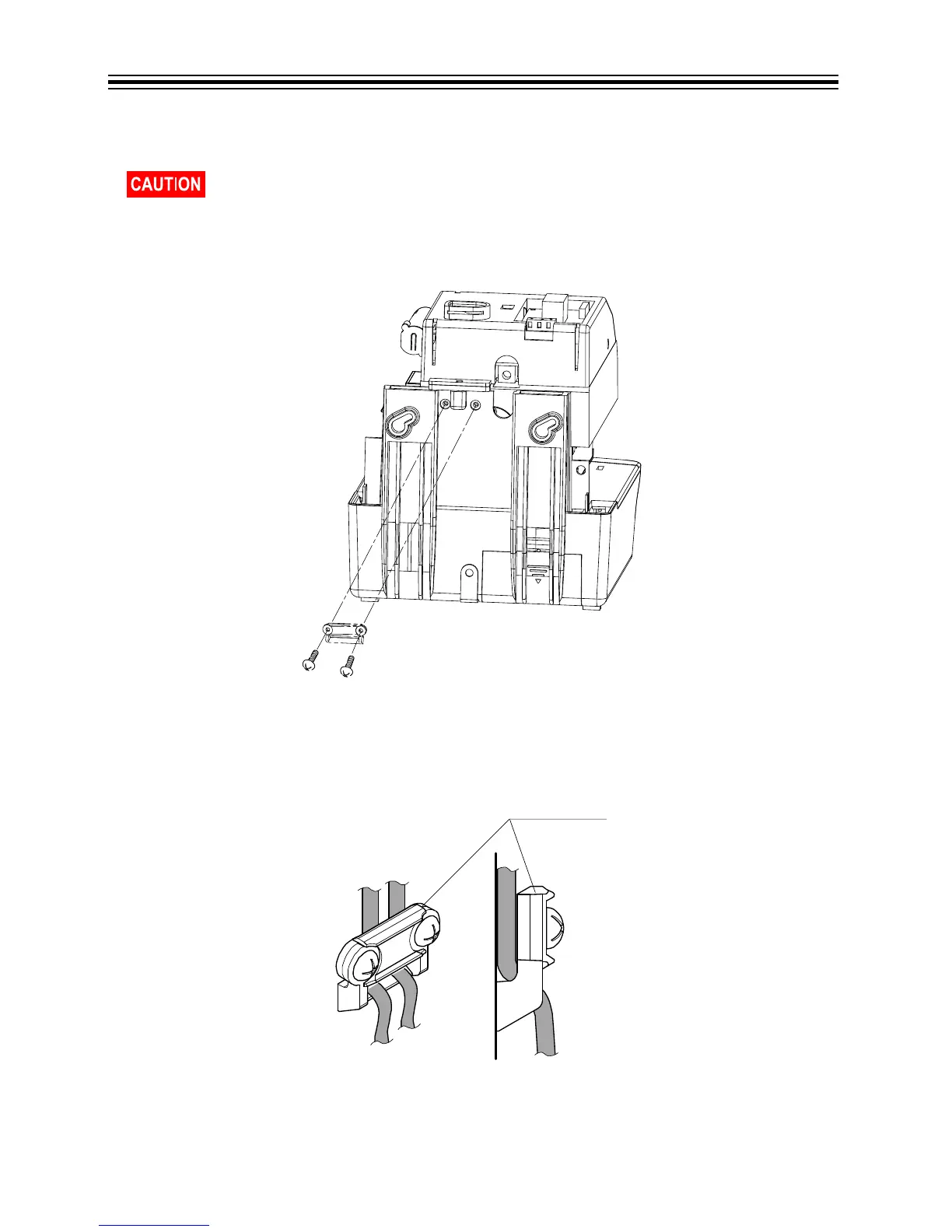
Attaching the Wire Clamp
1. Remove two screws holding the wire clamp. Refer to Remove Screws Holding Wire Clamp
below.
Remove Screws Holding Wire Clamp
2. Route the wires through the hole of the wire clamp and secure them with screws. Refer to
Route Wires Through Wire Clamp below.
Route Wires Through Wire Clamp
Be sure to unplug the unit from the wall outlet before attaching the wire clamp.



 To Next Page