Hardware Manual
15
Step 3: Waterproof and Connect the Cable(s)
If using a DC 12V power input to power up the camera, see How to Connect a Power Adapter
on page 24.
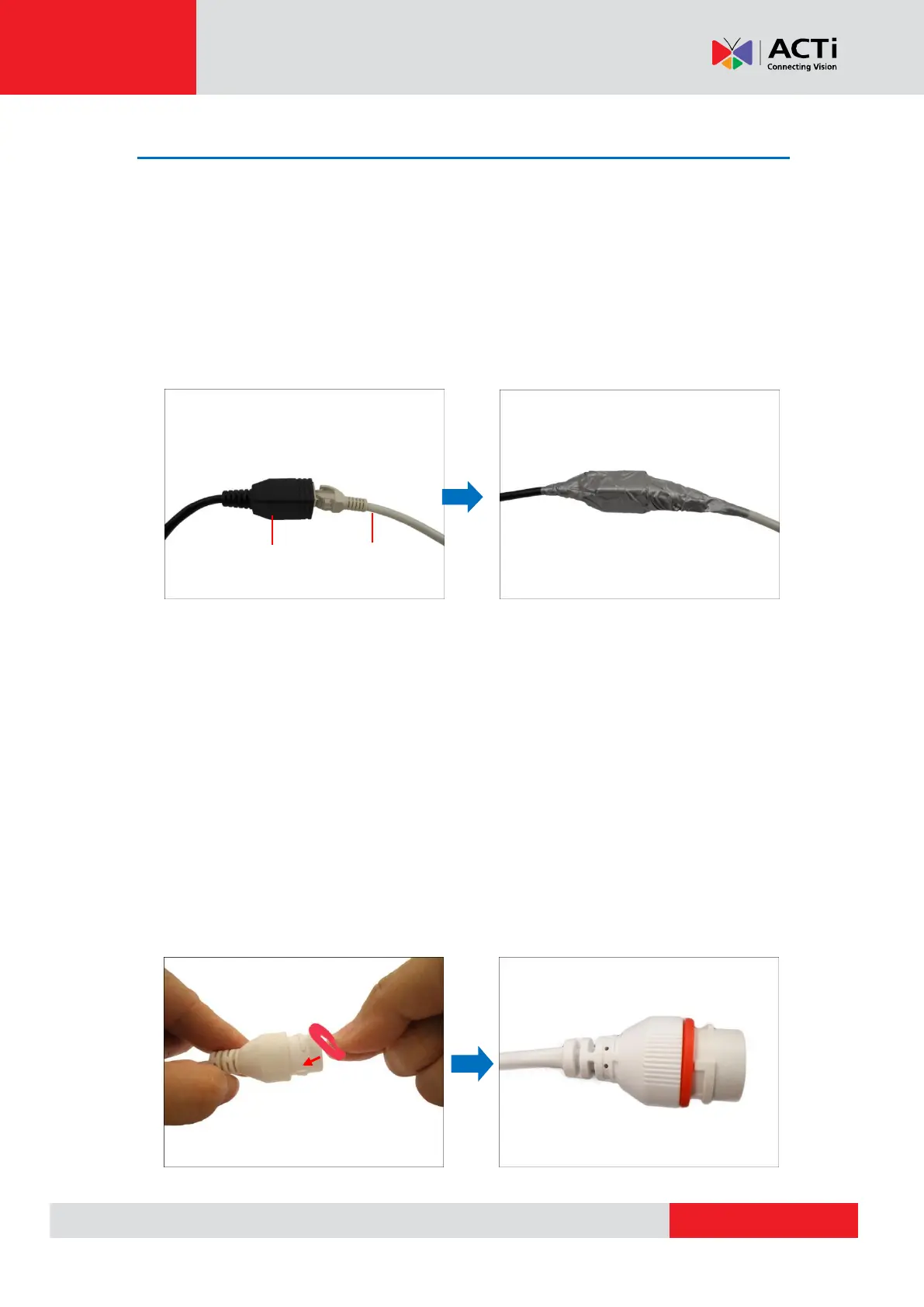
Using Waterproof Tape on A92
For A92 cameras, the simplest way to waterproof the connection is by using the waterproof tape.
Connect an Ethernet cable from the network side to the Ethernet port of the camera and wrap the
connection with waterproof tape to complete the installation.
NOTES on using Ethernet cables: For outdoor installations, it is recommended to use
exterior-grade Ethernet cables (CAT5/CAT5e/CAT6); ordinary Ethernet cables are only designed
for indoor use and may deteriorate quickly when exposed to outdoor elements. Exterior-grade
Ethernet cables are waterproof and do not require a conduit.
Using the Cable Gland (for A88, A94, A96 only)
This section describes how to waterproof the cable-out or “pigtail” of the camera using the
bundled cable gland. Before connection, prepare an exterior-grade Ethernet cable with RJ-45
connector (without sleeve).
Perform the following to waterproof the “pigtail” using the cable gland:
1. Attach the washer to the Ethernet connector of the camera.



 To Next Page