Hardware Manual
21
Other Installation and Accessories
How to Move the Camera Cable Between Cable Holes
Depending on where you purchased the camera, the cable may come out from the side cable
hole or bottom cable hole. If there is a need to change the cable to go out from the other hole,
follow the procedures below to do so. The illustration below shows the cable coming from the
side hole and which will be moved to the bottom hole. Same procedures apply when the cable is
coming from the bottom hole to the side hole.
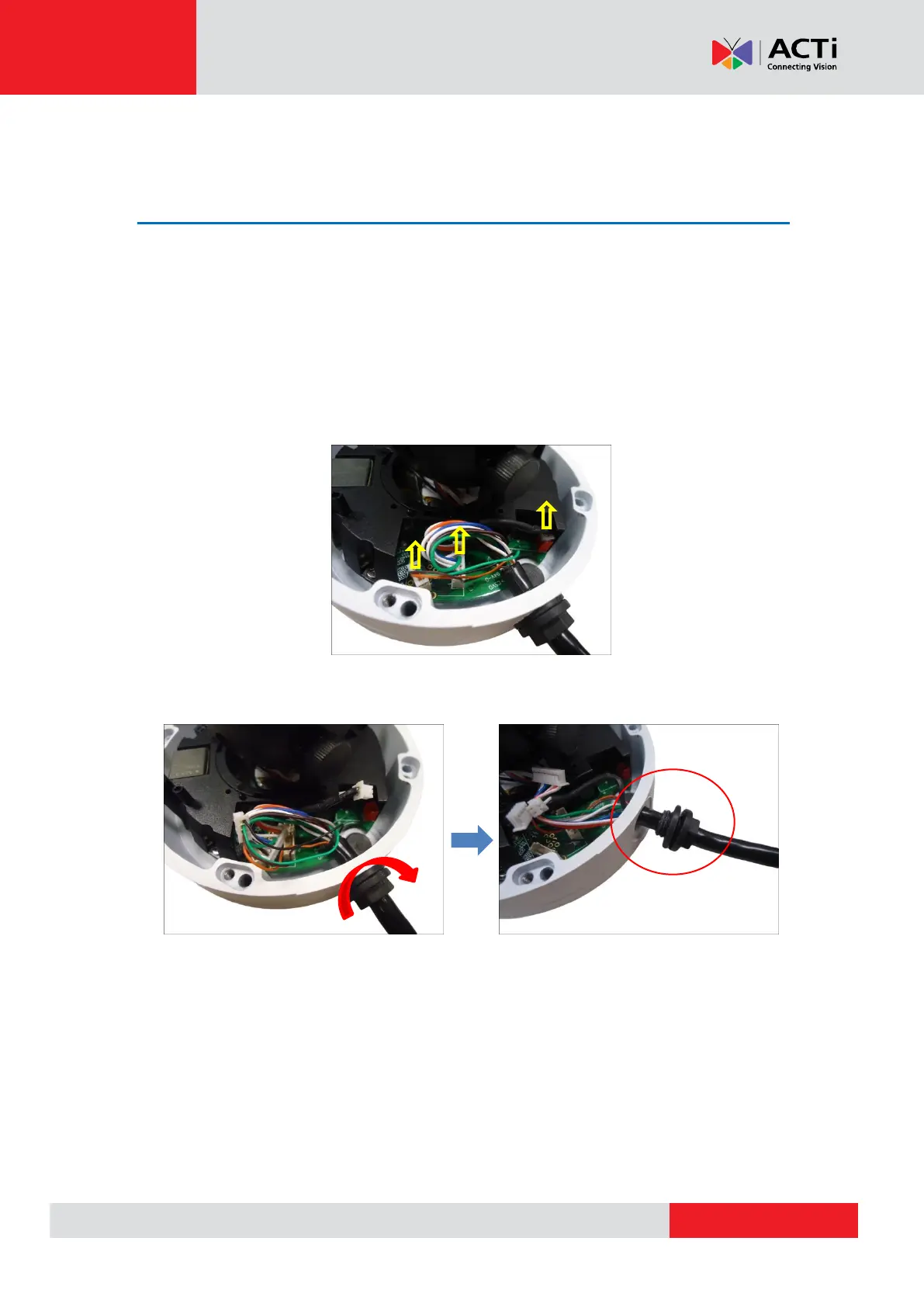
1. Carefully pull the wafer connection from the camera main board. Do not pull through the
tiny cables; instead use a tool to detach the wafer head from its connector.
2. Turn the cable gland to loosen it from its thread completely. Be careful not to over twist
and entangle the cables.



 To Next Page