Hardware Manual
9
Physical Description
A92
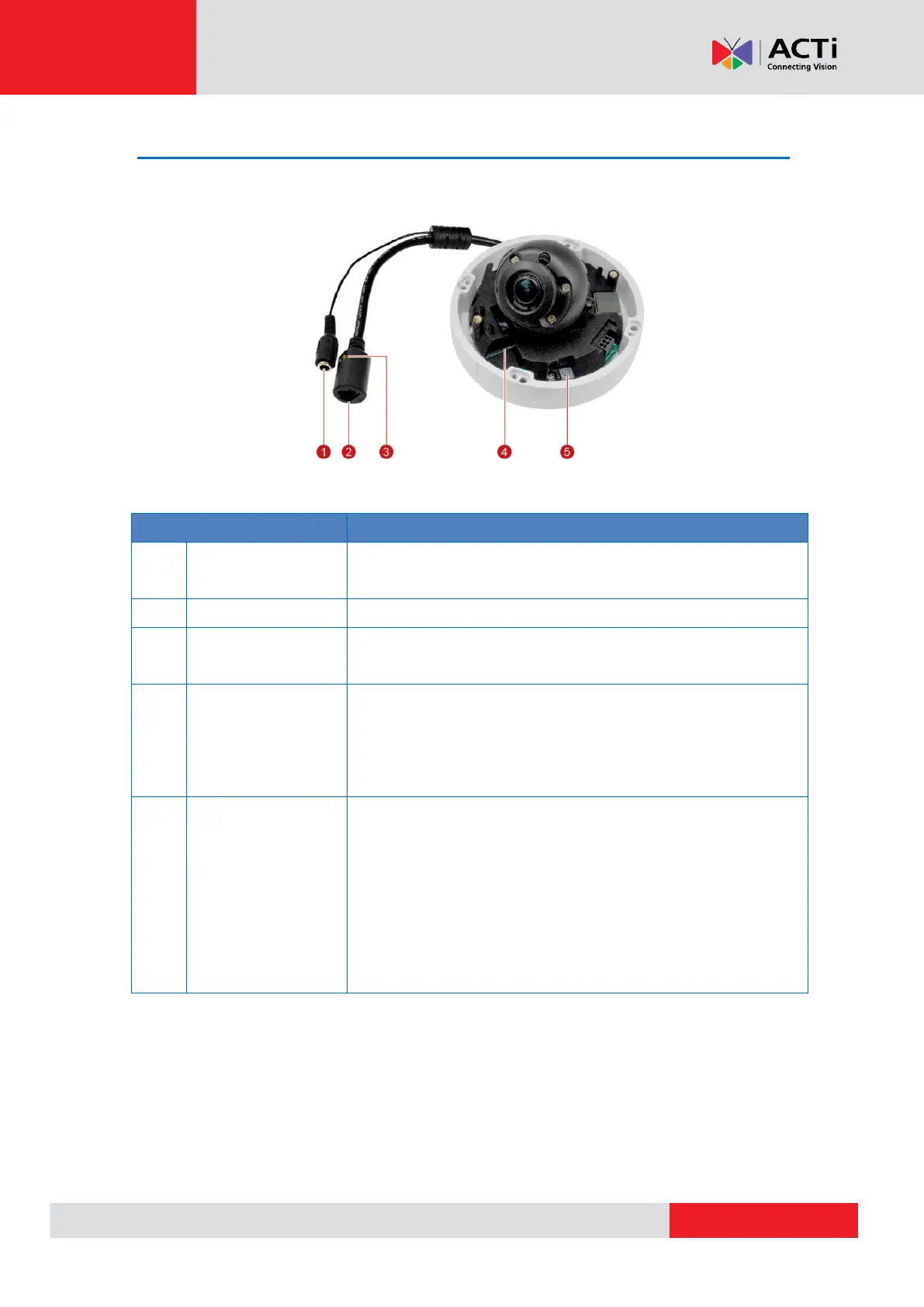
Connects to a DC 12V adapter to power up the camera if using a
non-Power over Ethernet connection.
Connects to a network using an Ethernet cable.
Green: Blinks to indicate network activity.
Yellow: Lights up to indicate power is on and system is ready.
Insert a memory card (not included) into the slot for local
recording purposes. See How to Insert the Memory Card on
page 24 for more information.
NOTE: Supports microSDHC and microSDXC cards
Restores the factory default settings of the camera.
To reset the camera, do the following:
1. While the camera power is disconnected, press and hold the
Reset Button then power up the camera.
2. The Green LED starts to blink, continue holding down the
Reset Button until the Green LED goes off and the Yellow
LED lights on.



 To Next Page