Hardware Manual
24
How to Connect a Power Adapter
The camera can be powered by a Power over Ethernet (PoE) switch that is IEEE802.3af
compliant. In case of using a non-PoE switch or your PoE switch has a limited power supply, you
can purchase a power adapter and directly connect the camera to a power outlet.
NOTE: The power adapter is not bundled in the package.
After connecting the power adapter, waterproof the cable connection by using waterproof tape or
enclose the cable in a junction box.
How to Install / Remove the Memory Card
NOTE: Support microSDHC and microSDXC cards.
How to Insert the Memory Card
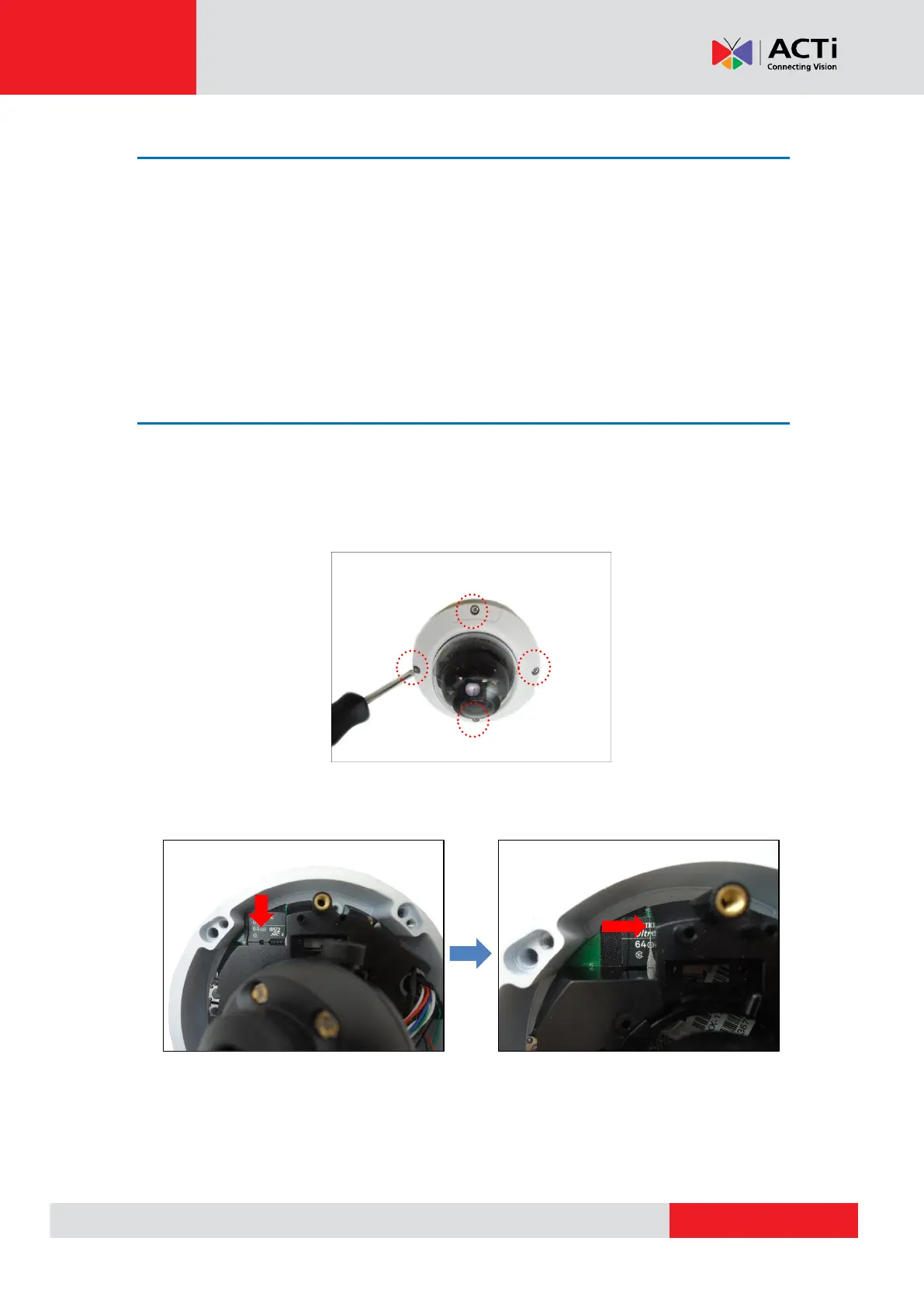
1. Loosen the four (4) screws to remove the dome cover.
2. Place the memory card on the camera surface with the metal contacts facing down the
camera, then push the card into the slot until it clicks into place.
3. Attach the dome cover to the camera and tighten the four (4) screws.



 To Next Page