Hardware Manual
23
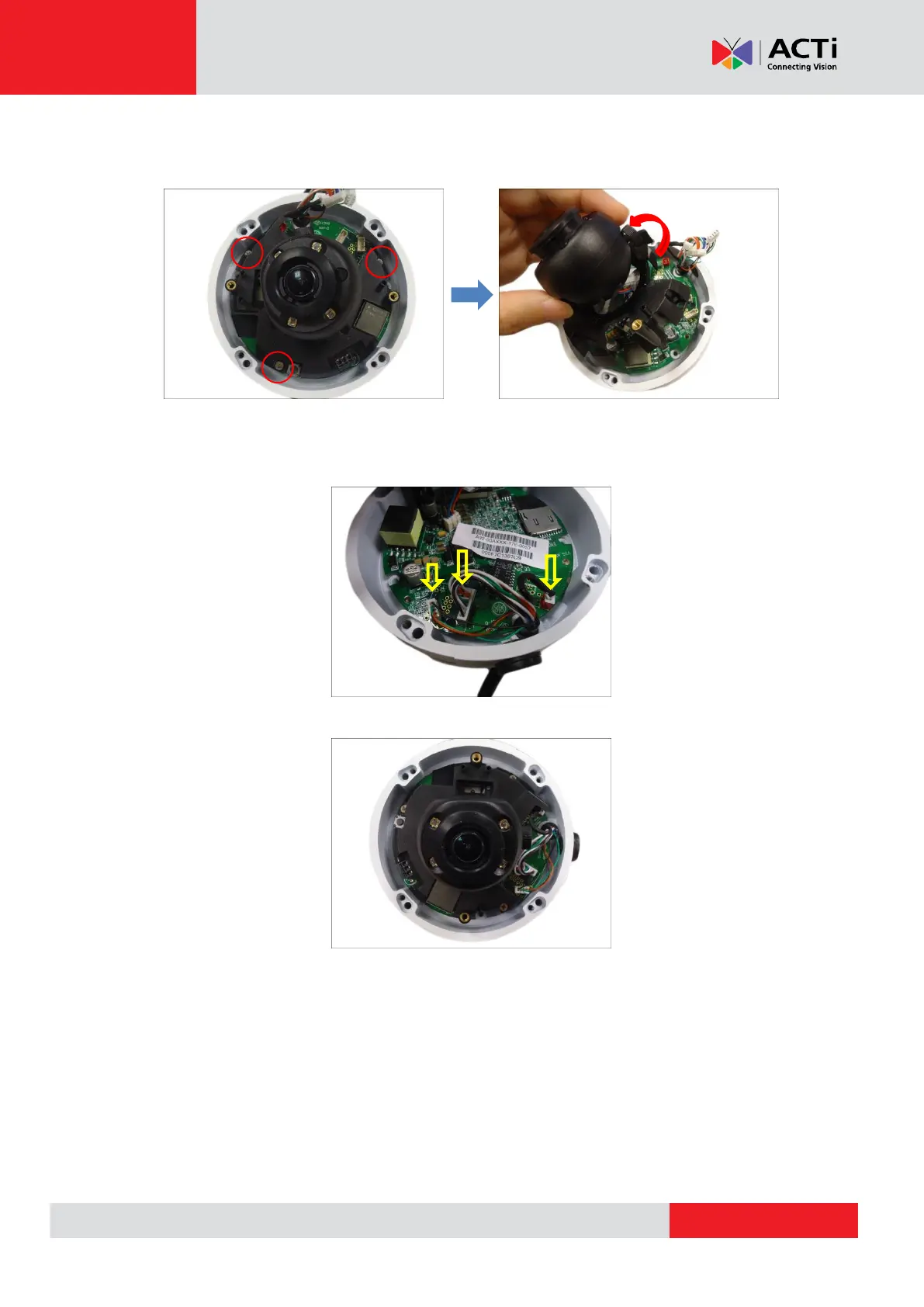
6. Remove the three (3) screws, and slightly lift the camera module enough to connect the
power cable wafer (2-wire) on its connector.
NOTE: Do not abruptly lift the camera module, cables are connected underneath.
7. Connect the wafer heads to the corresponding connectors.
8. Attach the camera module back.



 To Next Page