Hardware Manual
19
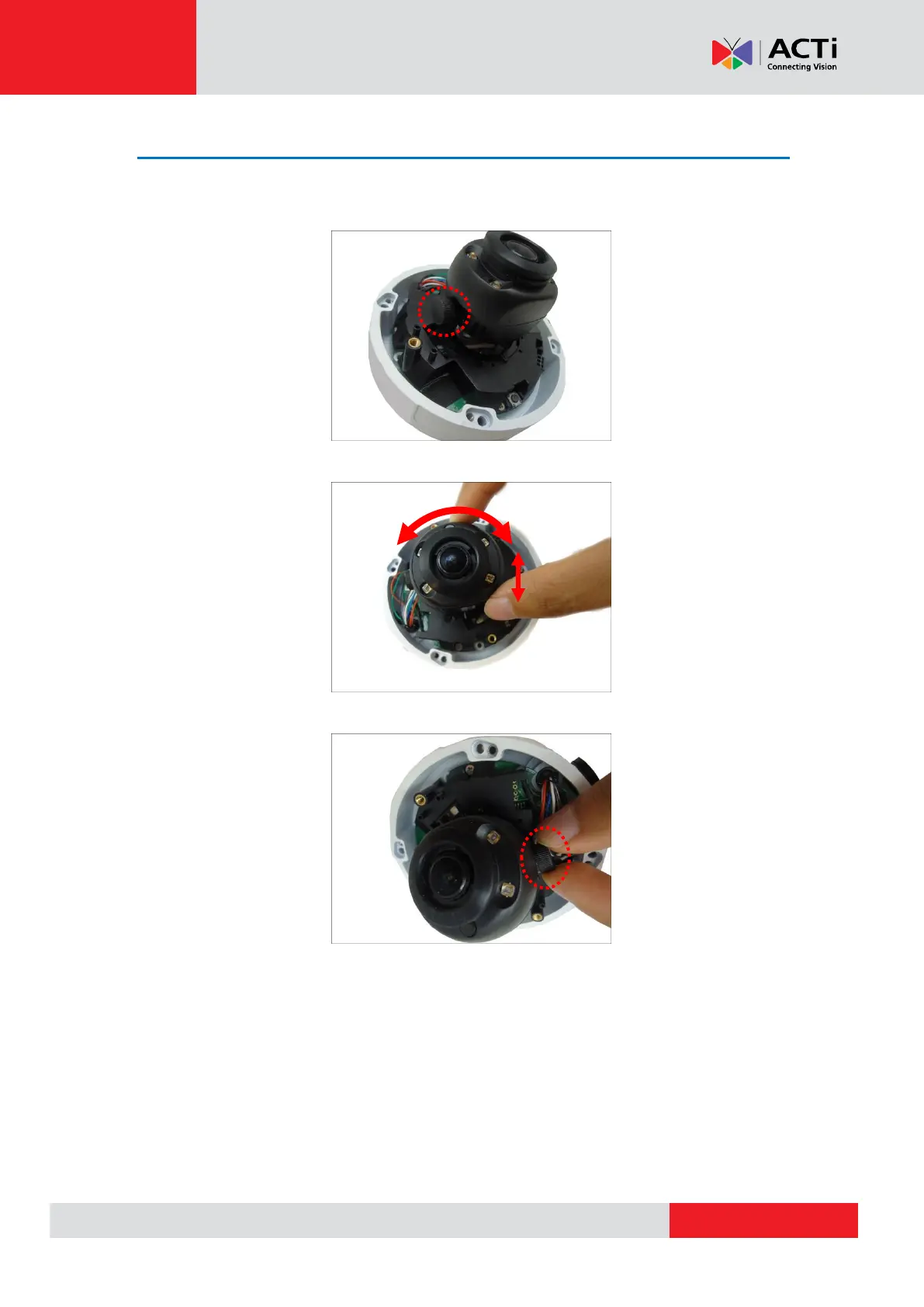
Step 6: Adjust the Viewing Angle
Adjust the camera lens orientation and tilt, as needed.
1. Loosen the tilt adjustment screw, and then tilt the lens module.
2. Rotate the lens module to change the viewing orientation.
3. Tighten the tilt adjustment screw to fix the lens position.



 To Next Page