Hardware Manual
17
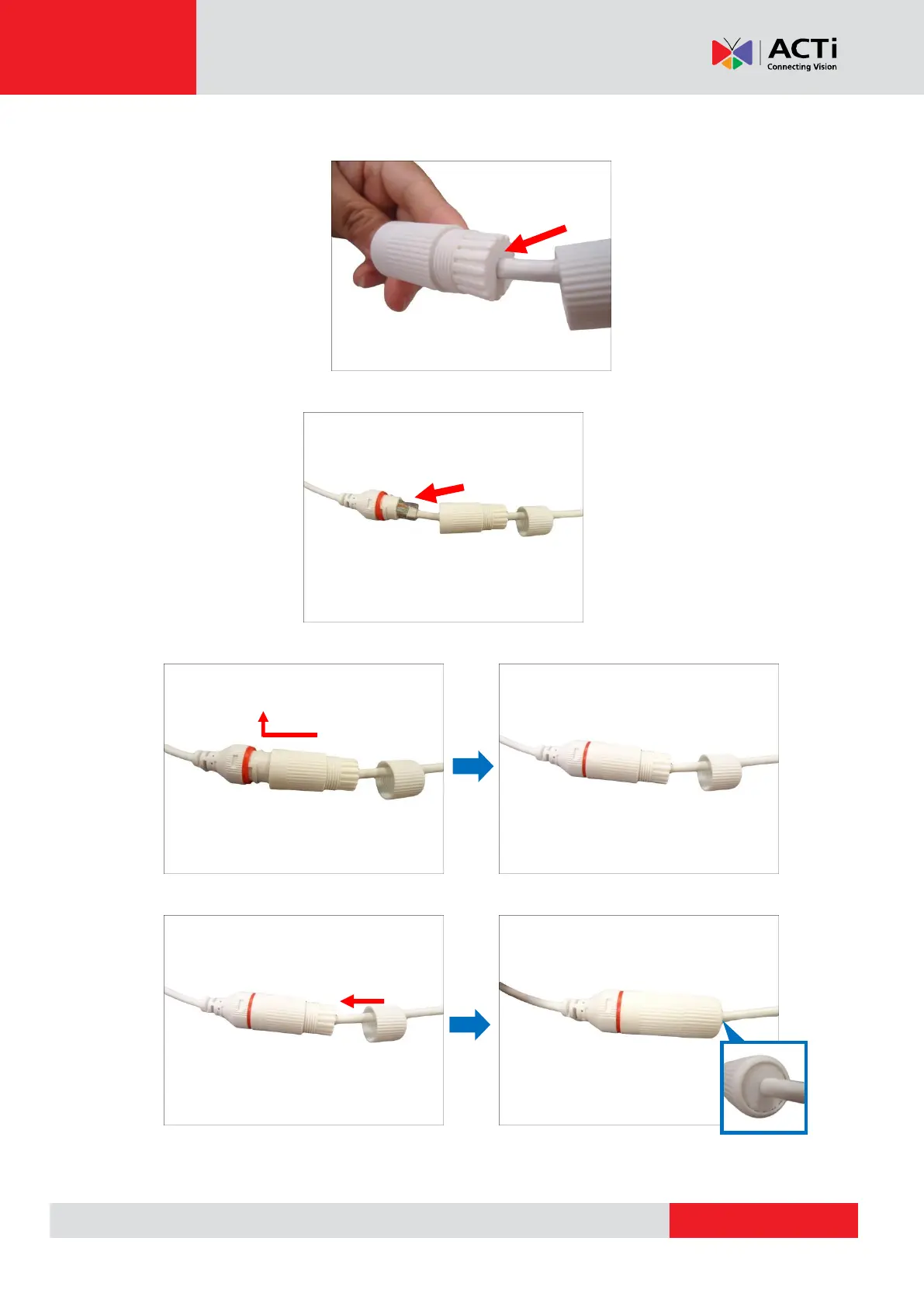
6. Push the sealing insert into the gland body.
7. Connect the RJ-45 connector to the camera connector.
8. Attach the gland body to the camera connector.
9. Attach the clamping nut to the gland body to complete the cable solution.
NOTE: Make sure the clamping nut is tightly attached to the cable gland body and the sealing
insert is squeezed tightly.



 To Next Page