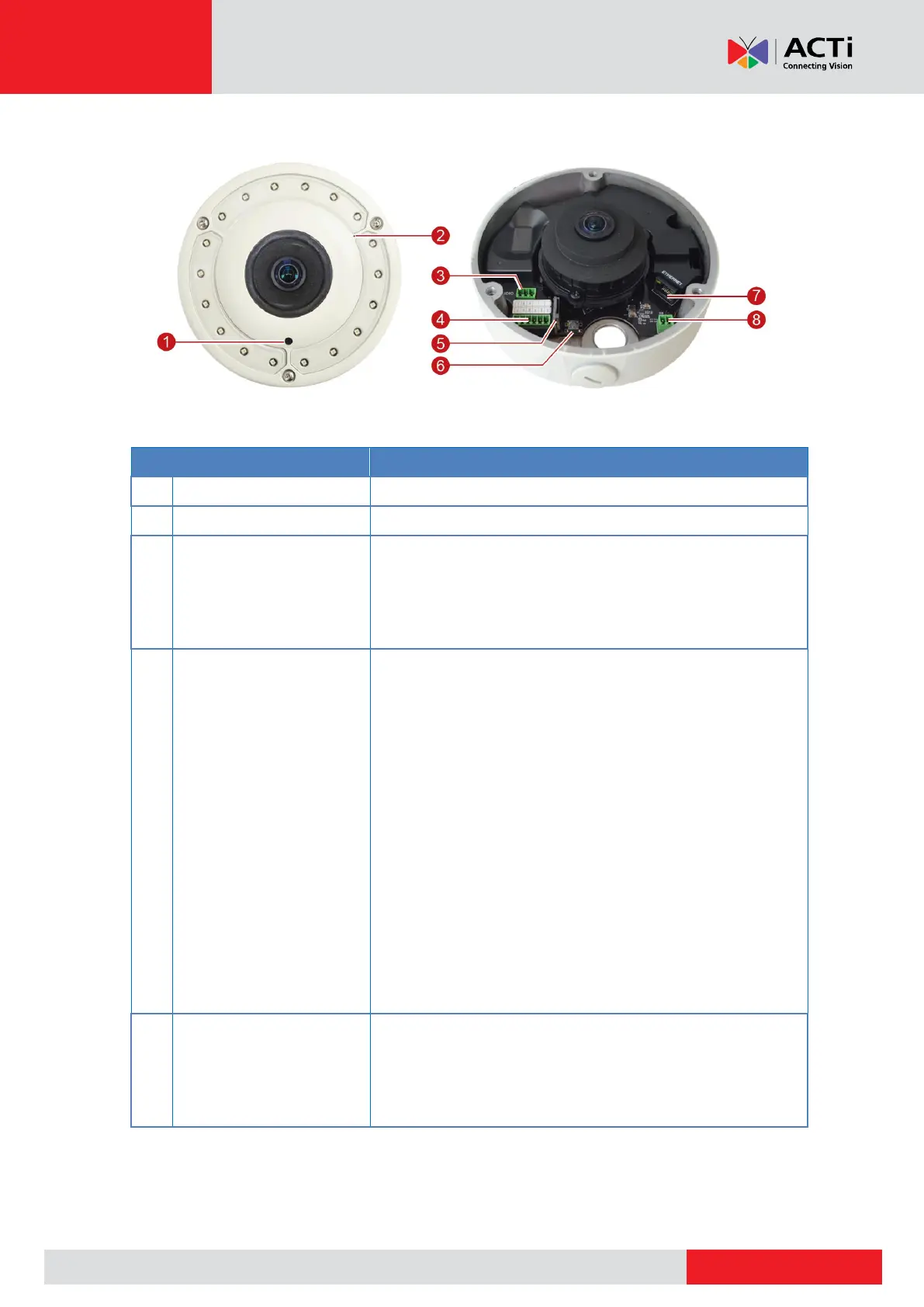
Connects to an analog video output device.
Connects to external audio output device, such as
speakers. See Connecting Audio In / Out Devices
(Optional) on page 31.
The DC 5V connector provides power input to digital
output devices. If the power is insufficient, connect an
external power source to power up the device.
Connects to digital input or output devices, such as an
alarm trigger, panic button, etc. Digital Input (DI) and
Digital Output (DO) devices are used in applications like
motion detection, event triggering, alarm notifications,
etc. See Connecting DI/DO Devices (Optional) on page
28 for information.
In case the camera is connected to a non-PoE (Power
over Ethernet) switch, use this connector to connect the
camera to an external power adapter. See Connecting a
Power Adapter (Optional) on page 26 for information.
Insert a memory card (not included) into the slot for local
recording purposes. See How to Install / Remove the
Memory Card on page 33.
NOTE: Supports only microSDHC and microSDXC cards.



 To Next Page