HARDWARE MANUAL
32
Other Adjustments and Accessories
How to Rotate the Viewing Orientation
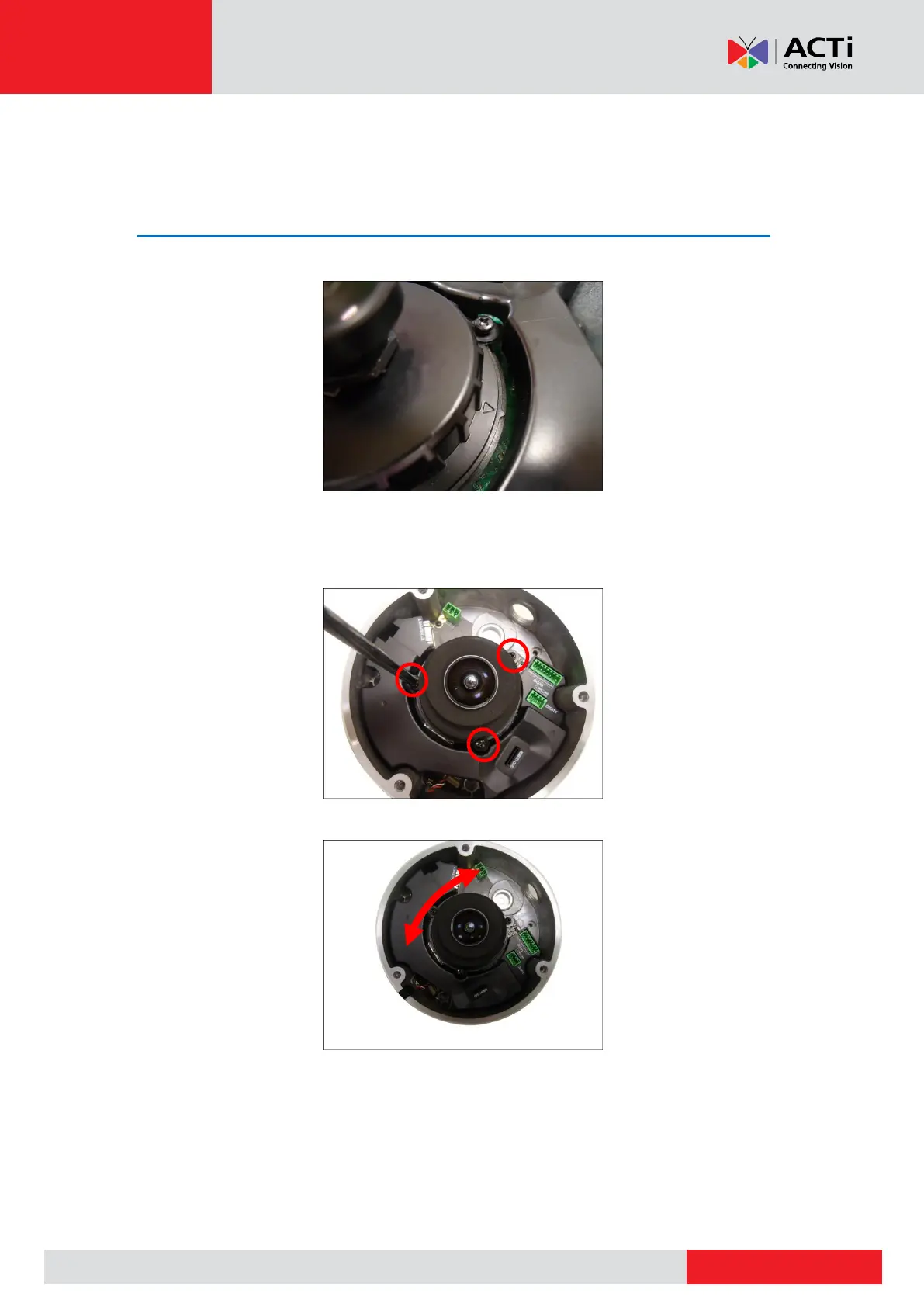
The viewing orientation of the camera is indicated by the arrow as shown below.
To change the orientation, do the following steps:
1. Slightly loosen the three (3) screws securing the lens module.
2. Turn the lens module according to the preferred orientation.
3. Tighten the three (3) screws to fix its position.



 To Next Page