HARDWARE MANUAL
20
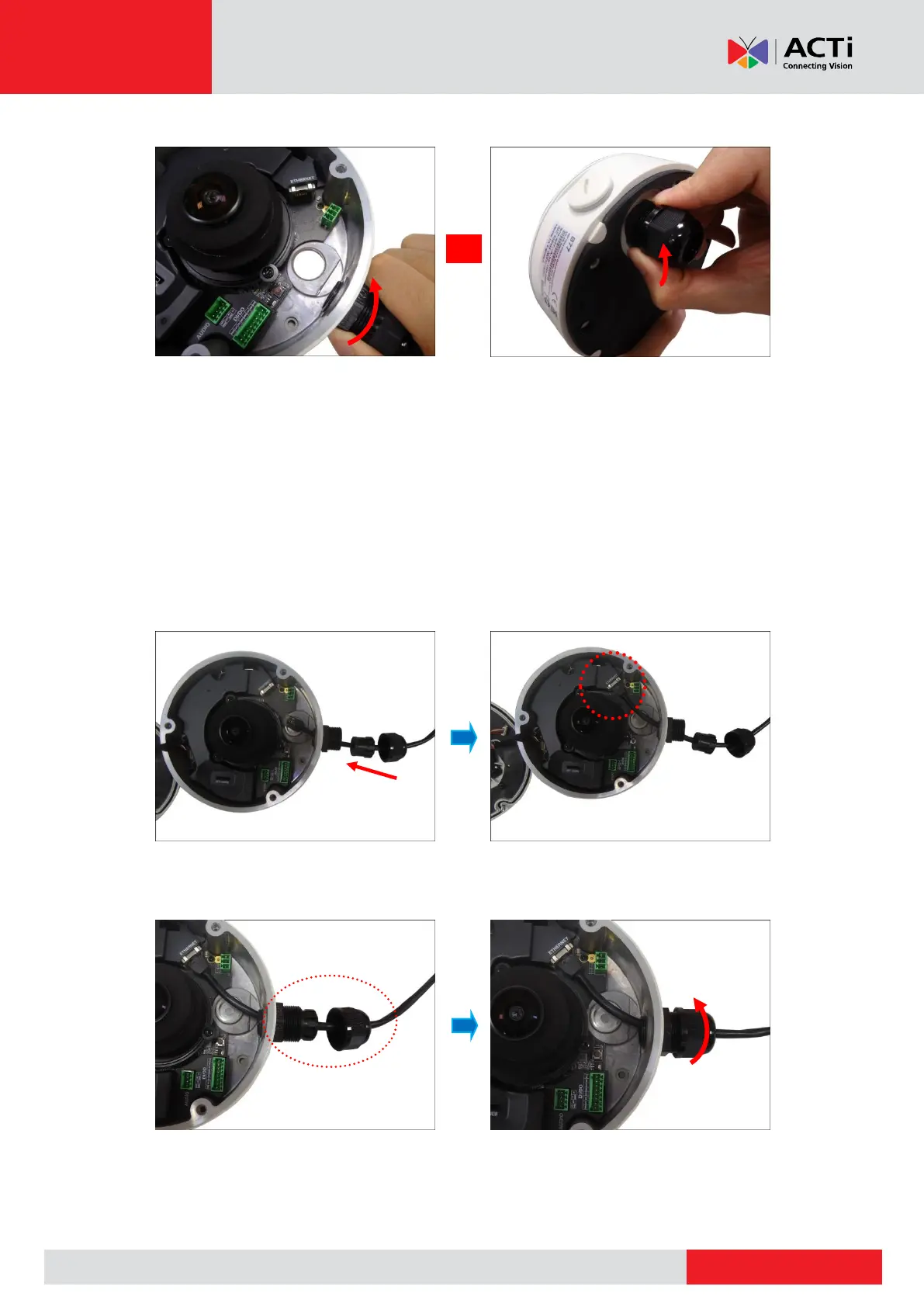
4. Attach the cable gland body to the hole of the camera.
Attach to Camera Side Hole Attach to Camera Bottom Hole
NOTE: The following images are taken using the side hole of the camera; the same
procedures apply when using the bottom side hole.
5. If the cable will be routed along the surface, mount the camera to the surface first
before doing the following cabling procedures. See Step 4: Install the Camera to the
Surface on page 24.
6. Insert the Ethernet cable through the cable gland body and connect it to the Ethernet port
of the camera.
7. Insert the claw and rubber insert into the cable gland body and then attach the clamping
nut to complete the cable solution.
NOTE: Make sure the clamping nut is tightly attached to the cable gland body.



 To Next Page