Hardware Manual
13
Installing the Camera on a Surface
This section describes the procedures in installing the camera directly on a flat surface, such as
the ceiling or the wall. For simplicity, most of the camera images used in the succeeding sections
were taken using the camera model with heat sink; same procedures apply to the model without
heat sink unless specified.
Step 1: Unpack the Camera
NOTE: To avoid scratches or leaving fingerprints on the dome cover, it is recommended to retain
the plastic covering the dome cover until the camera is completely installed.
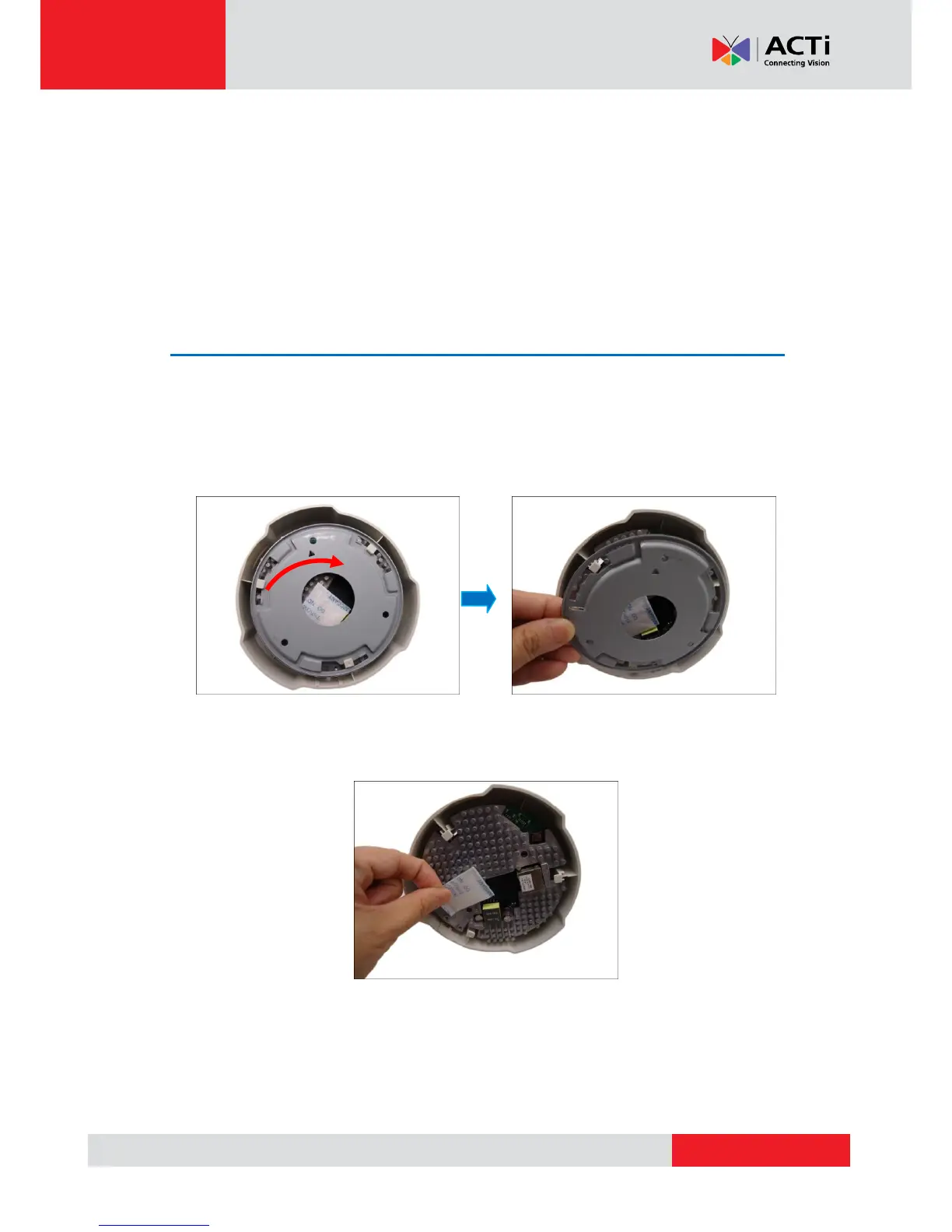
1. Slide the mounting plate counter-clockwise to detach it from the camera.
2. Remove the silicon bag.



 To Next Page