EasyManua.ls Logo

ACTi D55 - Product Specifications

ACTi D55
31 pages
Print Icon
To Next Page IconTo Next Page
To Previous Page IconTo Previous Page
Loading...
www.acti.com
Hardware Manual
18
Step 6: Connect to Network
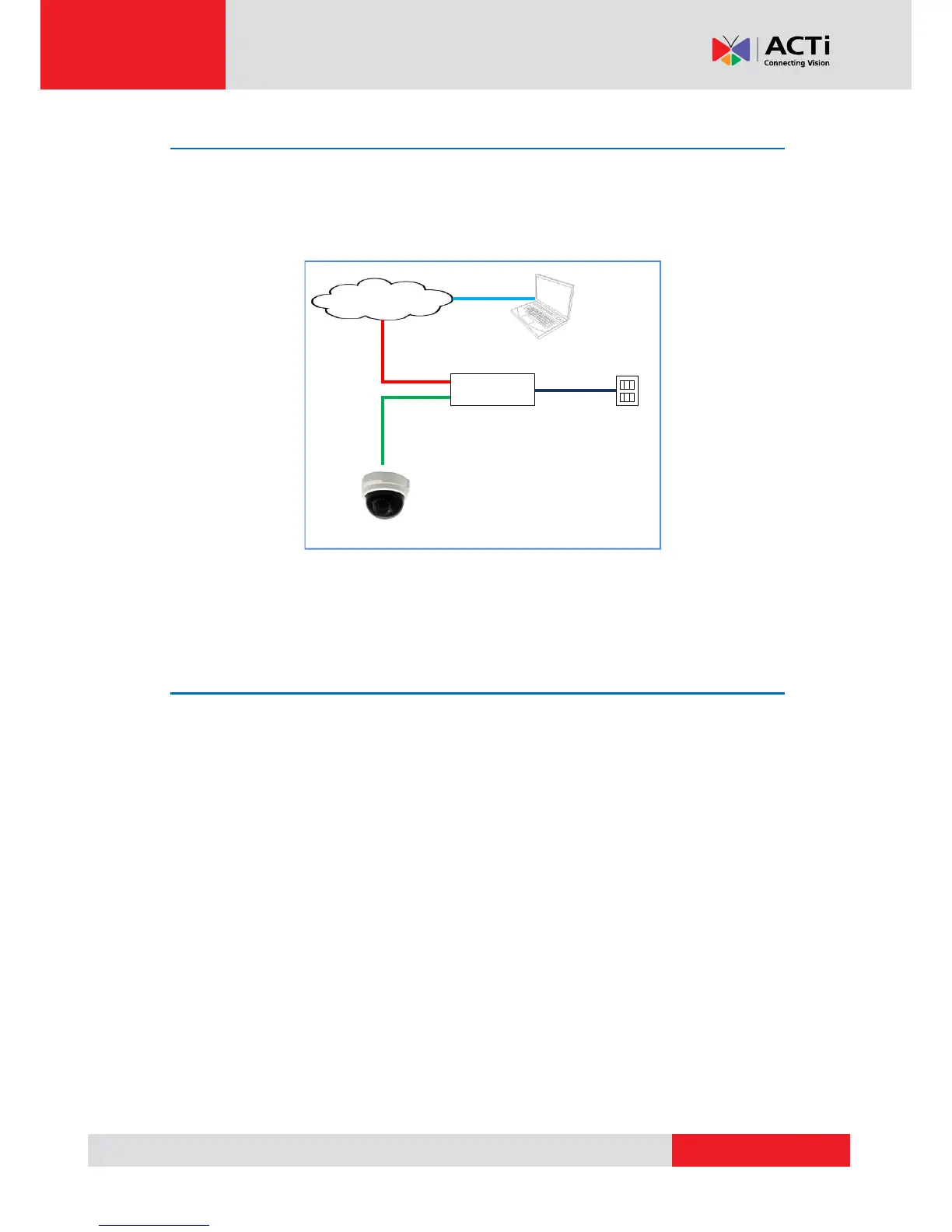
Connect the other end of the network cable to a Power-over-Ethernet (PoE) switch or injector.
Then, connect the PoE switch or injector to a network or PC and a power source. See example
connection diagram below.
Network
AC Power
Source
PoE Injector /
PoE Switch
Power Cable
Ethernet Cable
Ethernet Cable
(Data + Power)
Ethernet Cable
(Data)
Camera
NOTE: The use of UL Listed PoE switch / injector with the camera is recommended.
Step 7: Access the Camera Live View
See Accessing the Camera on page 25 for more information on how to access the Live View
screen of the camera.

Other manuals for ACTi D55

Related product manuals