Hardware Manual
18
Connecting Audio In / Out Devices (Optional)
Depending on your surveillance needs, you may connect audio input or output device, such as an
active microphone or speaker, to your camera. In this case, you need to connect the audio
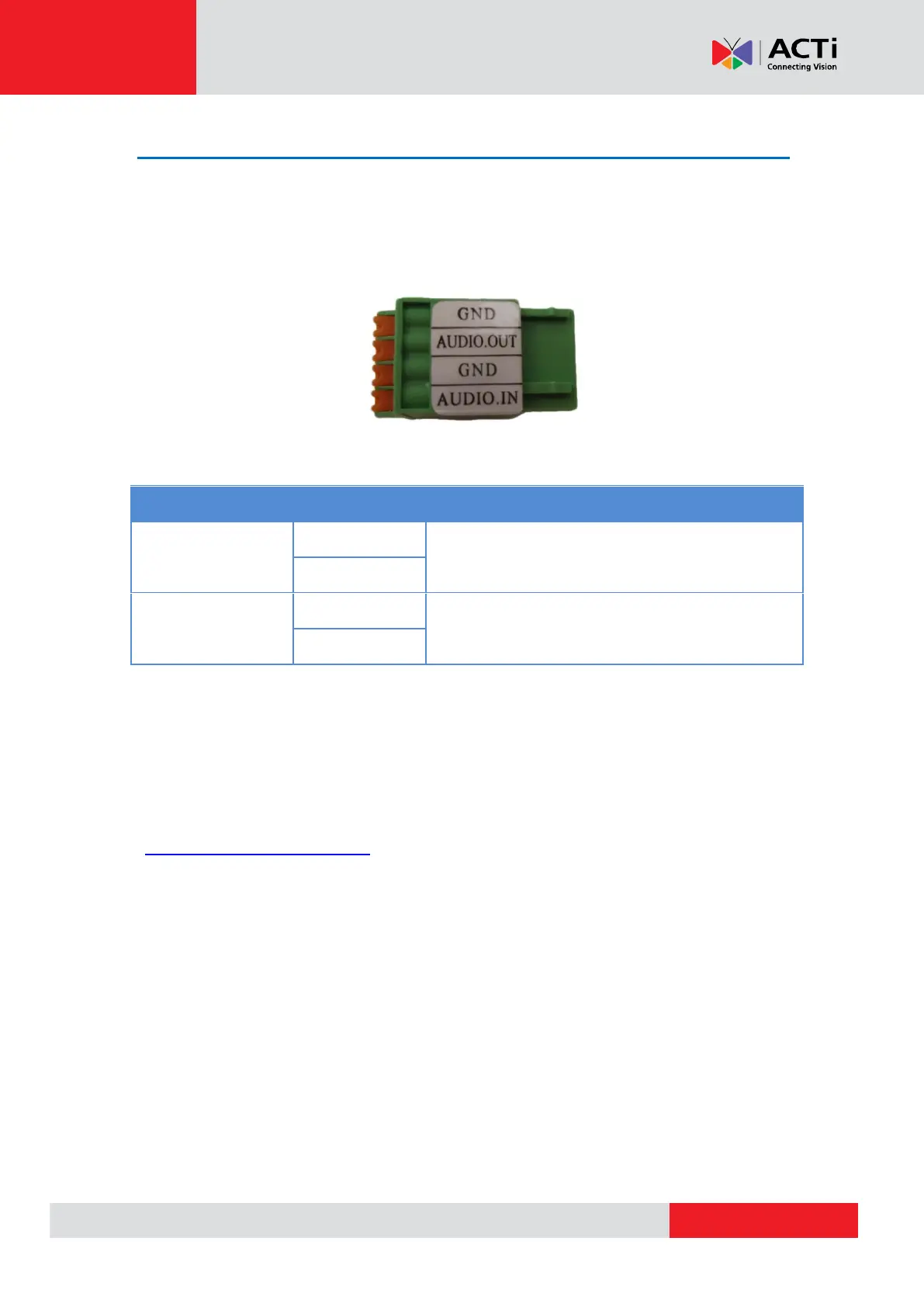
input/output device to the supplied audio terminal block.
To connect audio input / output devices, map the pins to one of the pin combinations below:
Connect the wires of the audio output device to GND
and AUDIO.OUT.
Connect the wires of the audio input device to GND
and AUDIO.IN.
Press and hold the orange tab as you insert the wire through the pin slot, then release the orange
tab to secure the wire.
NOTE: For more information about AUDIO in connections, please refer to the Knowledge Base
article How to Use Audio-in of ACTi Cameras, downloadable from the link below
(http://Download.acti.com?id=534).



 To Next Page