Hardware Manual
29
3. Loosen the pan adjustment screw, move the pan direction, and then tighten back the
screw to fix the pan position.
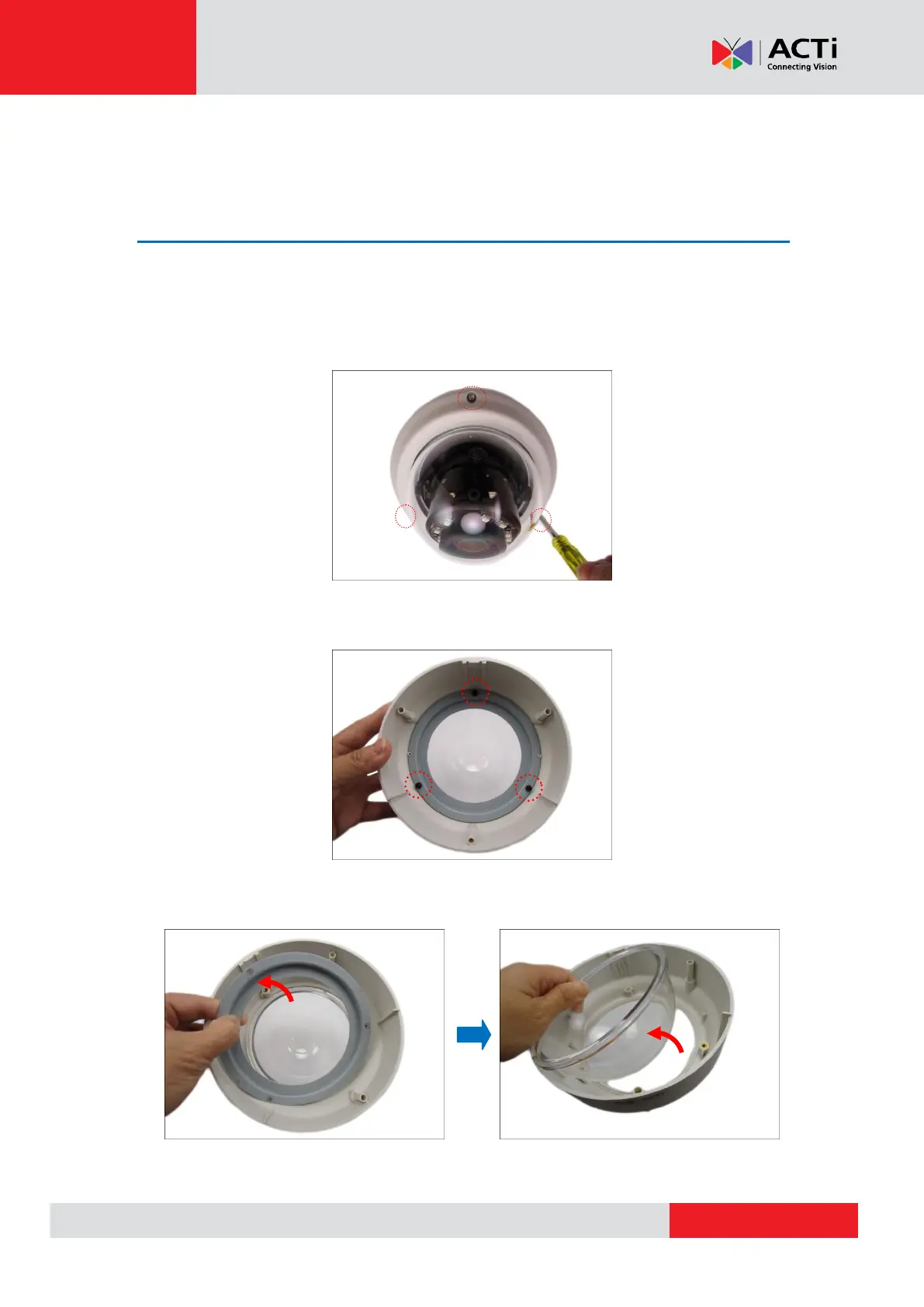
How to Replace the Dome Cover
For more discrete surveillance needs, the bundled dome cover can be replaced with a smoke,
vandal proof cover available for purchase. To replace the dome cover, do the following:
1. Loosen the three (3) screws to open the dome cover.
2. Remove the three (3) screws to detach the bracket.
3. Remove the bracket and dome cover from the cover housing.



 To Next Page