Hardware Manual
28
E616, E617, E618, E621
Since E616, E617, E618 and E621 models are zoom cameras with auto focus feature, only the
viewing angle needs to be adjusted.
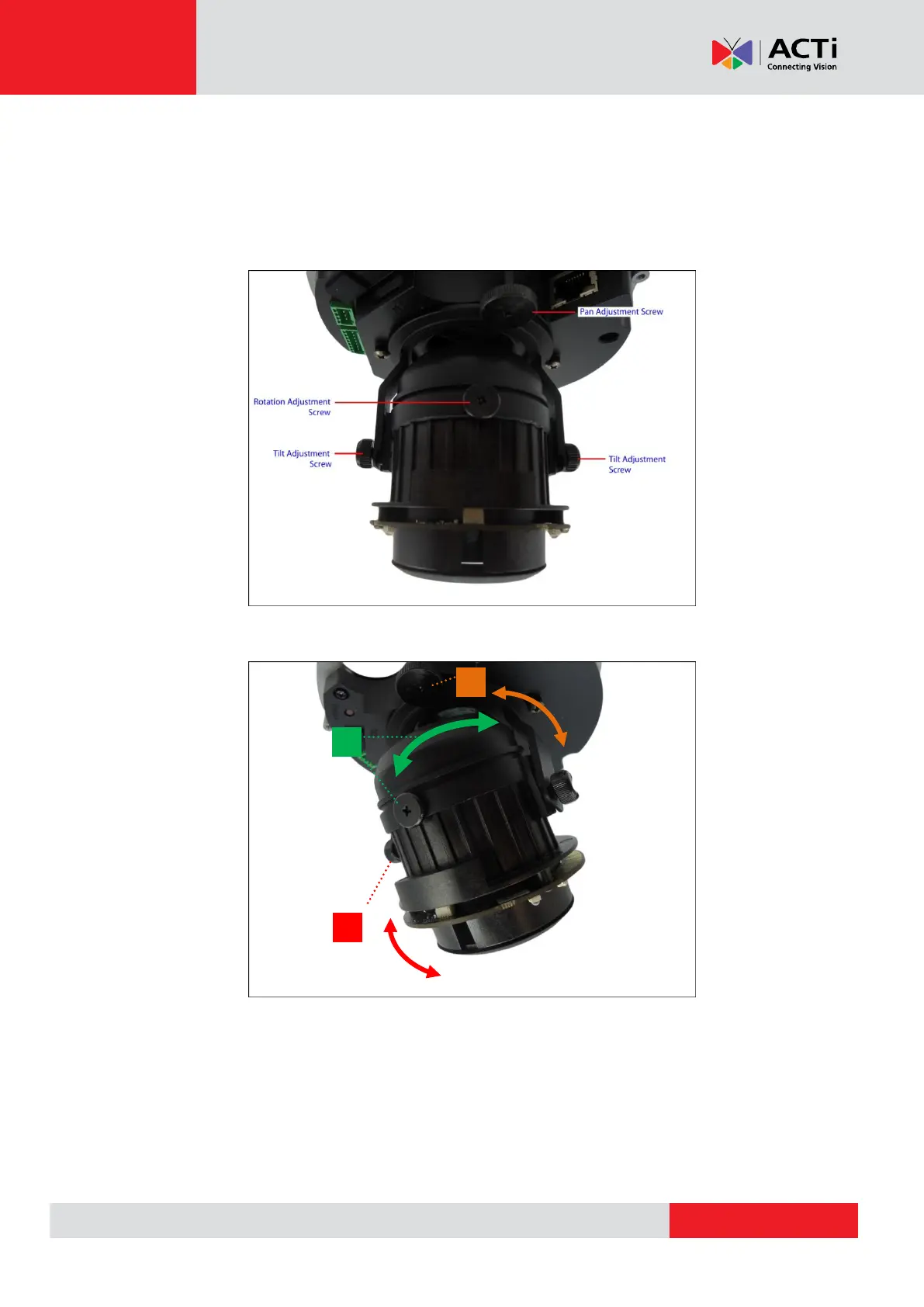
Camera Parts Overview
Adjustment Procedures
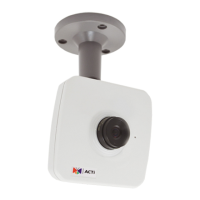
1. Loosen the tilt adjustment screws, adjust the tilt, and then tighten back the screws to fix
the tilt position.
2. Loosen the rotation adjustment screw, rotate the viewing orientation, and then tighten
back the screw to fix the orientation.



 To Next Page