Hardware Manual
29
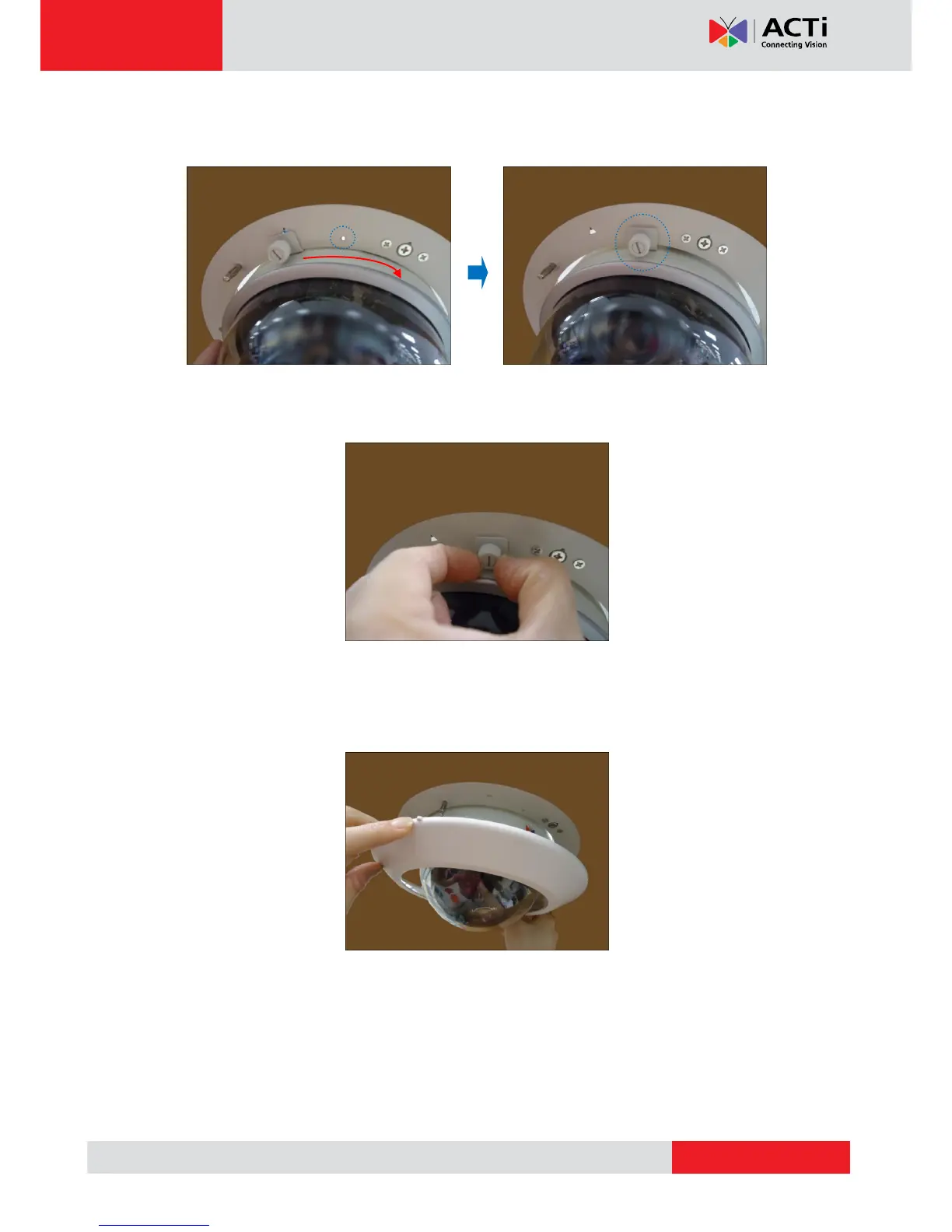
2. Slide the camera clockwise to secure the hooks to the mount. Notice that the fixing bracket
screw becomes aligned with the hole on the metal bracket
3. Tighten the screw on the fixing bracket to fix the camera position. This is to avoid accidental
camera movement as the camera performs PTZ functions.
Step 7: Attach the Cover Ring
1. Align the metal latches and the latches on the cover ring.
2. Push to firmly secure the cover ring latches.



 To Next Page