6
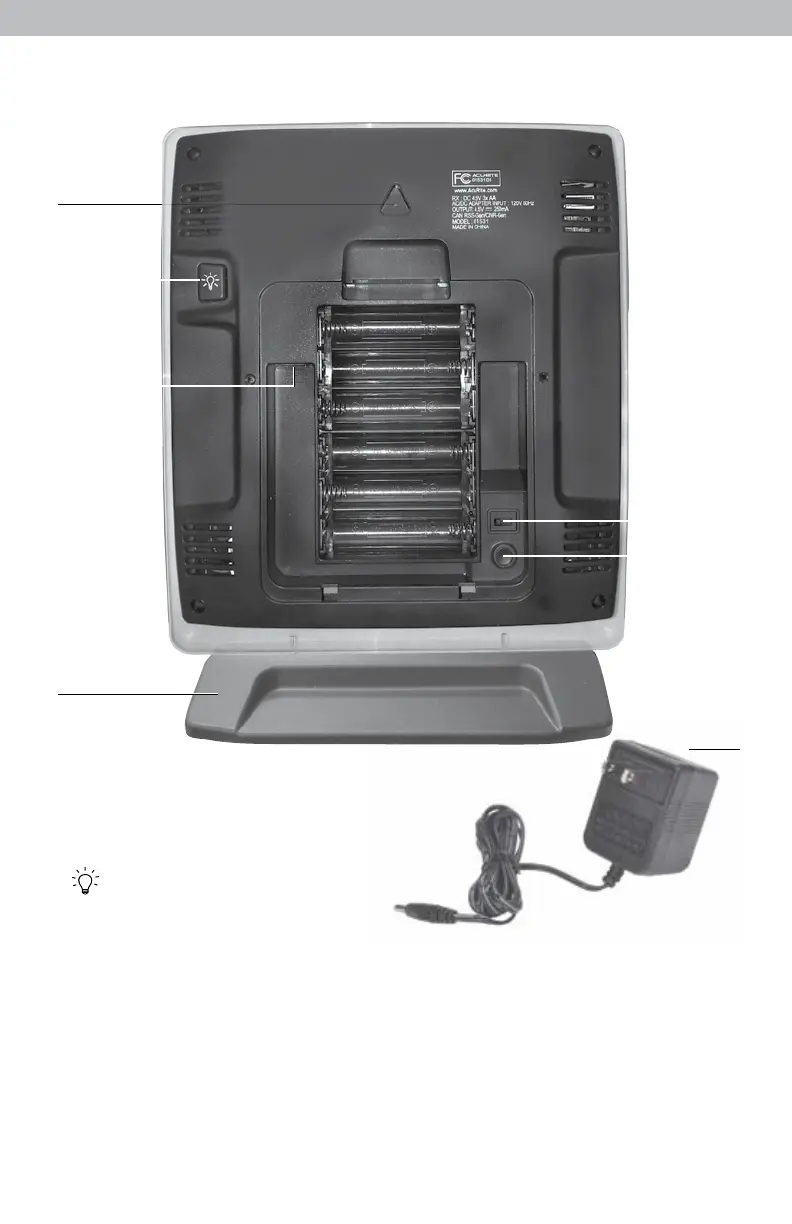
Back of Display Unit
1
2
3
6
5
4
7
BACK OF DISPLAY UNIT
1. Integrated Hang Hole
For easy wall mounting.
2. Button
Dimmer control while using power
adapter. Activates momentary
backlight while on battery power.
6. A-B-C Switch
3. Plug-in for Power Adapter
ID code that must match 5-in-1
4. Removable Tabletop Stand
sensor’s A-B-C switch to ensure
units synchronize.
5. CLEAR ALL/RESET Button
Press to clear record currently being
7. Power Adapter
viewed. Press AND HOLD for more
8. Battery Compartment Cover
than 10 seconds for full reset to
(not shown)
factory defaults.



 To Next Page