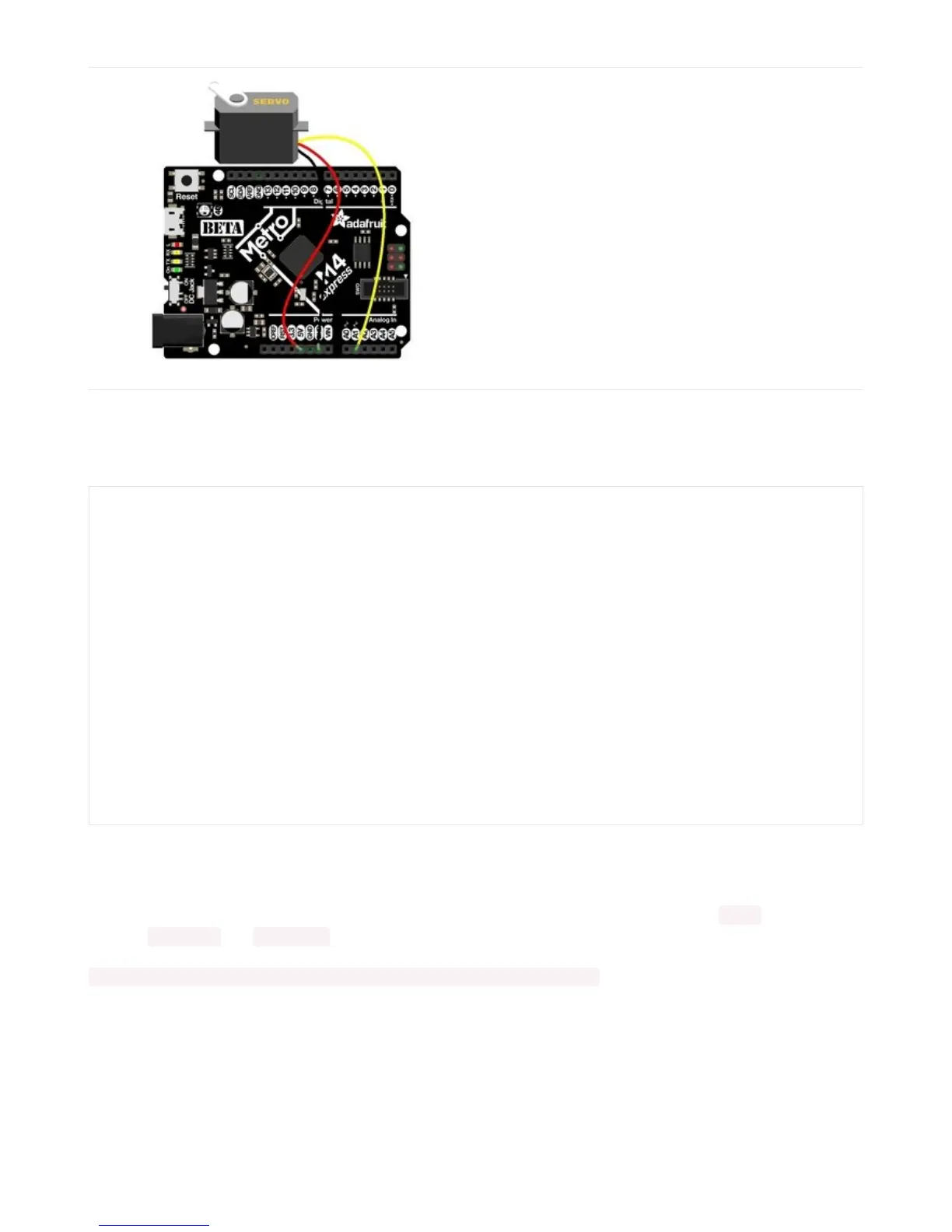
For the Metro M4 Express, ItsyBitsy M4 Express and
the Feather M4 Express, connect the ground wire to
any G or GND, the power wire to USB or 5V, and the
signal wire to A1.
Servo Code
Here's an example that will sweep a servo connected to pin A2 from 0 degrees to 180 degrees and back:
Pretty simple!
Note that we assume that 0 degrees is 0.5ms and 180 degrees is a pulse width of 2.5ms. That's a bit wider than
the
official
1-2ms pulse widths. If you have a servo that has a different range you can initialize the servo object with a
different min_pulse and max_pulse . For example:
servo = adafruit_motor.servo.Servo(pwm, min_pulse = 0.5, max_pulse = 2.5)
For more detailed information on using servos with CircuitPython, check out the CircuitPython section of the servo
guide (https://adafru.it/Bei)!
import time
import board
import pulseio
from adafruit_motor import servo
# create a PWMOut object on Pin A2.
pwm = pulseio.PWMOut(board.A2, duty_cycle=2 ** 15, frequency=50)
# Create a servo object, my_servo.
my_servo = servo.Servo(pwm)
while True:
for angle in range(0, 180, 5): # 0 - 180 degrees, 5 degrees at a time.
my_servo.angle = angle
time.sleep(0.05)
for angle in range(180, 0, -5): # 180 - 0 degrees, 5 degrees at a time.
my_servo.angle = angle
time.sleep(0.05)



 To Next Page
 Loading...
