Now install the new 2.3.0.0 (or higher) Adafruit Windows Drivers Package:
https://adafru.it/AB0
https://adafru.it/AB0
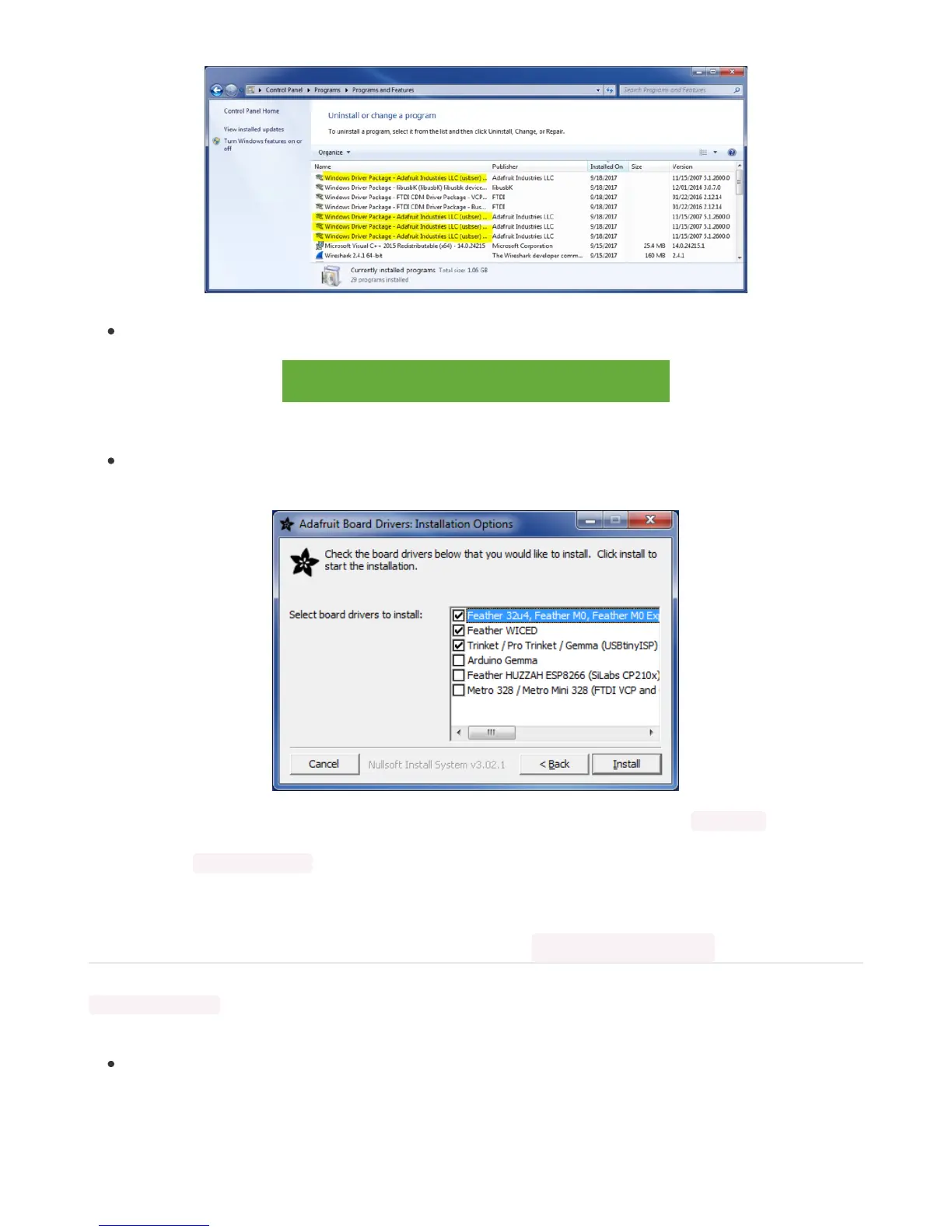
When running the installer, you'll be shown a list of drivers to choose from. You can check and uncheck the
boxes to choose which drivers to install.
You should now be done! Test by unplugging and replugging the board. You should see the CIRCUITPY drive, and
when you double-click the reset button (single click on Circuit Playground Express running MakeCode), you should see
the appropriate
boardname
BOOT drive.
Let us know in the Adafruit support forums (https://adafru.it/jIf) or on the Adafruit Discord () if this does not work for you!
Windows Explorer Locks Up When Accessing boardnameBOOT Drive
On Windows, several third-party programs we know of can cause issues. The symptom is that you try to access the
boardnameBOOT drive, and Windows or Windows Explorer seems to lock up. These programs are known to cause
trouble:
AIDA64: to fix, stop the program. This problem has been reported to AIDA64. They acquired hardware to test,
and released a beta version that fixes the problem. This may have been incorporated into the latest release.
Please let us know in the forums if you test thi.s



 To Next Page
 Loading...
