37
ADB 3800 Set Top Box Guide
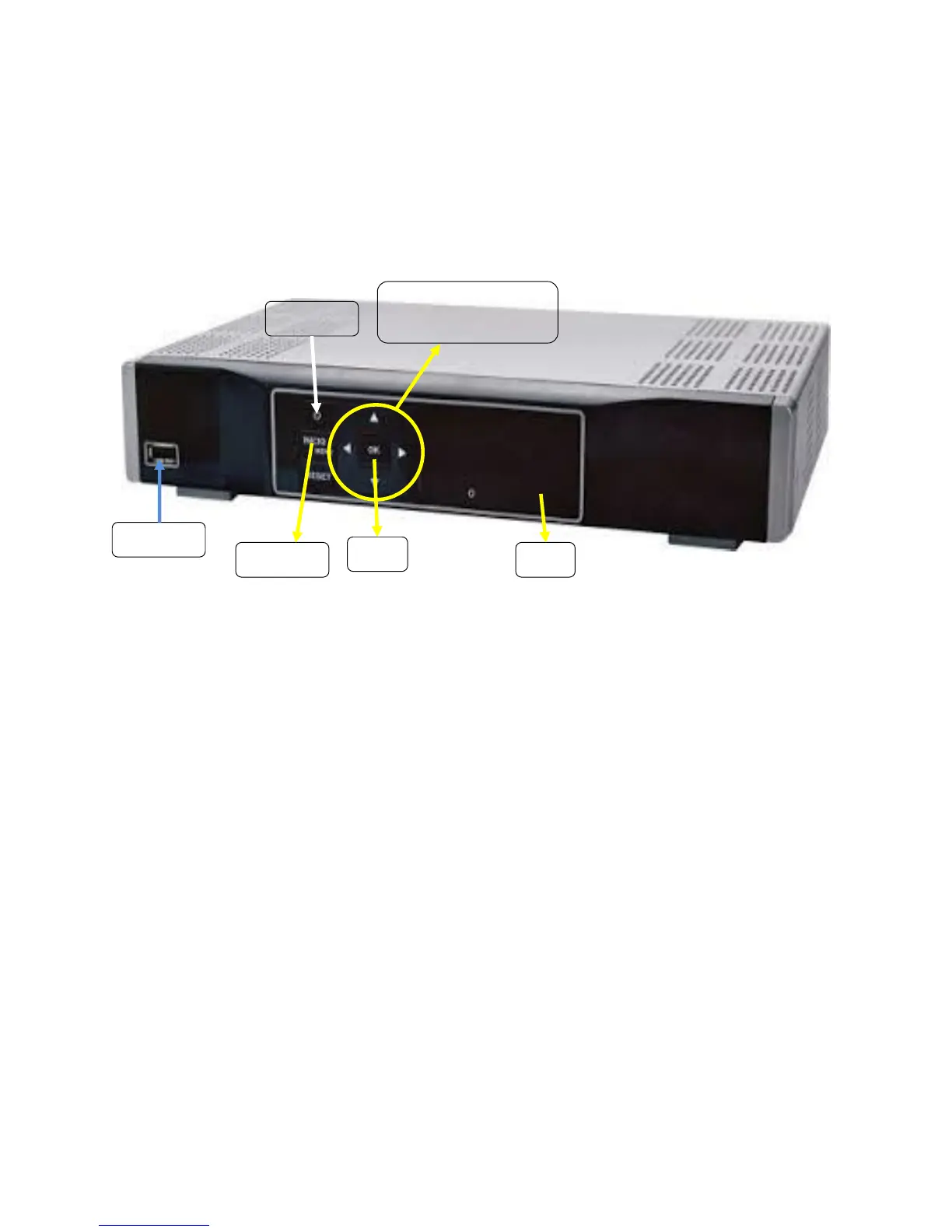
Front Panel View
Below is an explanation for each of the controls and lights listed above.
Power button, if held for less than five seconds, turns the Set Top Box on or off. If held for five seconds
longer, it restarts the TV receiver. When the Set Top Box is on the light is green.
USB (Universal Serial Bus) is a USB 2.0 connector.
HD (High-Definition) light is green when the Set Top Box is receiving a high-definition program. Call our
office at (806)360-9000 to find out if you can receive HD programming as it is not available in all areas.
Menu button displays the Menu.
Directional Arrows allow you to change the channels and move through the program guide.
OK button allows you to select channels or Menu options.


 To Next Page