Home Station ADSL ADB P.DG A4001N
© (2011) ADB Broadband S.p.A. All Rights Reserved. Proprietary Use Pursuant to Cover Page Instructions.
Introduction 9
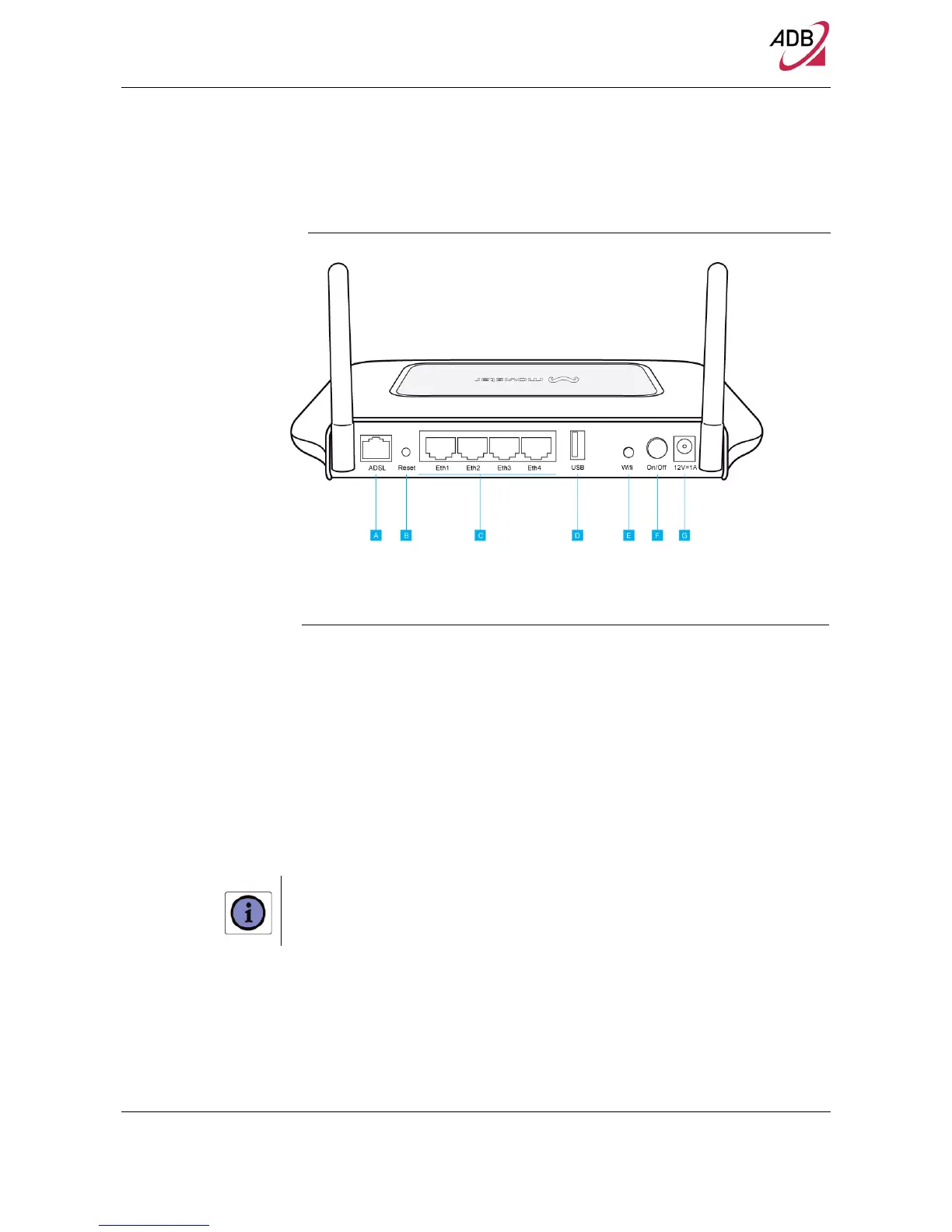
FIGURE 3. Rear Panel Ports
TABLE 3. Port Description
PORT DESCRIPTION
A Phone ADSL connector (ADSL2/2+)
B Reset Configuration to factory default
C Four Ethernet ports 10/100 Mbps
D USB 2.0 port
E Wifi Button
F Power Button
G Power Adapter port
The Wifi button is located on the rear panel. Press this button for at least 5 second when activating the WPS
function.


 To Next Page
 Loading...