to the Raspberry Pi. After 2016, Raspbian distributions disable the SSH service by
default, so we need to manually enable it.
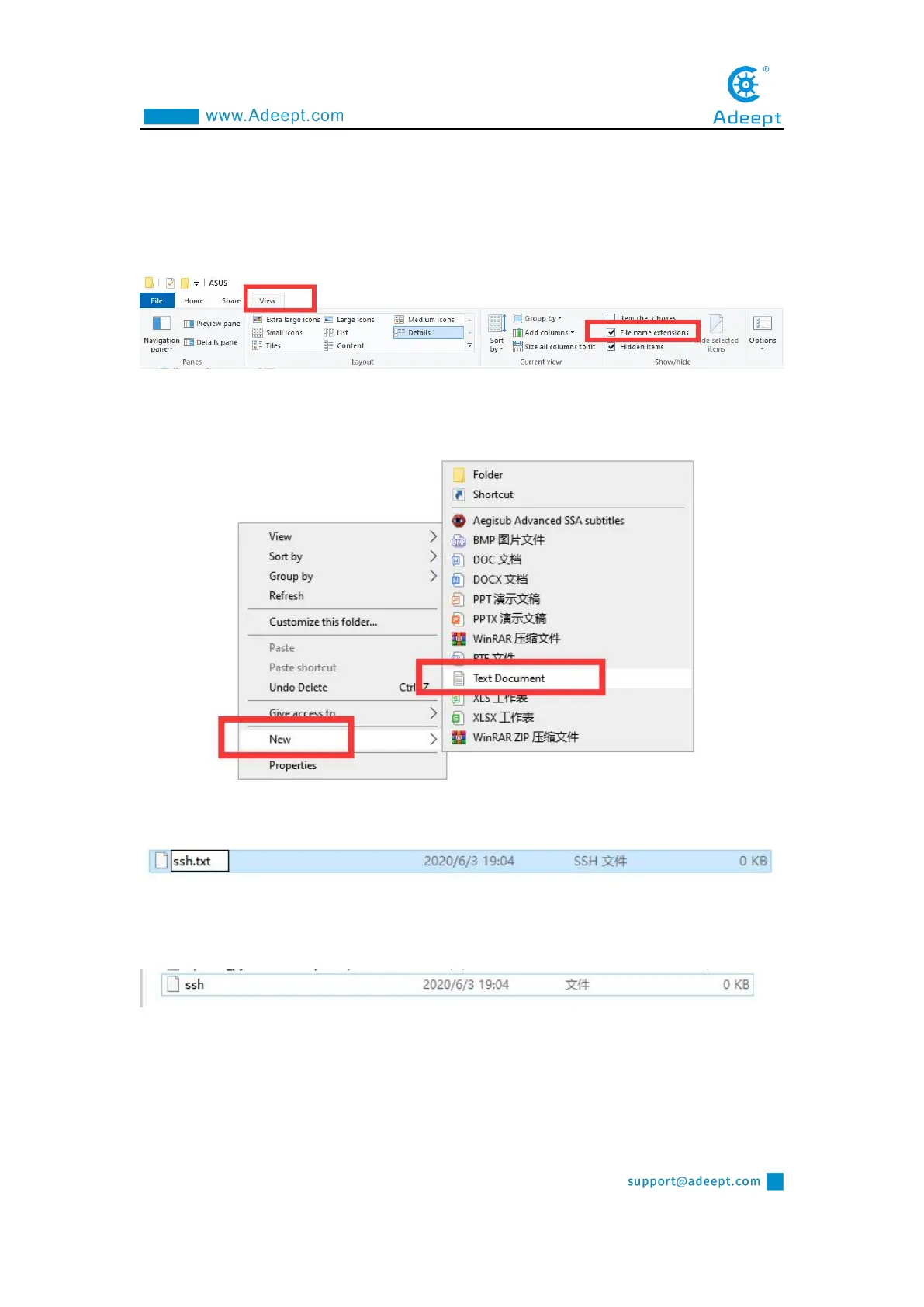
(1) We first enter the driver D of the computer, click "View" in the upper left
corner, and select "File Extension", as shown below:
(2) Right-click on the blank space of the D drive, select "New", and select "Text
Document".
(3) Name the file "ssh", as shown below:
(4) Then delete the suffix ".txt". We will get an ssh file without any extension. As
shown below:
(5) Copy this ssh file to the root directory of the SD card of the Raspberry Pi
system. When the Raspberry Pi starts, it will automatically find this ssh file. If it is
found, it will start SSH. This method only needs to be used once. After that, every
time you start the Raspberry Pi, it will automatically start SSH without repeating the



 To Next Page