38
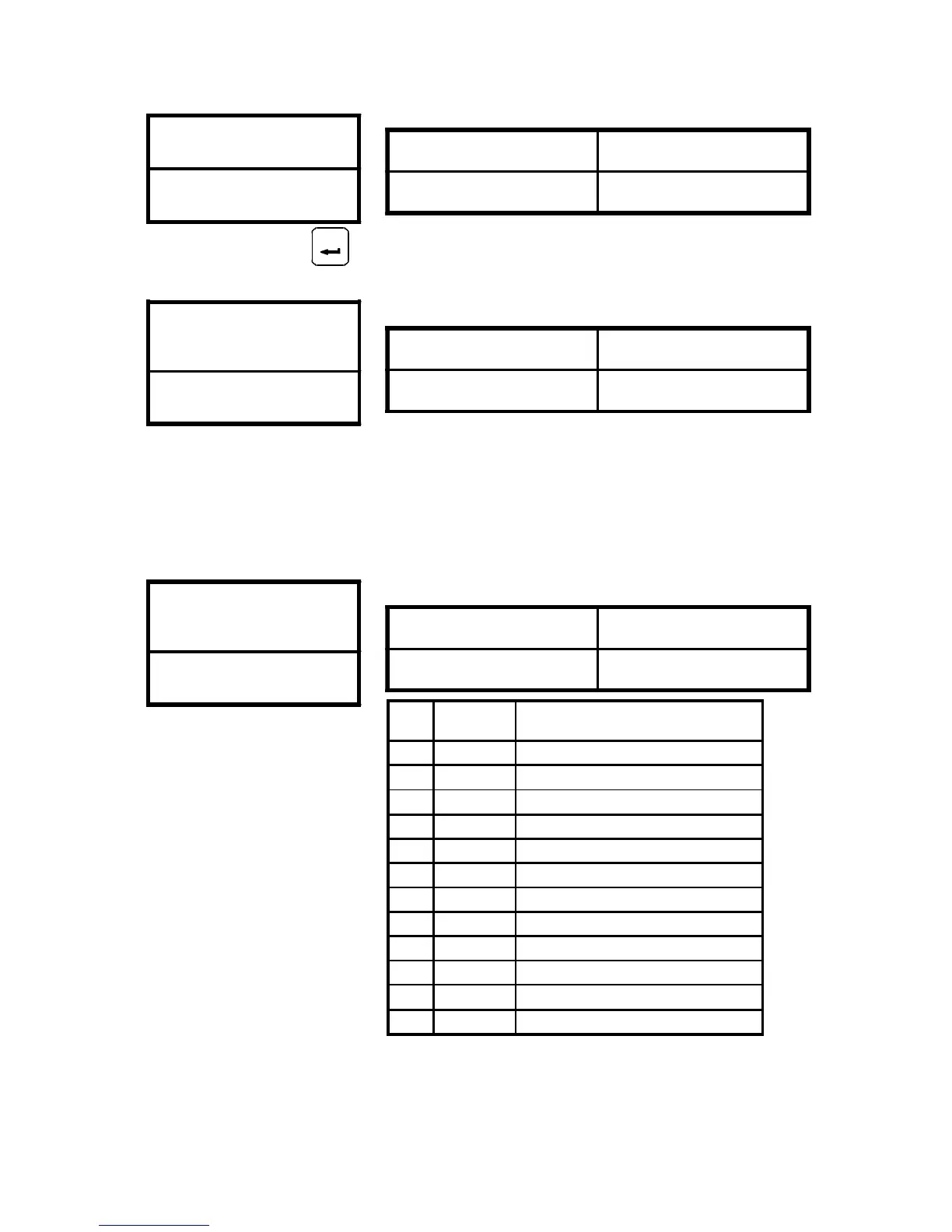
Clear errors record
CD40
Set CD40=1 and clear CD36 ~ CD39 Error record the con-
tents in CD36 ~ CD39 are “ NONE “
Setting Range 0 or 1
Default Value 0
0 = HZ Display
1 = RPM Display
2 = Current Display
3 = DC bus Display
Setting corrent scale CD14 for R.P.M. display shown.
HZ / RPM / AMP
/ DC bus Display
CD41
Setting Range 0 ~ 3
Default Value 0
FT1 Multi-Function
Terminal 1
CD42
Setting Range 0 ~ 15
Default Value 0
FT1
FT2
Symbol Function description
0 -------- --------
1 JOGF Jog operation FWD command
2 JOGR Jog operation REV command
3 2CH ACC/DEC time 2 command
4 FRS Free running command
5 3 - WIRE 3 - wire sequence mode
6 CF3 5 - 8 Speed Setting Terminal
7 VF2 2nd V/F curve setting (CD56)
8 Reserved
9 OH External over temperature command
10 Timer Timer RUN Trigger
11~15 Reserved
ENTER



 To Next Page