ADPRO iFT Gateway Hardware Installation Manual
33104_01 11
3.3 Preparing a Used Memory Card for Recording
Ifyouwanttorecordonausedmemorycard,itisrecommendedtoformatitfirst,toremovealldata.Youcanuse
atoolsuchasSDFormatter(downloadablefromwww.sdcard.org).
Ifthememorycardisstillnotusableafterformatting,itmaycontainbootablepartitions.Youhavetoremove
thesefirst.OnemethodistorunDiskPartfromtheWindowsCommandPrompt.YouneedtoruntheCommand
PromptasanAdministrator.
Tocleanpartitionsandremovebootableflagsfromausedmemorycard,proceedasfollows:
1. InsertthememorycardinyourPC.
2. OpentheWindowsCommandPrompt.
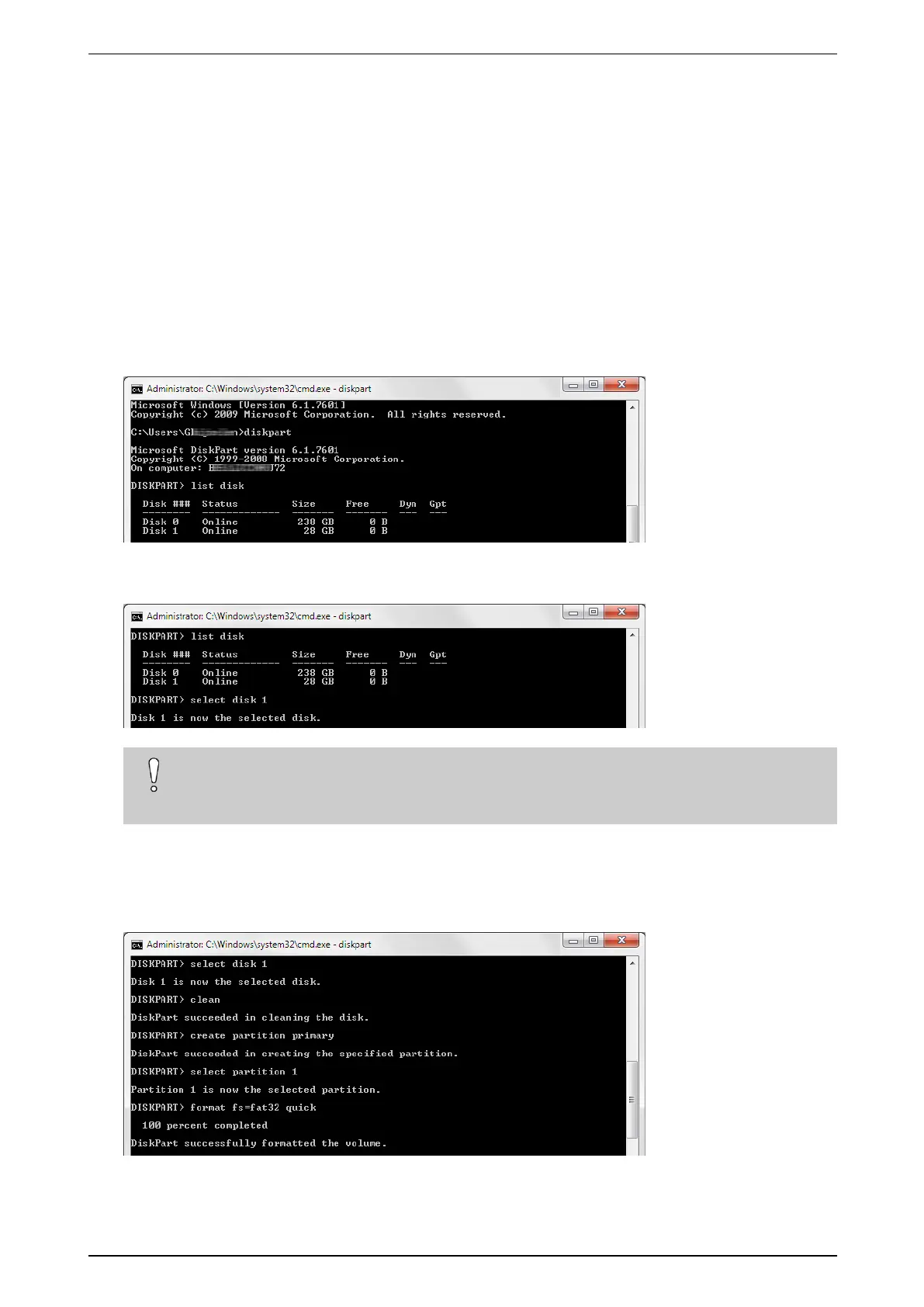
3. Typediskpart andpressEnter.
4. Typelist disk andpressEnter.Alistofdisksappears.
5. Typeselect disk x(wherexisthedisknumberthatcorrespondswiththememorycard)andpressEnter.In
theexample,thedisknumberis1(diskwithsize28GB).
Caution!
Becarefultoselectthecorrectdisk.IfyouaccidentallyselectyourPC'sharddiskinsteadofthe
memorycard,youwillclearallinformationfromyoudiskandyourPCwillbecomeunusable.
6. Typeclean andpressEnter.
7. Typecreate partition primary andpressEnter.
8. Typeselect partition 1 andpressEnter.
9. Typeformat fs=fat32 quick andpressEnter.



 To Next Page