ADPRO iFT Gateway Hardware Installation Manual
33104_01 15
6 Network Connection
AnXOdevicerequiresanIPnetworkconnectionforcommunicationwiththeclientPC,theIPcameras,theCMS
(alarmtransmission),andoptionalperipheralssuchasNetI/Ounits.
TheiFTGatewaycanconnecttotheIPnetwork:
l wired:usinganEthernetcableontheXOdevice'sEthernet port,connectingtoaswitchorrouterinthelocal
network.
YoumustusethewiredconnectionforcommissioningtheiFTGateway.
l wireless:usingthebuilt-inWi-Fi.
Thisfeatureisdisabledbydefault,thereforeyouneedtocommissiontheiFTGatewayusingthewired
Ethernetconnection.Aftercommissioning,youcanenableandconfiguretheWi-Ficonnection.Fordetails,
seetheXO Client Software User Manual for iFT Gateway(33103).
l usingacombinationofwiredandwirelessconnections.
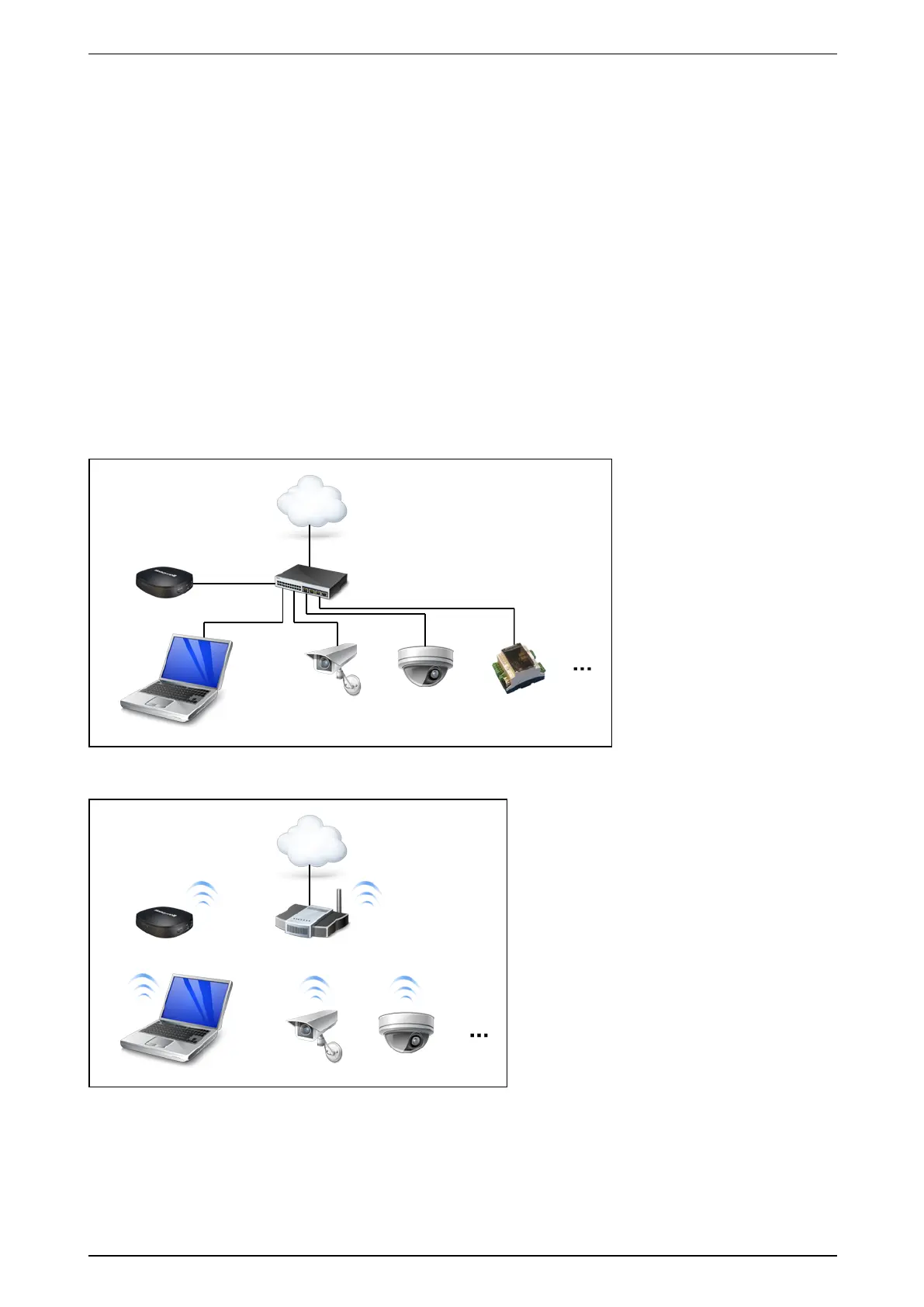
BelowisanexampleofafullywirednetworkwiththeiFTGateway,aclientPC,IPcameras,andaNetI/O
module.
BelowisanexampleofafullywirelessnetworkwiththeiFTGateway,aclientPC,andIPcameras.
Dependingonyourconfiguration,makesurethattheIPaddressesoftheiFTGateway,clientPC,IPcameras…
areinthecorrectnetworkrange.



 To Next Page