iFT Gateway Hardware Installation Manual ADPRO
22 33104_01
10.2.2 Troubleshooting Talkback
YoucantesttalkbackusingtheXOclient(asoffirmwareversionXO4.3).Theaudiooutsetupscreenprovidesa
testbuttontoplayasoundclip.Fordetails,seetheXO Client Software User Manual for iFT Gateway(33103).
Iftalkbackdoesnotwork,checkthefollowing:
l IntheXOclientsoftware,checktheaccessrightsoftheuser:Audio talk mustbeallowed.
l RoutersmayblockUDPpackets.IntheaudiosetupintheXOclient,specifyTCP,orconfiguretherouterto
allowUDPpackets.
l UsethePCheadphonespluginsteadofthePCmicrophoneplug.
l Checktheconfigurationofthemicrophoneonyourcomputer.Fordetails,seebelow.
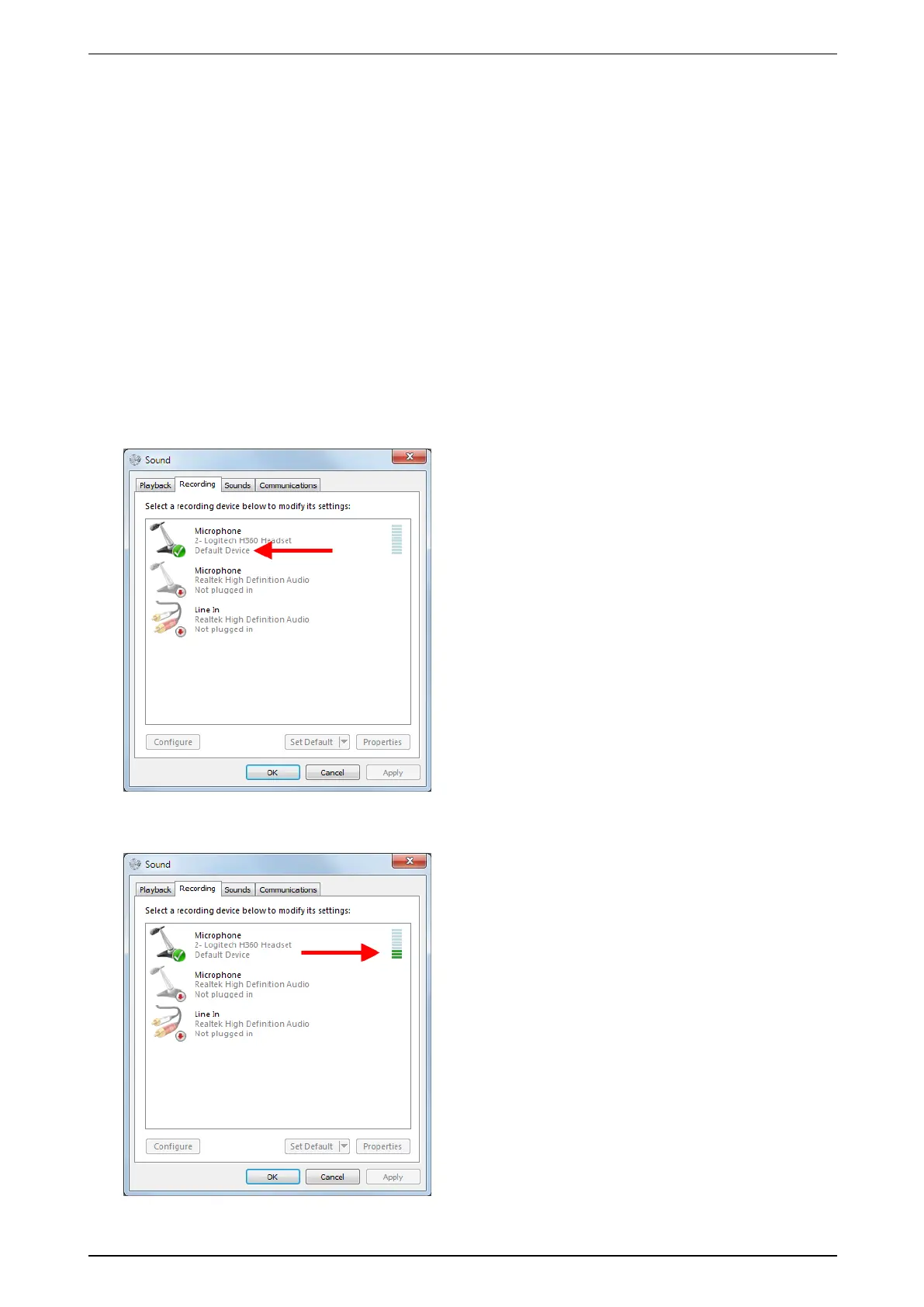
ToconfigurethemicrophoneonyourcomputerinWindowsVista/Windows7,proceedasfollows:
1. ClickStart,andthenclickControl Panel.
2. ClickSound,andthenclicktheRecording tab.
3. Ifyouhavemorethanonesounddevice,checkifthedeviceyouwanttousewiththeXOdeviceisthe
defaultdevice.Ifnot,right-clickthedesireddevice,andclickSet as Default Device.
4. Totestifthemicrophoneworks,tapitwithyourfingerafewtimes.Thebluelinesnexttothedefault
microphonelightupingreen,indicatingthevolume.



 To Next Page