ADPRO iFT Gateway Hardware Installation Manual
33104_01 17
7 XO I/O Interface USB Modules
TheXOI/OInterfaceUSBmoduleofferscommandinputsandrelayoutputs.Therearesingleanddouble
modules,butontheiFTGateway,youcanonlyuseasinglemodule.
XOI/OInterfaceUSBmodule: Rearview,singlemodule:
Fordetailedinformation,seetheXO I/O Interface USB Module Technical Manual (32688).
7.1 Overview of Inputs and Outputs
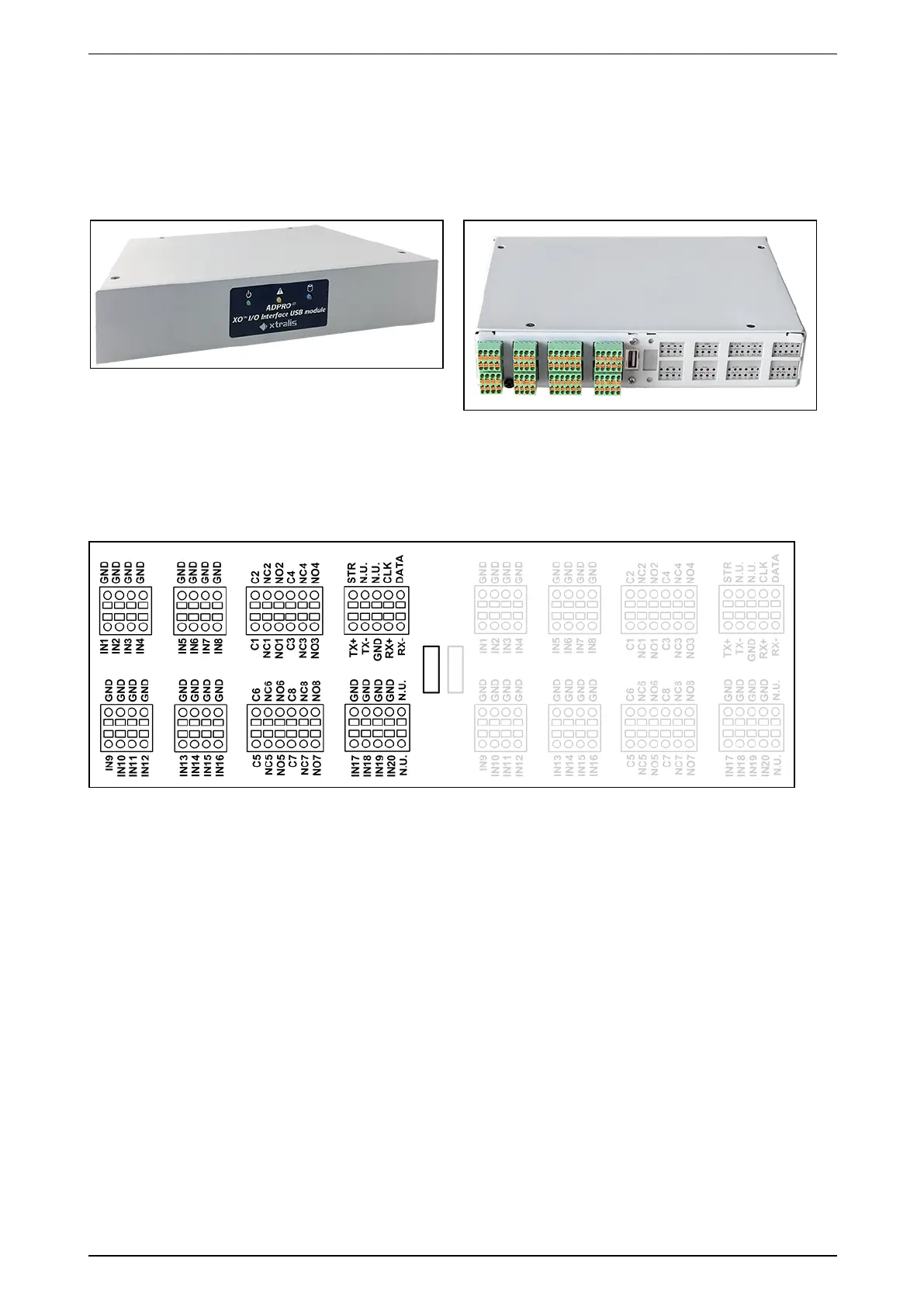
Theimagebelowshowstheinputsandoutputsonasinglemodule:
IN1–20arevoltage-freecontactinputs.EachinputhasitsownGND.
C1–8arevoltage-freerelaycontactoutputs.Eachoutputhasacommonterminal(C1–C8)andbothanormal
open(NO1–NO8)andnormalclosed(NC1–NC8)terminal.Usetheappropriateterminalforeachoutput.Donot
usebothNOandNCterminalsforthesameoutput.
TheconnectorslabelledN.U.arenotused.
7.2 Input Circuits
BelowaretheNEOL,SEOL,andDEOLconfigurationsfortheinputs.Forcorrectoperation,youalsohaveto
indicatetheusedinputcircuitconfigurationintheXOclientsoftware.Formoreinformation,seetheXO Client
Software User Manual for iFT Gateway(33103).



 To Next Page