Increase the volume in the game by pressing the Operator Button and
adjusting the volume options in the Operator Menu. You might also Quit the
game to Windows desktop and increase the volume via the Speaker icon
on the bottom right of your screen.
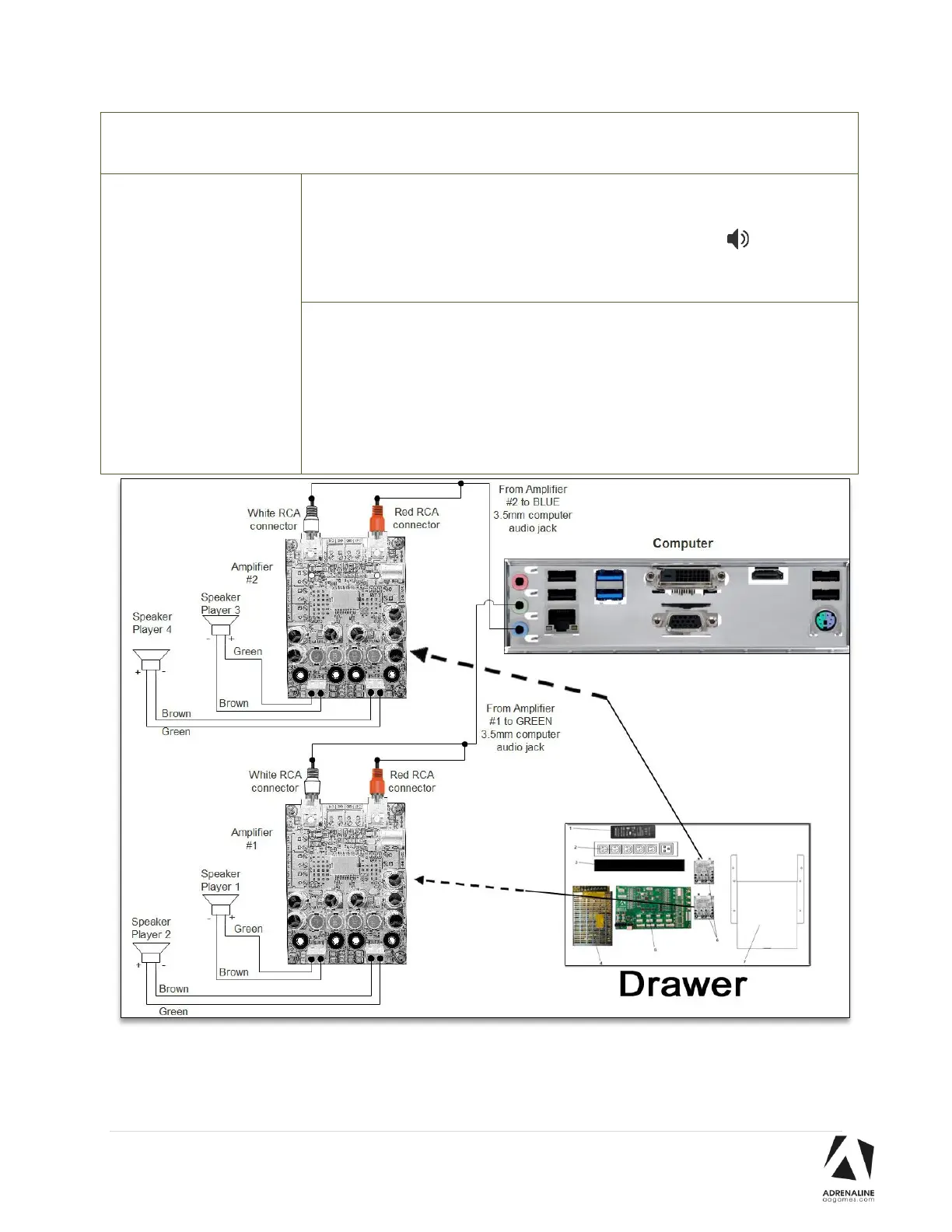
Verify the wirings behind the speakers and in the amplifier.
Verify that the 1/8’’ audio jack is plugged in the computer’s sound input jack
and that the other end RCA’s are plugged in the sound amplifier. If a player
doesn’t have sound, refer to the wiring diagram below. Each amplifier
controls 2 players. If the sound is not playing for the good player position,
try to invert the Red & White RCA connectors on the amplifier.



 To Next Page