Crazy Tower Arcade Manual V7.1
Chapter 05 – Operator Menu
17 | P a g e
Reboot the unit to update the game via a previously
downloaded file copied on a USB flash drive.
Resets the Inserted credits to 0 if more than 40 credits
are entered.
To edit the button and player positions.
Exits the game and returns to the Windows desktop.
Exits the Operator Menu and returns to the game.
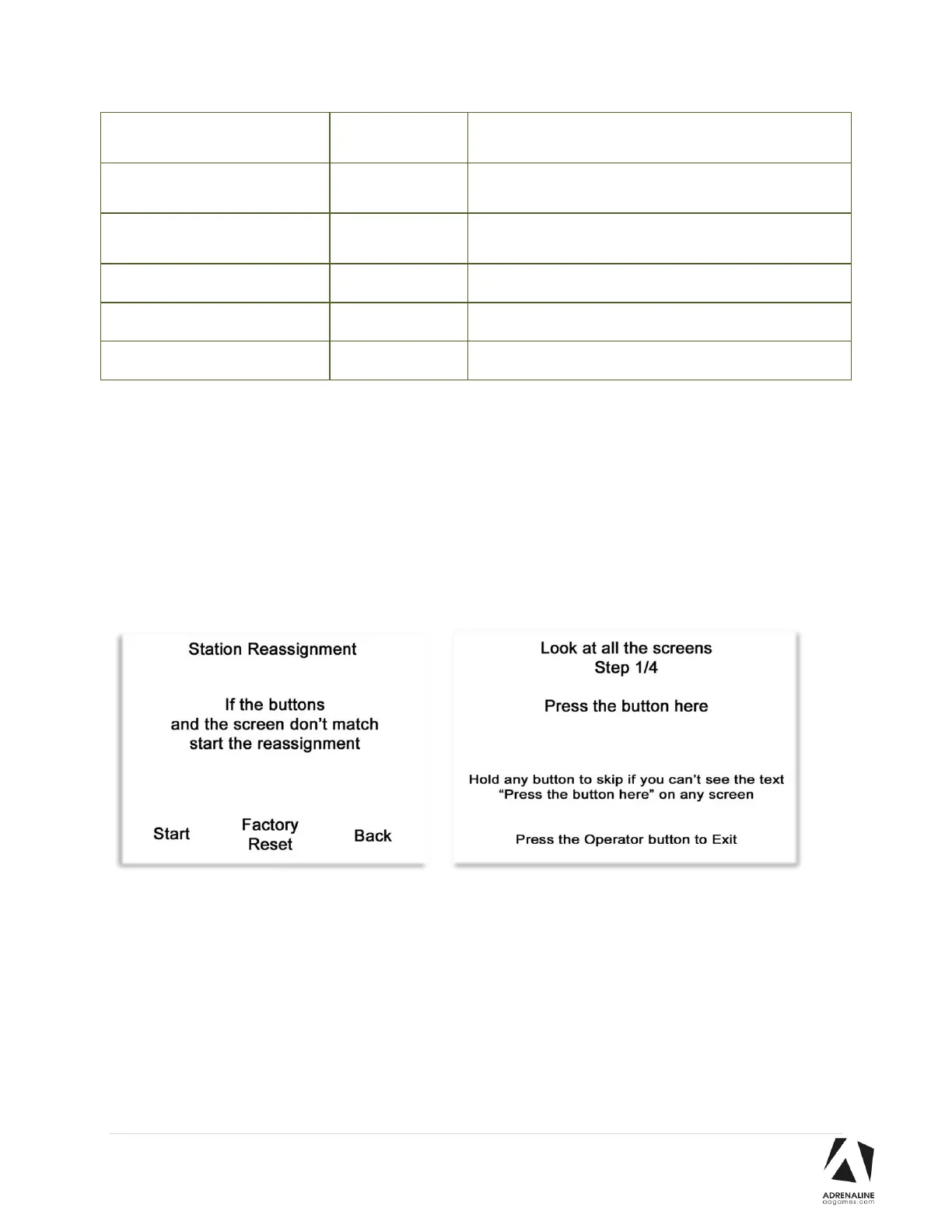
Station Reassignment
If the Coins and/or Speakers doesn’t work for all 4 stations, you can do a Factory Reset to restore the 4
players positions.
If you have a defective projector, during the time you are waiting the replacement, you can recalibrate
the positions one by one by choosing Start and pressing each working station positions.


 To Next Page