Chapter 3 ADT Pulse Enrollment
13
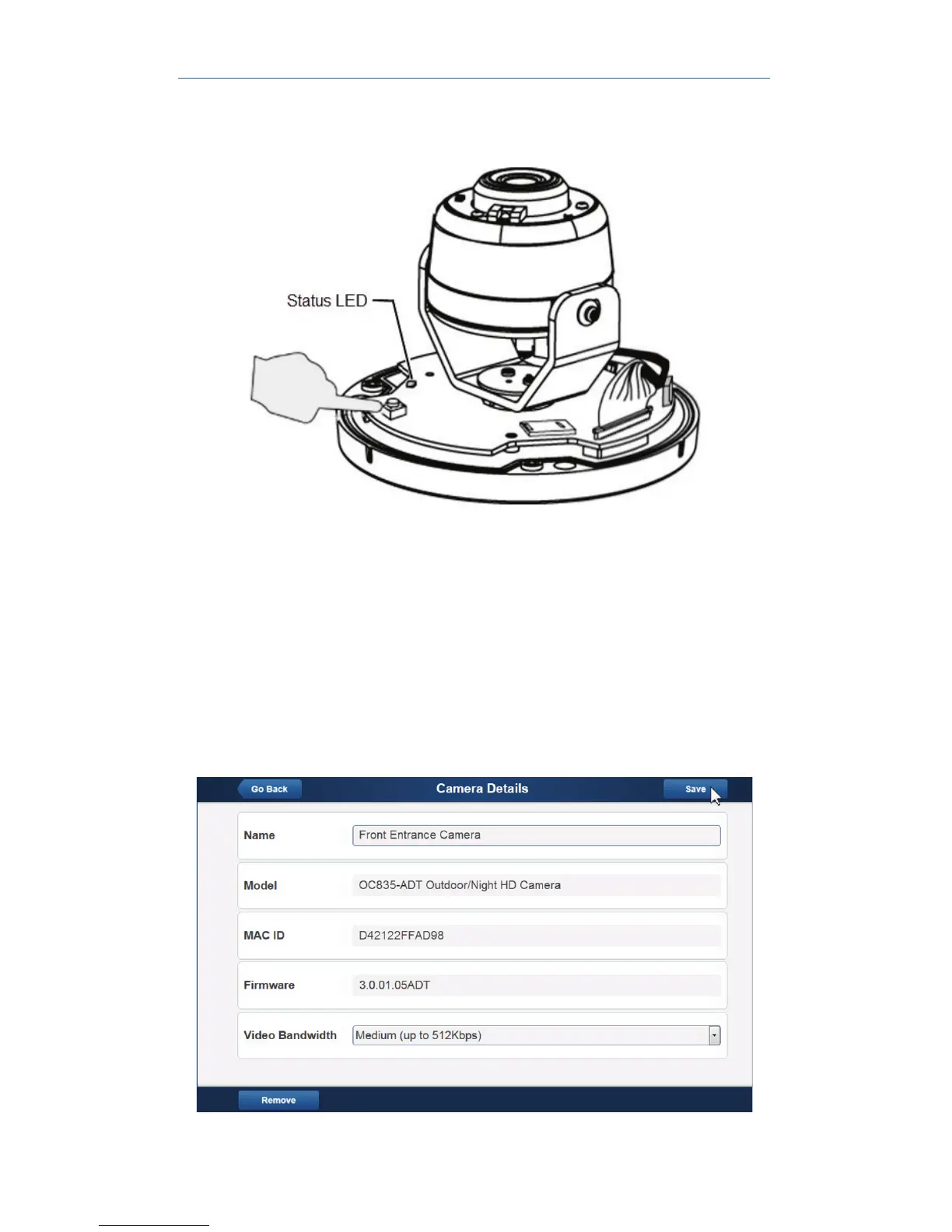
10. Press and hold the WPS/RESET/Image Flip button on the camera
for 5 seconds to establish a wireless connection.
The Status LED flashes amber as the gateway attempts to connect
to the camera. The wireless connection is successful when the LED
turns solid blue.
NOTE: You must complete the WPS connection within 2 minutes or
else the process will time out. The time remaining is displayed in the
upper left portion of the screen.
11. When the Camera Details screen appears, showing that the camera
has been enrolled, assign the camera a unique name (usually based
on the location of the camera) in the Name field, and then click Save.


 To Next Page