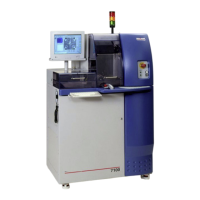
ADT 7100 User Manual Operating Procedure
it to the left, then to the right once.
13. Press down on the circular blade button on the top and move it twice around the frame.
14. Open the unit cover.
15. Lift off and discard the excess tape.
16. Turn the vacuum valve located on the right front of the tool off.
17. Remove the workpiece from the unit.
18. It is recommended that you put the workpiece back on the chuck with the tape facing
down for 15-20 minutes to ensure good tape adhesion. Failure to do this may cause
smaller pieces to dislodge during cutting and be lost in the machine.
19. If there are bubbles between the tape and the workpiece, remove the tape from the frame
and the workpiece and repeat the entire procedure. These could also be caused by
particles on the back of the wafer.
20. Let the wafer cool entirely before putting it on the dicing saw. The longer you let it cool,
the better the tape adhesion.
21. Turn the mounting station off after mounting the last wafer and close the lid.
Note: The blue tape is three mils (~75 um) thick.
Assigning your recipe
1. The name of the currently assigned recipe is displayed near the top of the screen to the
right of the menus.
2. From the Auto menu, select Define Job.
Auto menu → Define job → (Select your recipe)
3. Select your recipe in the Users group from the tree displayed in the Recipe window.
4. Click OK to assign the recipe and close the dialog box.
5. Your recipe will appear near the top of the screen to the right of the menus.
6. Click Programming Workspace to check and edit your recipe as needed for the
workpiece you are cutting. Some of the critical parameters include, but are not limited to,
the sample’s thickness and the type of blade. Click save if you made changes. For Recipe
help, see Custom Recipe Development.
Lurie Nanofabrication Facility 2-8


 To Next Page