ADT 7100 User Manual Operating Procedure
4. When you hear the loud click, open the large cutting chamber cover.
Note: If you take more than 20 sec to open the chamber, it will lock again, and you will
need to initiate the blade change procedure one more time.
5. Move the locking lever on the left side of the blade cover to the left.
6. Open the blade cover door.
7. Before putting a blade on, clean the spindle and blade cover using IPA and a clean wipe.
Clean the back of the blade or flange, mounting hole, and spacer to ensure accurate
cutting. Take care not to touch the wash pipe at the bottom of the blade cover door.
8. If installing an S1230-Q5HH-000 blade, S2550-Q5HH-000 blade, or other blades with a
built-in hub, place the thin silver spacer on the spindle before the blade.
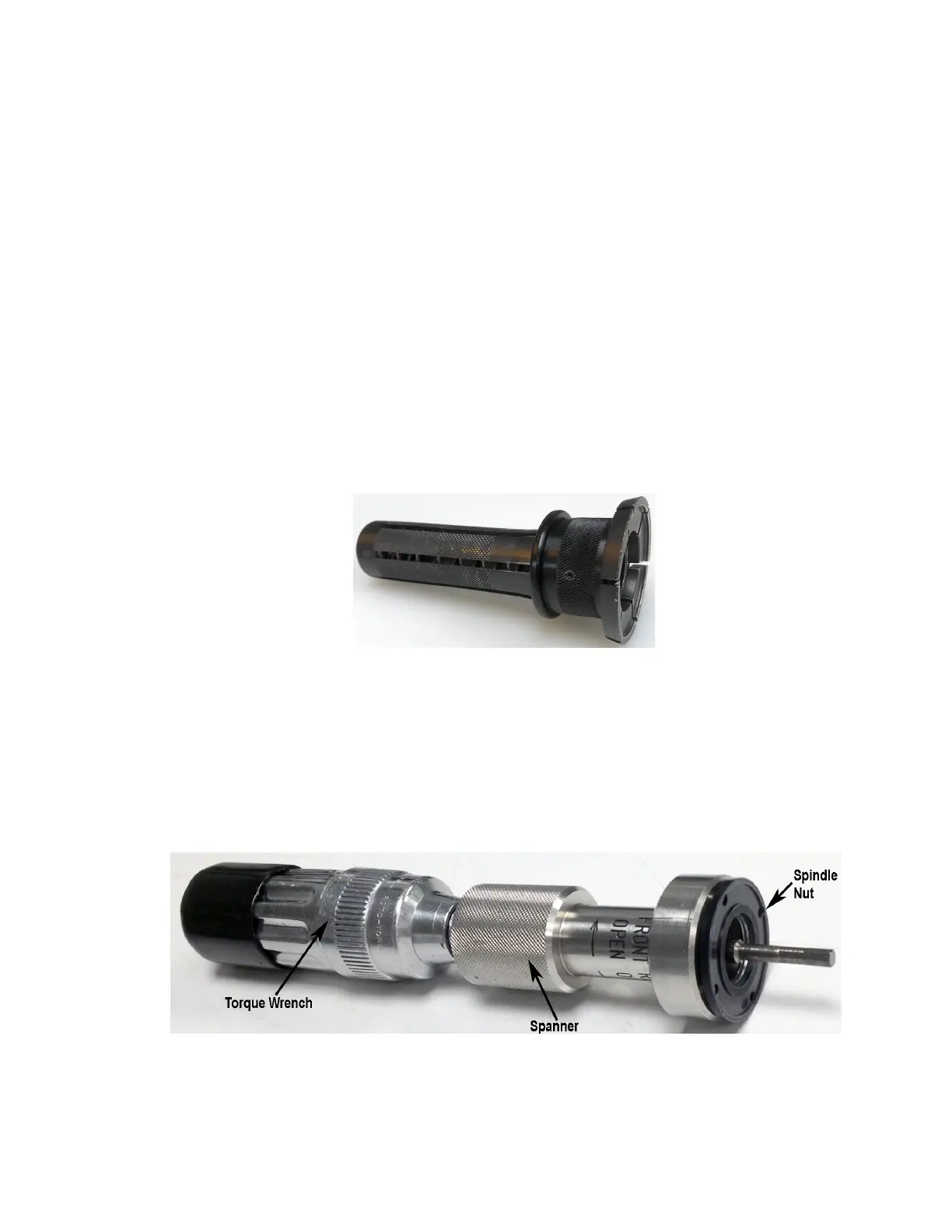
9. Install your blade onto the spindle using the Blade Handling Tool, with the writing on the
blade facing you. Pull back on the ring near the end of the tool to open the tool and allow
you to put it on the blade, then release the ring.
10. The blade should be inserted into the spindle. If you put it on straight, it will go on easily.
11. Release and remove the Blade Handling Tool.
12. The blade must be on correctly. Gently push the hub or flange to ensure it is on all the
way. Do not touch the blade itself. Check it by slowly rotating the spindle. The blade
should turn smoothly and should not wobble.
13. Put the silver-colored Spanner Tool on the torque wrench with two small pins facing
away from the handle.
Torque Wrench With Spanner Tool And Spindle Nut
14. Put the holding Spindle Nut on the silver-colored Spanner Tool with the writing facing
the spanner tool.
Lurie Nanofabrication Facility 2-11


 To Next Page