ADT 7100 User Manual Operating Procedure
e. Close the Load/Unload Cover.
2. Removing a workpiece if you are not automatically prompted to do so.
a. In the Video Workspace, click the Unload Wafer button , or from the Manual
menu, select Services > Remove workpiece or press Ctrl+R.
b. Click Finish in the Wizard.
c. Open the Load/Unload Cover and remove the workpiece from the Cutting Chuck. Tip the
frame to the side so any residual water will not drip on the chuck.
d. You may wash or dry the wafer using the air and water tool on the left side of the saw.
e. Close the Load/Unload Cover.
3. If you wish to rinse your wafer with DI water, please use the sink in the room with the saw. DI
water is turned on and off with the pushbutton below the countertop to the left of the sink. Turn
off the DI water when you are done with it.
Removing your blade from the tool
After finishing your last sample, you should follow the following instruction for removing the blade.
Look at the ADT LNF wiki page for accessing a video showing this process.
1. Initiate the Blade Change procedure to remove your blade in one of the following ways
a. Right-click the Blade Indicator (green rectangle at the bottom left of the screen) and
select Blade Change.
b. Select: Manual menu → Services → Blade Change
c. In the Blade Change tab of the Blade Information screen, click Change.
2. The Spindle stops rotating and moves automatically to the Blade Change station to enable easy
access to the Blade. Additionally, the Define Blade screen is displayed.
3. When the cutting chamber cover interlock disengages with a loud click, open the cover to access
the spindle. You have about two minutes to open the chamber before it locks again.
4. Move the locking lever on the left side of the blade cover to the left.
5. Open the blade cover door.
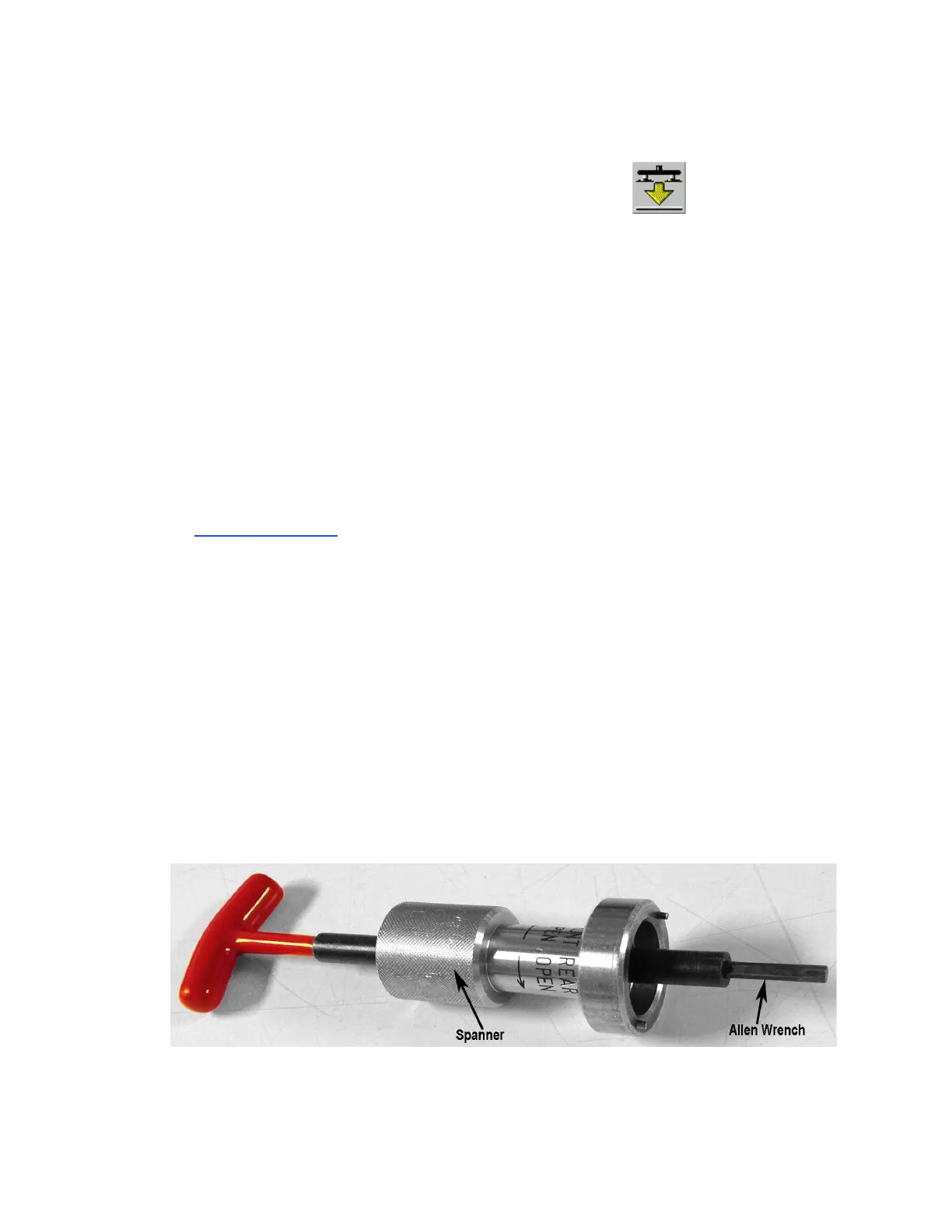
6. To remove the blade, place the silver-colored Spanner Tool onto the red-handled Allen Wrench
with the two small pins facing away from the handle.
Red-handled Allen Wrench With Spanner Tool
Lurie Nanofabrication Facility 2-16


 To Next Page