35 PCI/ PCI Express-Communication User Manual
Chapter 4 ICOM Tools
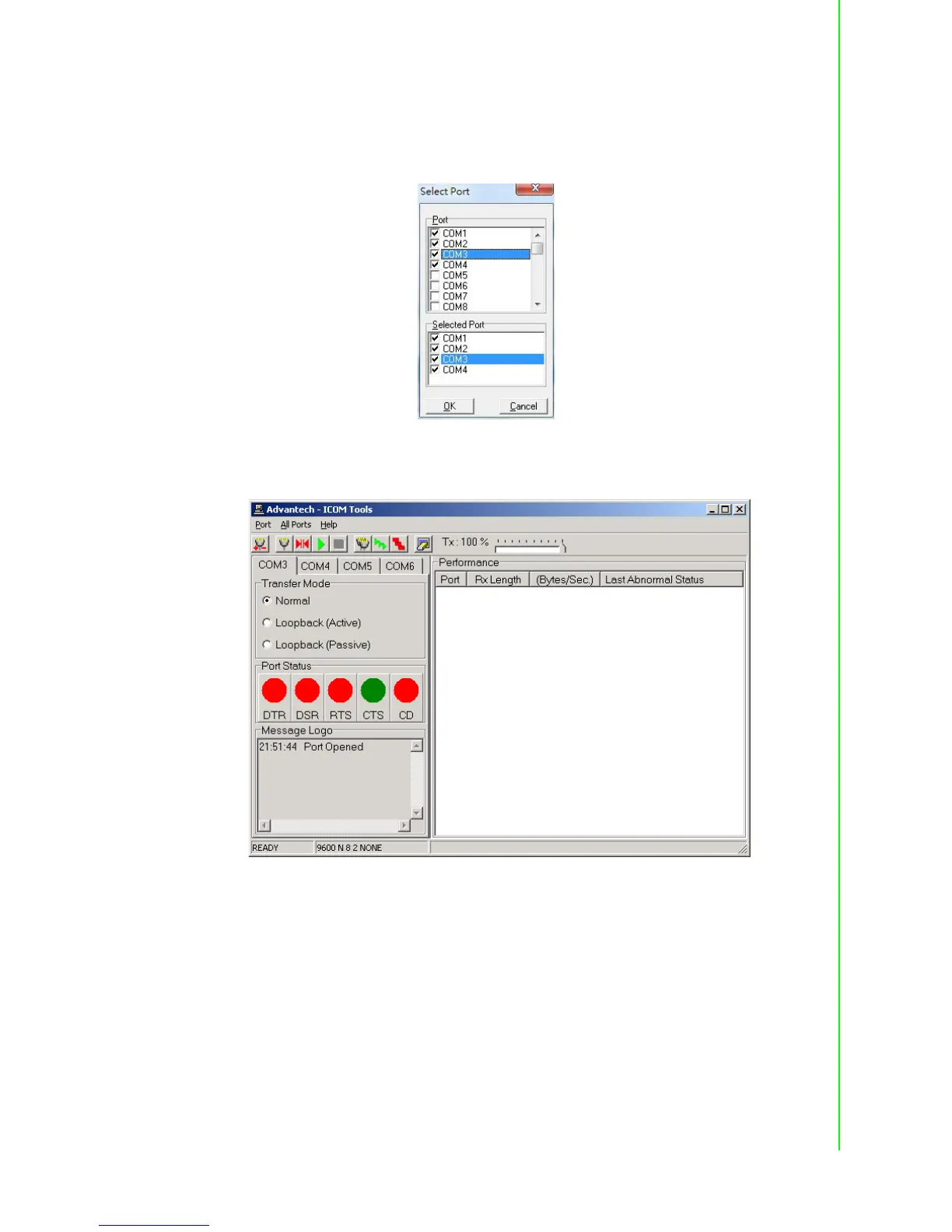
Select the port(s) you want to perform test on from the checkboxes next to each
COM port. You can either click the checkbox or double-click the name(s) of the
port(s) to select/deselect port(s) to perform the test on. The port(s) you selected will
immediately appear in the Selected Port field.
Figure 4.3 Ports You Select Will Appear in the Selected Port Checkbox Group
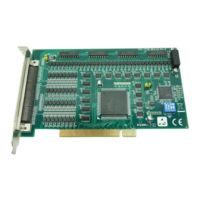
Click OK to bring up the ICOM Tools User Interface such as below:
Figure 4.4 Figure 4.4: ICOM Tools User Interface


 To Next Page