12
Wireless Connection
Fully charge the unit before using in wireless mode.
1. Switch the Battery Power ON/OFF Switch at the
bottom of the unit to ON position.
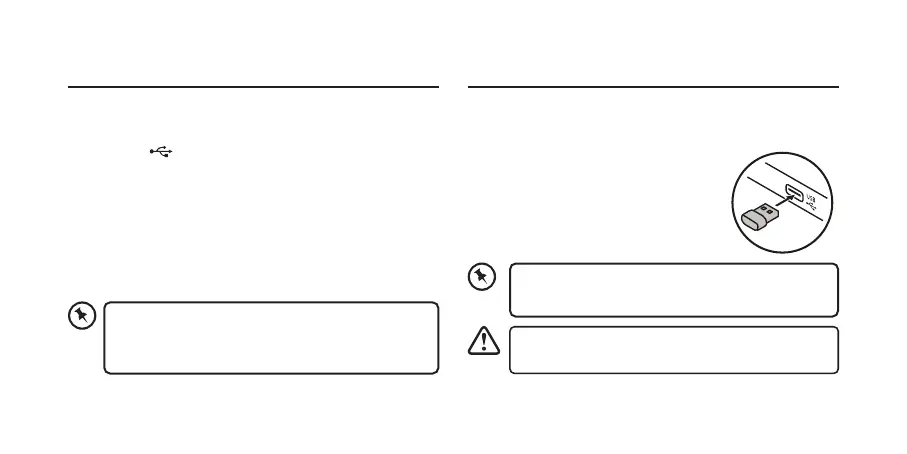
2. Plug the Dongle securely into your
computer’s USB port. The keyboard
will automatically connect to the
computer.
Switch o the unit to conserve energy if it is not
used for a long period of time.
Try another USB port if the unit cannot be
connected to your computer.
Wired Connection
1. Connect the unit with the provided USB cable with your
computer (not included).
2. Press the
button to switch the unit in wired mode.
The button will light up blue.
If necessary, remove the nano dongle and insert it
in the dongle dock of the keyboard as the dongle
is very small and can be easily lost.



 To Next Page