31
PD201806 AEG GRID-TIED SINGLE-PHASE SOLAR INVERTER V.1-18 EN
31
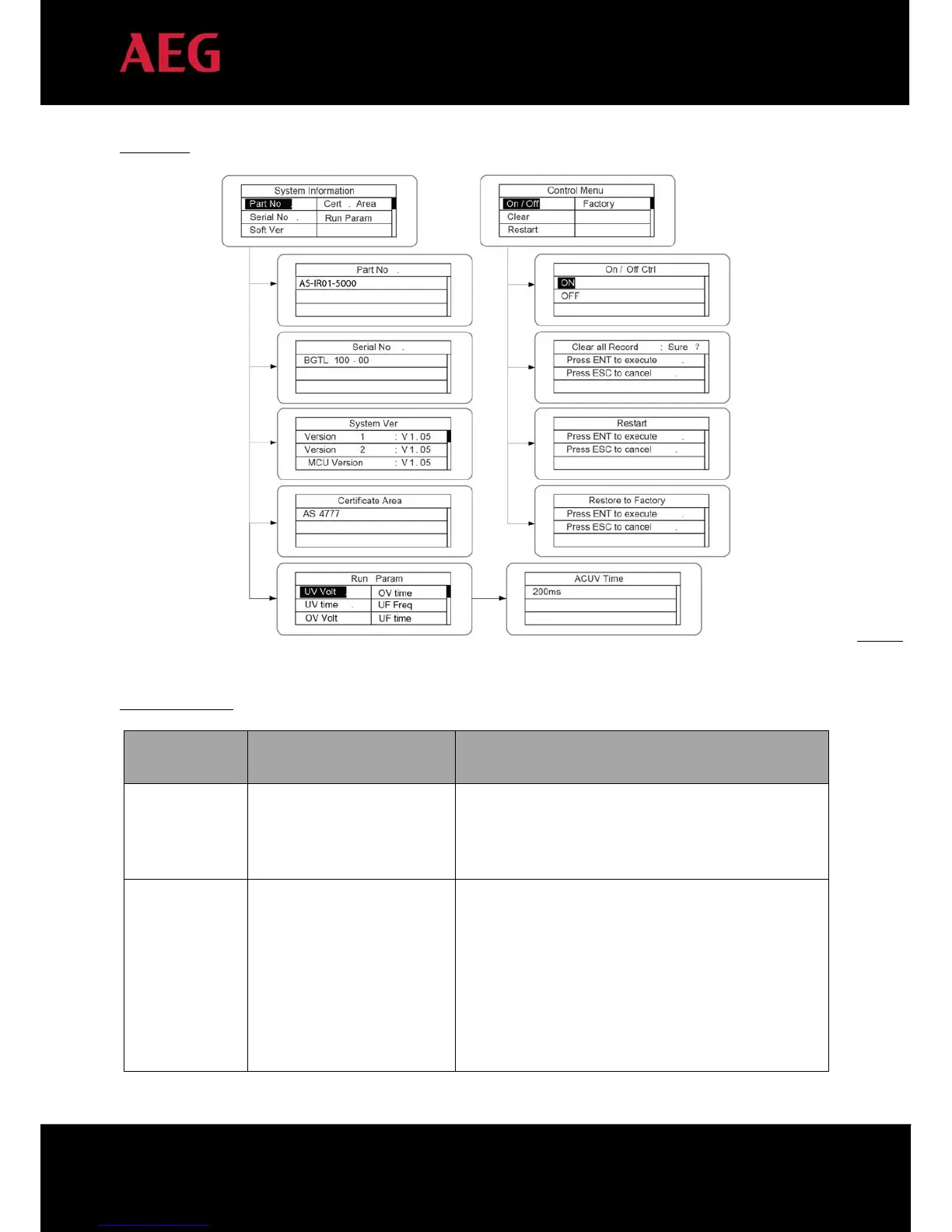
LCD menus:
Parameters setting
Setting item
LCD display Instruction
RS485 Address
Access the interface and edit the data through “ ” or “ ”.
Then press “ENT” again to edit the next digit. After editing
the three digits, press “ENT” to save and press “ESC” to exit.
User password
Access the interface and edit the data through “ ” or “ ”.
Then press “ENT” again to edit the next digits. After editing
the four digits, press “ENT” to save and press “ESC” to exit.
The default password is “0000”; the user can enter the
setting interface without password. If the password has
already been set, the user can only access the interface by
providing the correct password.


 To Next Page