Operating Instructions
22
Countdown C
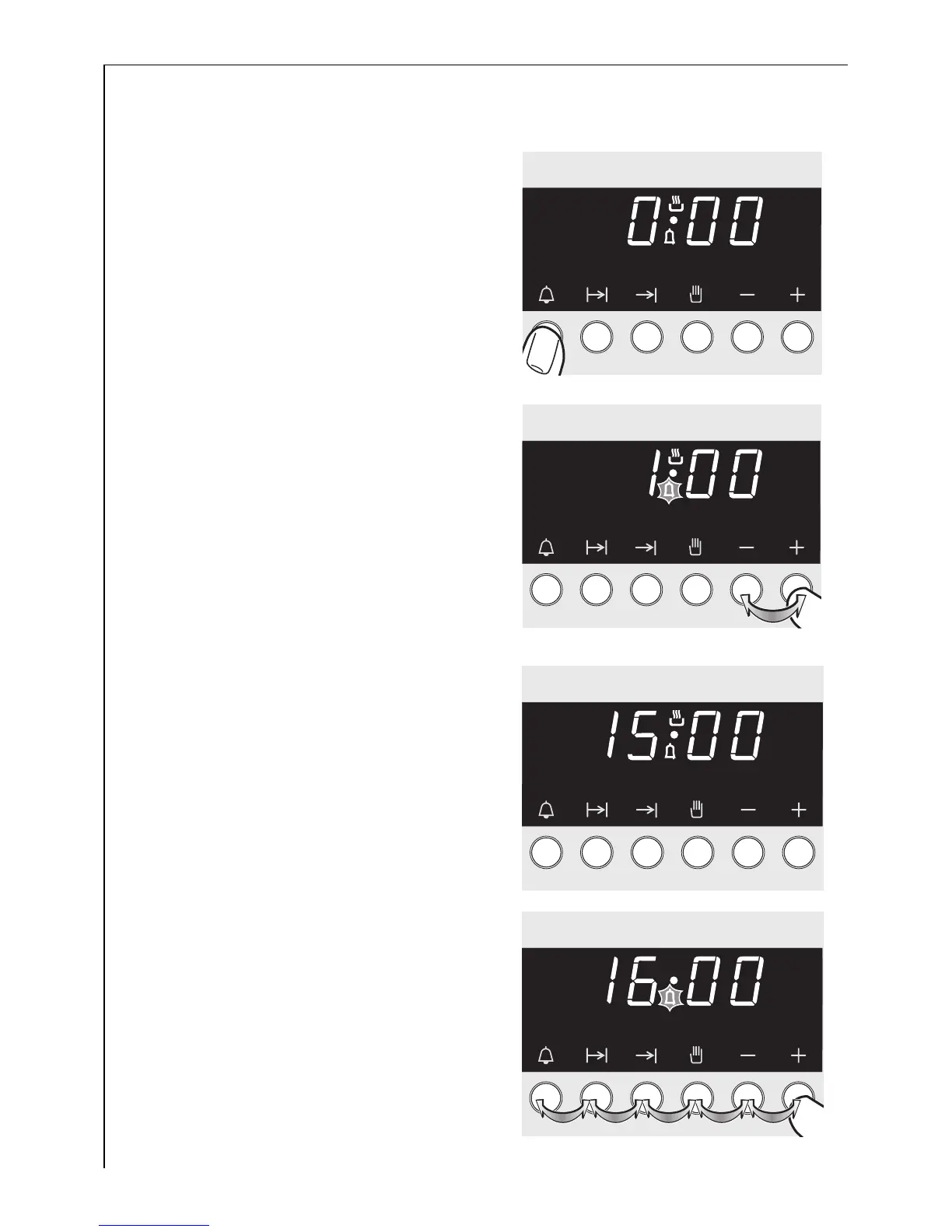
1. Press the Countdown C button.
2. Set the desired time using the + or
- buttons.
3
The remaining time can be checked
by pressing the Countdown
button C again
Press any button to switch off the
signal.
A few seconds after a Countdown
time has been set, the normal clock
display re-appears, showing the cur-
rent time.
When the Countdown is completed,
an audible signal is sounded for
5minutes.
The maximum length of time that
can be set is 90 minutes.







 To Next Page